EasyManua.ls Logo

LG 42PB4D - Manual Picture Adjustment; EZ Picture -User Mode

LG 42PB4D
152 pages
Print Icon
To Next Page IconTo Next Page
To Previous Page IconTo Previous Page
Loading...
PICTURE CONTROL
98
PICTURE CONTROL
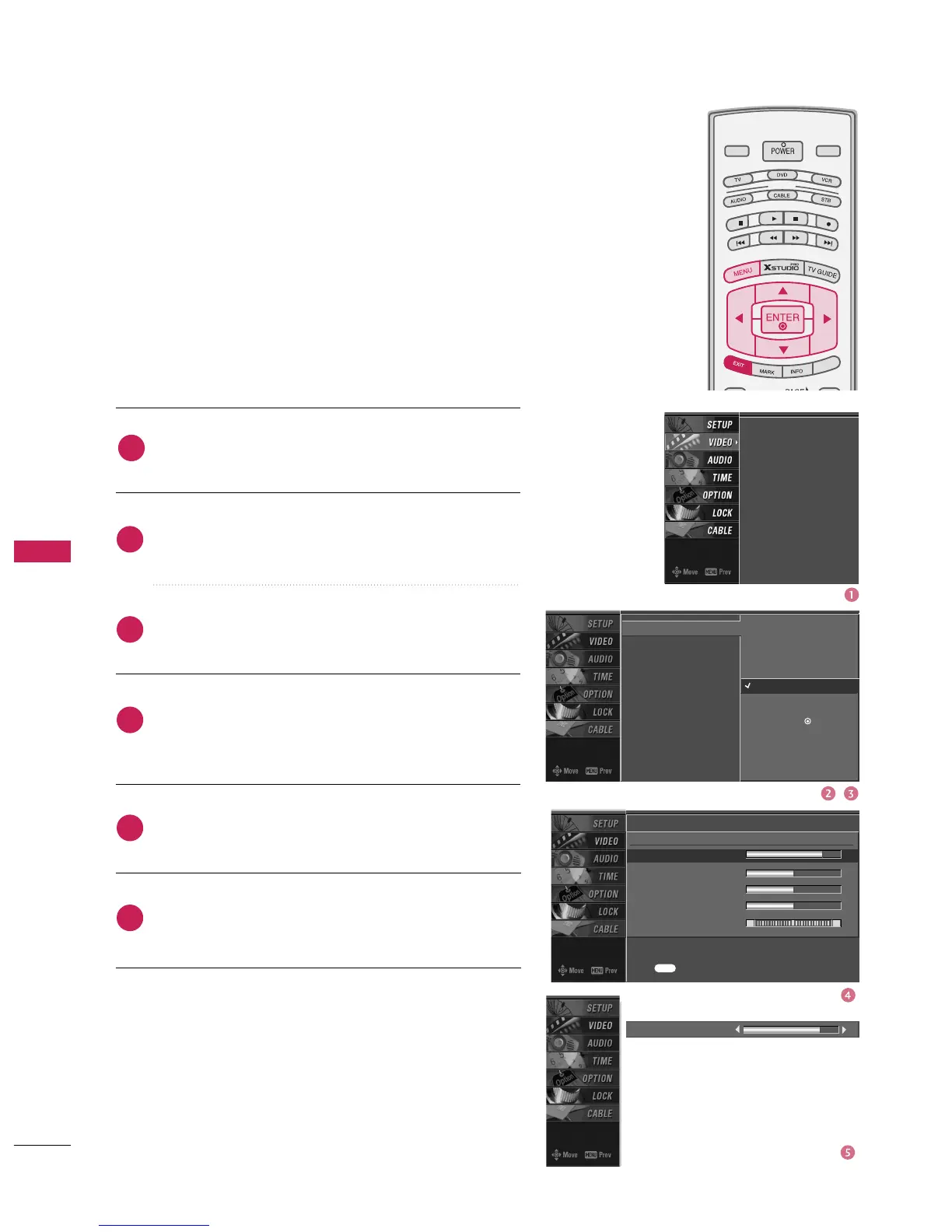
EZ Picture -User Mode
MANUAL PICTURE ADJUSTMENT
Press the
MENU
button and then use
D
or
E
button
to select the
VIDEO
menu.
Press the
G
button and then use
D
or
E
button to
select
EZ Picture
.
Press the
G
button and then use
D
or
E
button to
select
User 1
or
User 2
.
Press the
G
button and then use
D
or
E
button to
select the desired picture option
(
Contrast,
Brightness, Color, Sharpness, or Tint
)
.
Press the
G
button and then use
F
or
G
button to
make appropriate adjustments.
Press
EXIT
button to return to TV viewing or press
MENU
button to return to the previous menu.
Adjust the picture appearance to suit your preference and
viewing situations.
MODE
LIVE TV
INPUT
DAY -
DAY +
S
IMPL
IN
K
2
3
4
5
6
1
EZ Picture
Color Temperature
XD
Advanced
Video Reset
Daylight
Normal
Night Time
User 1
G
User 2
Selection (
G
or ) leads you
to the detailed setting
screen.
Contrast 85
E
User1
Contrast 85
G
Brightness 50
Color 50
Sharpness 50
Tint 0
R G
Press to confirm.
MENU
EZ Picture
Color Temperature
XD
Advanced
Video Reset

Table of Contents

Related product manuals