DVR (DIGITAL VIDEO RECORDER)
84
DVR (DIGITAL VIDEO RECORDING)
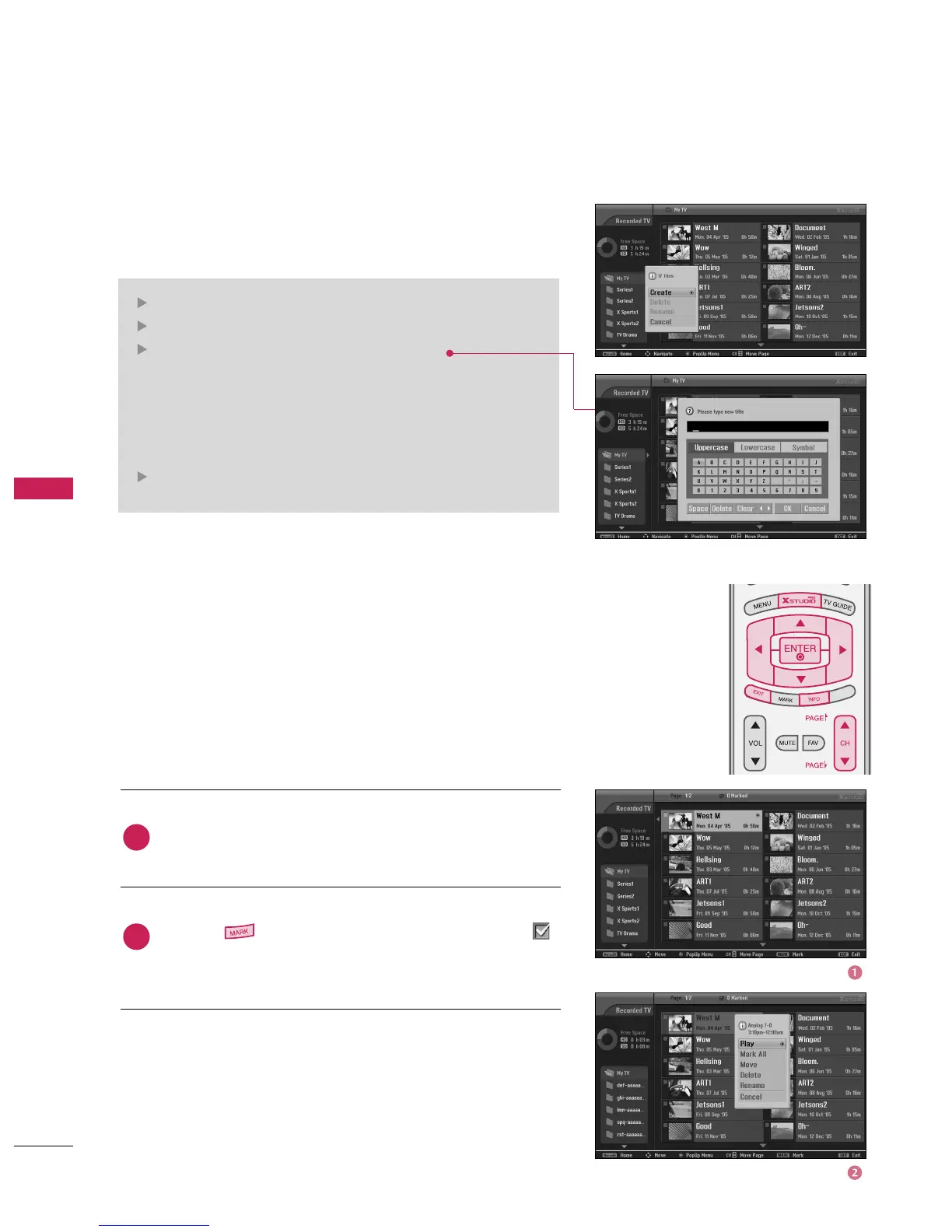
Folder List
Select a desired folder in the folder list and then press the
button for page up/down navigation.
Use the button to move or delete from the list. A
is displayed next to the thumbnail photo if an item is
marked.
Recorded program Selection and PopUp Menu
The thumbnail recorded list is shown above.
DAY -
D
AY +
SIM
PLINK
Create: Create new folder.
Delete: Delete folder (except ‘My TV’).
Rename: Edit folder name (except ‘My TV’).
Use the
D



 To Next Page