TV GUIDE ON SCREEN
TM
SYSTEM
53
Using TV Guide
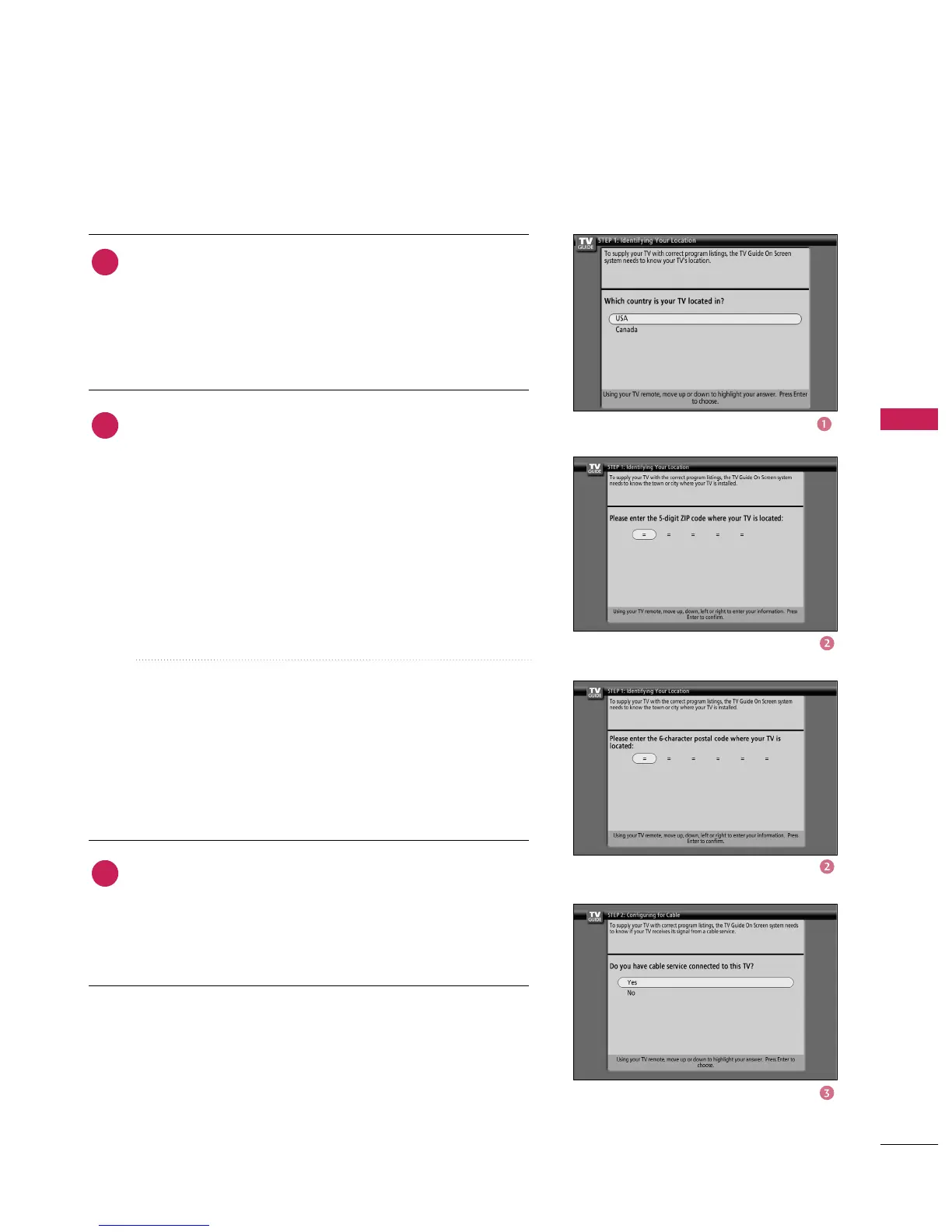
Screen 1: Country
■
This screen asks you the location of your TV.
■
Use the
button to highlight a country.
■
Press
button to display Screen 2.
Screen 2: Enter ZIP or Postal Code
■
If you selected USA in Screen 1, you see the ZIP Code
screen.
■
You input numbers by either pressing the number keys on
the remote or using the
button to display a num-
ber, and then the
button to move to another
field.
■
Press
button to display Screen 3.
■
If you selected Canada in Screen 1, you can see the
Postal Code screen.
■
You input characters by using the
button to move to another field.
■
Press
button to display Screen 3.
Screen 3: Do you have Cable Service connected?
■
If you select Yes, you see Screen 4.
■
If you select No, you see Screen 4.
1
2
3



 To Next Page