WATCHING TV / CHANNEL CONTROL
48
WATCHING TV /CHANNEL CONTROL
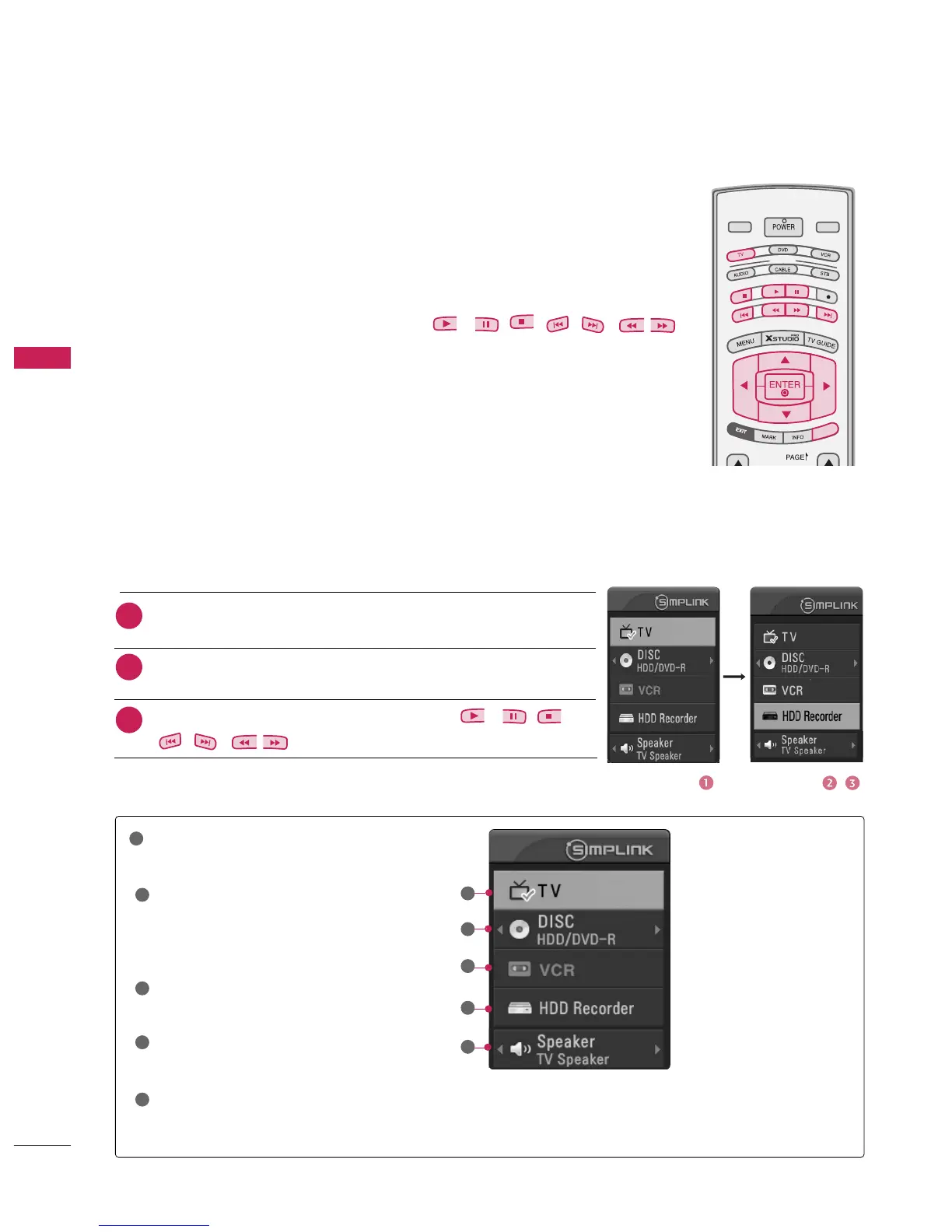
SimpLink Functions
After connecting AV devices to TV, you can directly control the devices and play media
without additional settings.
Enables you to select one of AV devices connected to TV and play it.
Control connected AV devices by pressing the
, , , , , ,
,
buttons and buttons for play, pause, stop, fast reverse, fast forward,
chapter skip.
When you power off TV, all connected devices are turned off.
Offers an easy way to switch audio-out.
(A device, which is connected to TV through HDMI cable but does not support
Simplink, does not provide this function)
Note: To operate SIMPLINK, the HDMI cable over 1.2 Version with *CEC function should be used.
(*CEC: Consumer Electronics Control). Version 1.2 is the cable connected to No. 13 Pin and
is the line to exchange information between units.
SimpLink Menu
: Select and play discs.
When multiple discs are available, the
titles of the discs are conveniently dis-
played at the bottom of the screen.
: Play and control the
connected VCR.
: Play and
control recordings stored in HDD.
Audio Out to HT speaker/Audio
Out to TV
: Select HT speaker or TV
speaker for Audio Out.
: Switch to the previous TV
channel regardless of the current mode.
When no device is
connected (displayed in gray)
When a device is
connected (displayed in
bright color)
1
2
3
4
5
MODE
LIVE TV
DAY -
DAY +
INPUT
SIMPLINKSIMPLINK
button of the MODE on the remote control,
press the
button to select the desired device and then press
the
button.
Control connected AV devices by pressing the
, , ,
,,,
,



 To Next Page