TV GUIDE ON SCREEN
TM
SYSTEM
64
TV GUIDE ON SCREEN
TM
SYSTEM
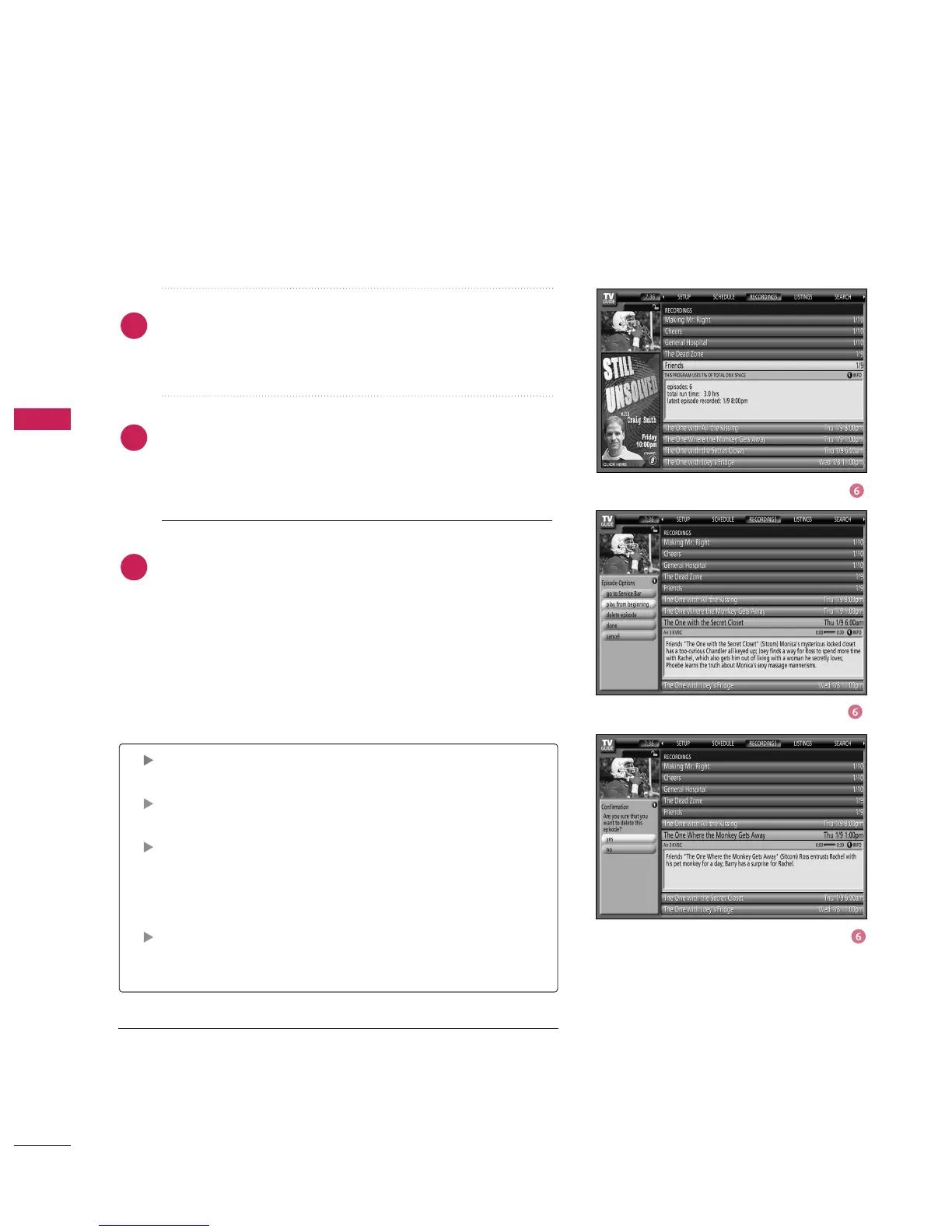
In List View, highlight an episode and an Info box provides
show information. Press the
button
to display the Episode Options menu.
To view an episode, you can do one of the following:
■
Highlight an episode, and press
button to view it
now.
Go to Service Bar - Close the menu, changes no informa-
tion, and returns to the Recordings Service Bar.
Play from beginning - View the episode from the begin-
ning in TV Mode.
Delete Episode - Deletes the episode from the
Recordings, A Confirm menu is displayed.
■
Yes - Deletes the episode.
■
No - Closes the panel menu.
Cancel - Closes the menu, changes no information, and
returns to the highlighted show.
4
5
6



 To Next Page