TV GUIDE ON SCREEN
TM
SYSTEM
67
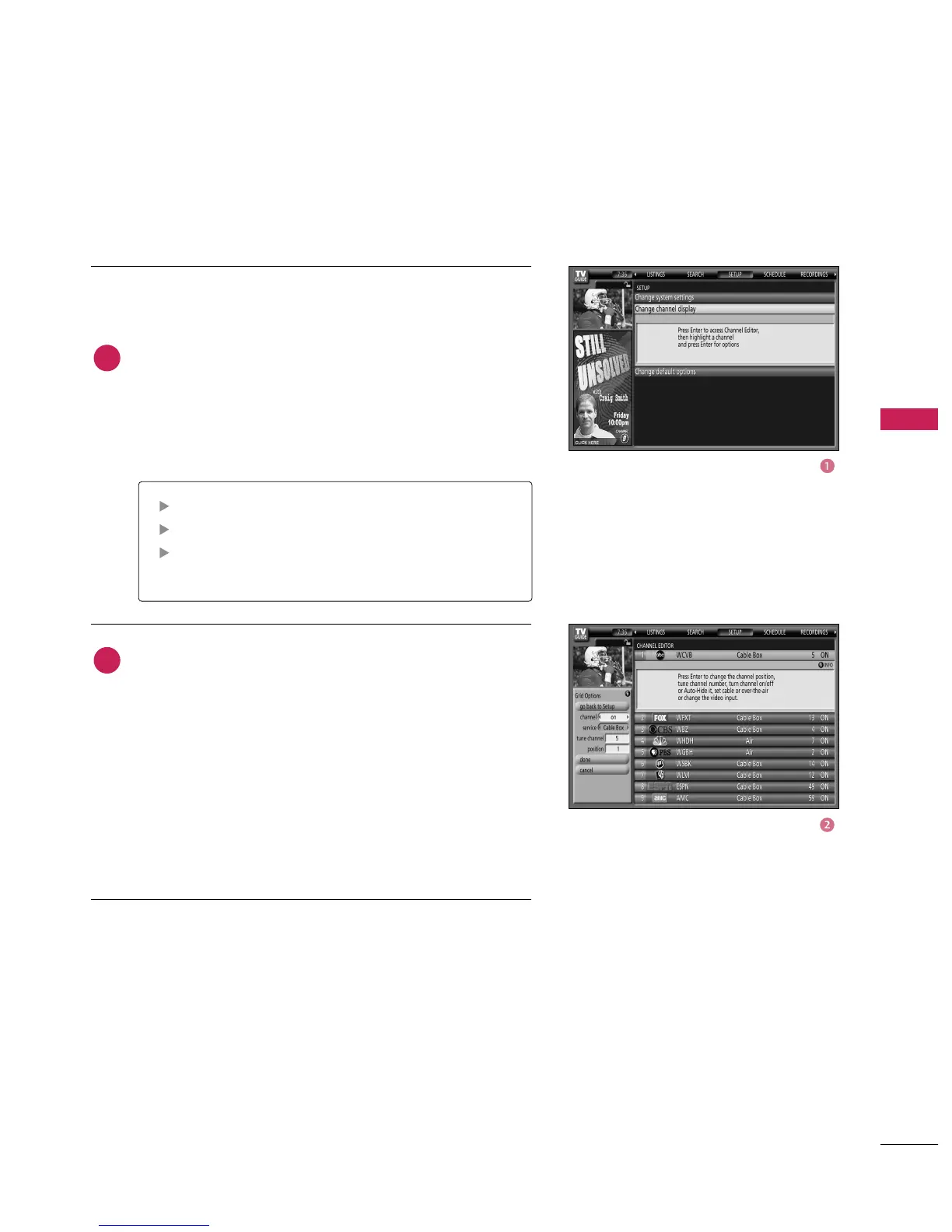
Change Channel Display lets you edit channel information
that appears in Listings. With Change Channel Display
you can :
■
Re-order the position of the channel in Listings.
■
Change the tune channel number.
■
Switch a channel.
Press
button to display the Channel Editor screen.
Then, highlight a channel and press
button. A Grid
Options menu is displayed.
Highlight Go Back to Setup to close the menu, change no
information, and return to the Setup Service Bar.
Or make changes and when finished, press
button
to highlight Done. Press ENTER button again to close the
menu and accept the changes.
Highlight Cancel to close the menu, change no informa-
tion, and return to the highlighted channel.
Change Channel Display
On - The channel is always displayed.
Off - The channel is never displayed.
Auto-Hide - The channel is only displayed when
program information is available.
1
2



 To Next Page