Operating
50
Operating
4
Repeating a specific portion
BD
DVD
AVCHD
ACD
This player can repeat a portion you have selected.
1. During playback, press REPEAT to select [A-]
at the beginning of the portion you wish to
repeat.
2. Press ENTER (
b
) at the end of the portion. Your
selected portion will be repeated continually.
3. To return to normal playback, press REPEAT
repeatedly to select [O].
y
You cannot select a portion less than 3
seconds.
y
This function may not work on some disc or
title.
,
Note
Enlarge the playback image
BD
DVD
AVCHD
MOVIE
MOVIE-N
PHOTO
REC
1. During playback or pause mode, press ZOOM to
display the [Zoom] menu.
2. Use red (R) or green (G) colored button to zoom
out or in on the still image.
You can move through the zoomed picture
using
W/S/A/D
buttons.
3. To return to the normal picture size, press yellow
(Y) colored button.
4. Press RETURN (
x
) to exit the [Zoom] menu.
Marker Search
BD
DVD
AVCHD
MOVIE
MOVIE-N
REC
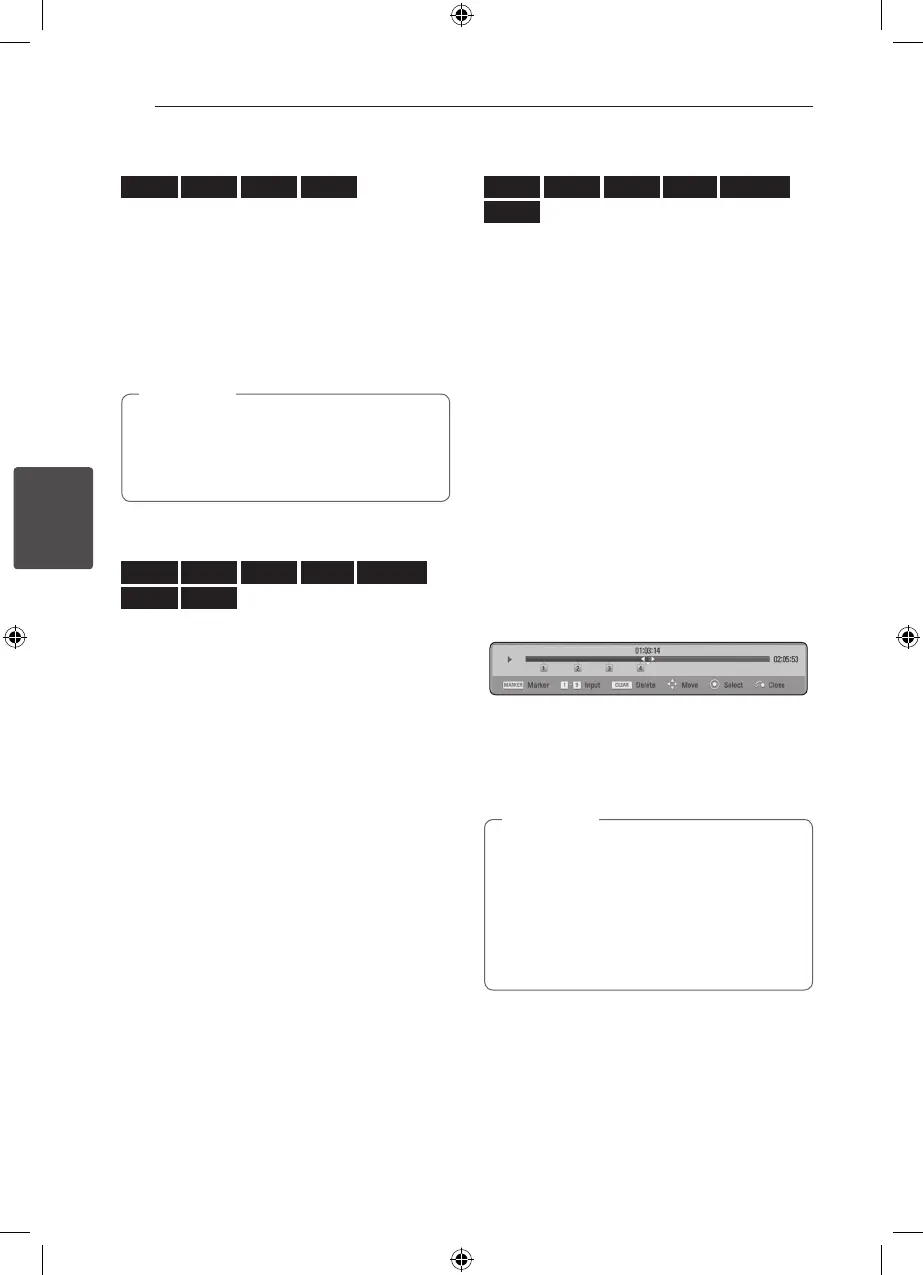
You can start playback from up to nine memorized
points.
To enter a marker
1. During playback, press MARKER at the desired
point. The Marker icon appears on the TV screen
briey.
2. Repeat step 1 to add up to nine markers.
To recall a marked scene
1. Press SEARCH and the search menu appears on
the screen.
2. Press a number button to select a marker
number that you want to recall. Playback starts
from the marked scene.
To delete a Marker
1. Press SEARCH and the search menu appears on
the screen.
2. Press
S
to highlight a marker number. Use
A/
D
to select a marked scene that you want to
delete.
3. Press CLEAR and the marked scene is erased
from the search menu.
y
This function may not work depending on
discs, titles, server ability.
y
All marked points are cleared if the title
is in complete stop (
Z
) mode, the title is
changed or if you unload the disc.
y
If the total length of the title is less than 10
seconds, this function is not available.
,
Note



 To Next Page