17
3.
Product installation Installing Network Storage
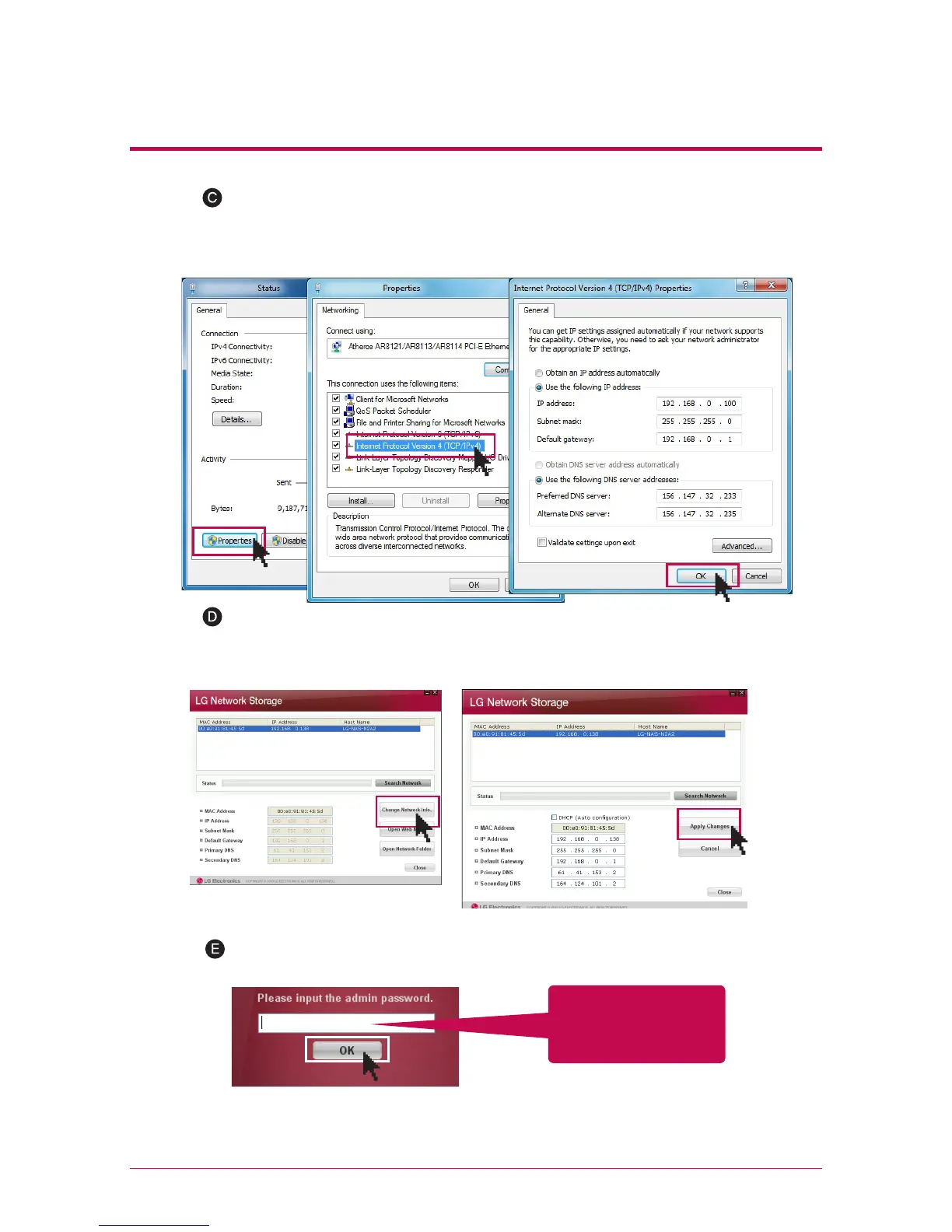
Please change the IP of the PC as follows if the window of local area connection state
popsup. (Example)
properties -> When you double-click internet protocol Version4 (TCP/IPv4), a window
that is able to change the IP of the PC, and then it makes the change.
Please change the IP of NAS using a NAS Detector.
NAS Detector -> Change Network Info -> Click on ‘apply change’ after changing
(5-1. Refer to Using Network Storage Using NAS Detector)
Click OK after entering password.
※
When you connect Network Storage directly with PC using a LAN cable, wire
internet of the PC is not connected
Enter the password,
‘admin’



 To Next Page