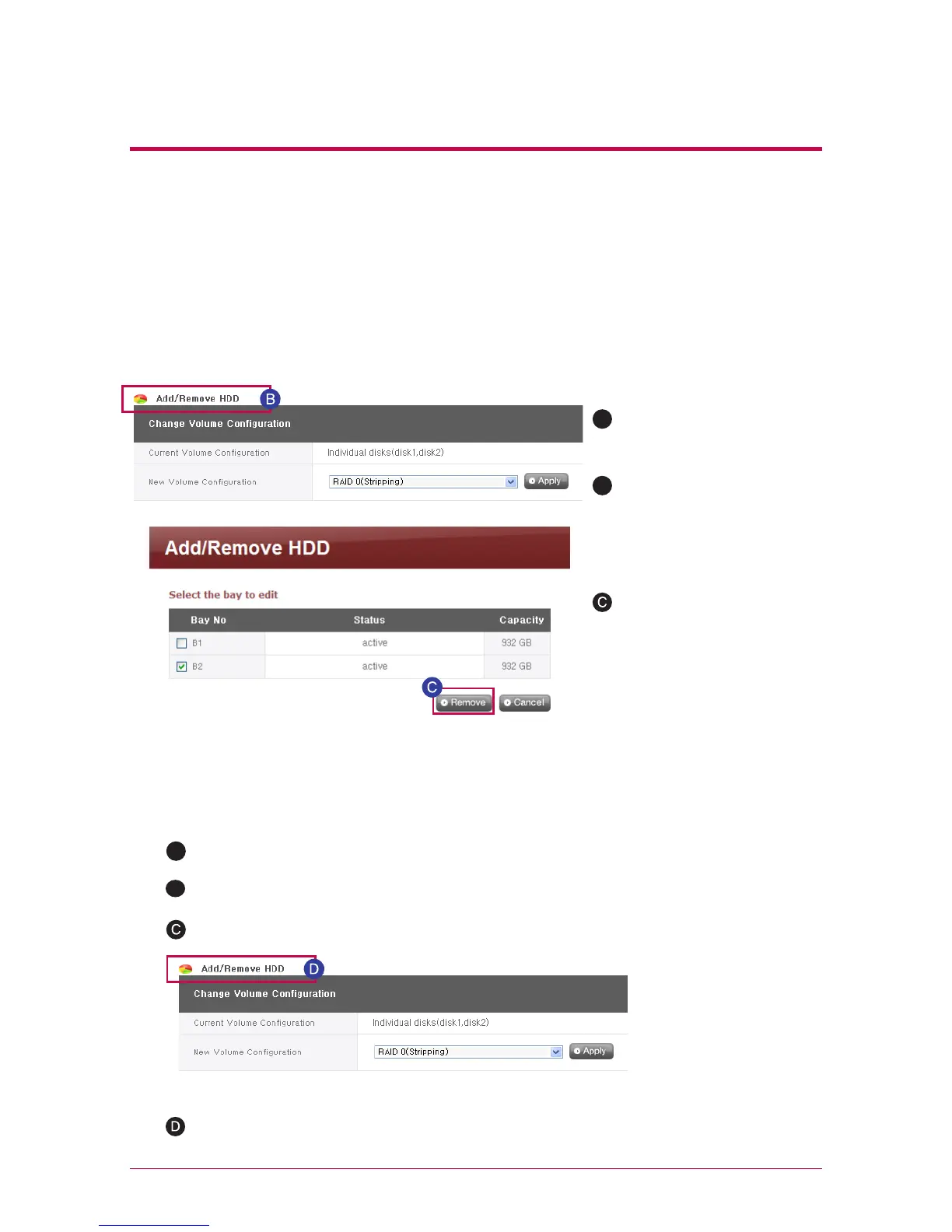
2. Remove disk
3. Add disk
Forced removal of the hard disk without following the remove disk functions provided
in this screen may cause future complications with system performance and loss
of user’s important data. Therefore, it is strongly recommended that user uses the
remove disk button on the web when removing hard disks.
New disks may be added by following the below procedures.
In the case that “single disks” is being used, existing disks may be removed by follow-
ing the below procedures.
A
A
In the web, log in and open
system -> Hard drive
Press the shutdown button in the web, system -> power -> shutdown.
Insert the second disk in the LG Network Storage and turn the power on.
In the web, log in and open system -> Hard drive
Press the “add/remove disk” button above the “change volume configuration”.
Press the “add/remove disk”
button above the “change
volume configuration”.
Check the disk to be
removed and push the
“remove” button.
B



 To Next Page