85
2. Mac users
Click on ‘move>utility’ from a tool collection.
Click on ‘printer set-up utility’
Click on ‘add’.
Click on ‘another printer’ while pressing an alt key on a keyboard.
On a pop-up window:
i. Choose ‘advanced’.
ii. Choose ‘Windows printer through SAMBA’.
iii. Enter URI of the printer. The format is [smb: //LG Network Storage IP address/
printer name]. You can find the printer name from a page ‘equipment organization >
USB printer’ of the device.
iv. Choose ‘general ’ for ‘printer model’.
v. Click on ‘add’.
vi. Printer appears on the printer list. Now you are ready to use.
OS X 10.4 Tiger
10
-
4.
File sharing service
Network printer
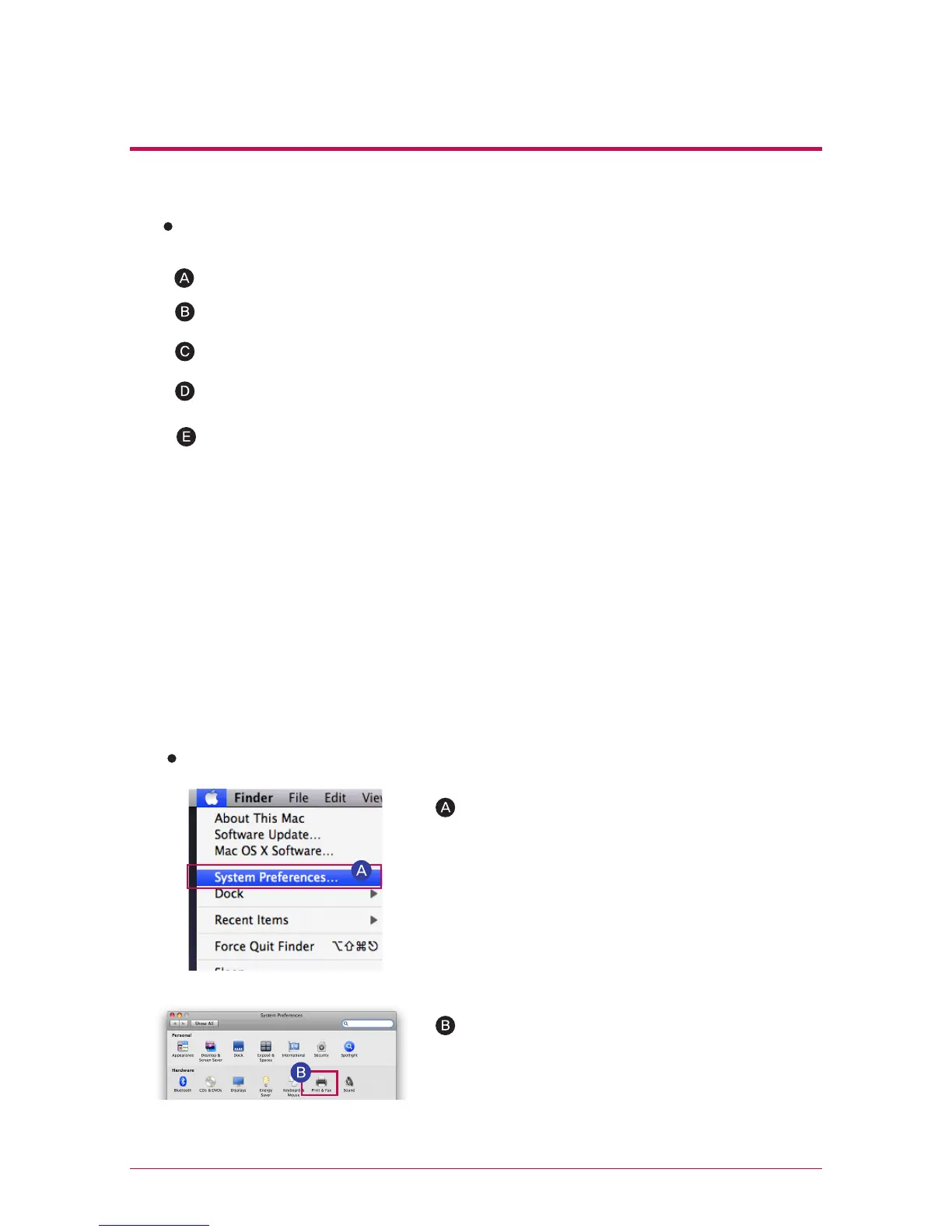
OS X 10.5 Leopard or higher
Operate system environment set-up.
Choose print & fax.
※
You should press alt key and simultaneously click on ‘another printer’ in order to
view advanced printer set-up. Otherwise an option does not appear.



 To Next Page