86
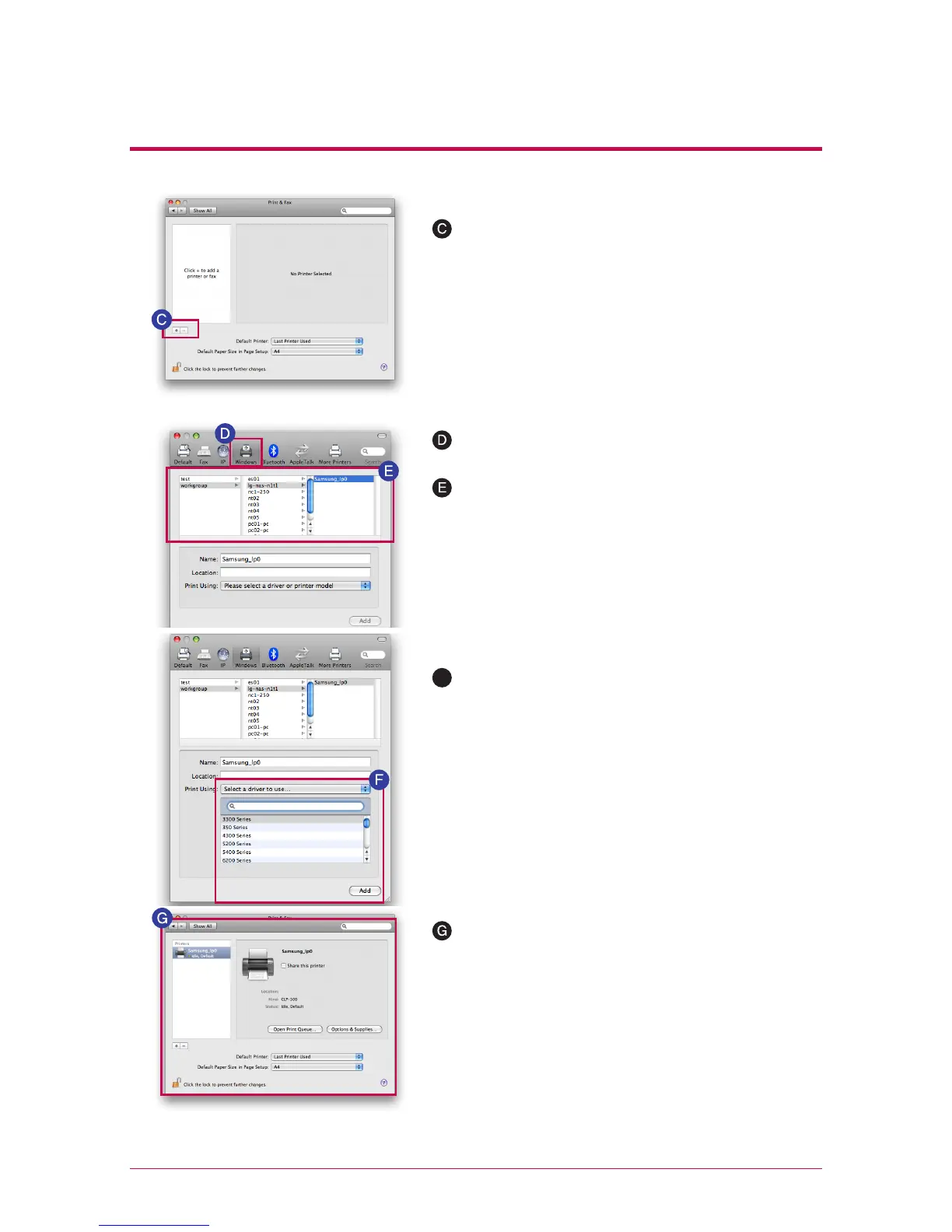
When ‘workgroup’ appear, choose workgroup -> Host
name of LG Network Storage in use -> printer to be
used in order.
Printer appears on the list of printers. You are now
ready to use.
10
-
4.
File sharing service
Network printer
Click on ‘+’ button on the left botton.
On a pop-up window : Click on Windows on the top.
※
For Linux users, please refer to OS manual or inquire at the pertinent printer company.
Choose ‘choose driver to be used..’ from ‘printer in
use’ on the bottom. -> Choose the pertinent printer
model -> Click on ‘Add’.
F



 To Next Page