EasyManua.ls Logo

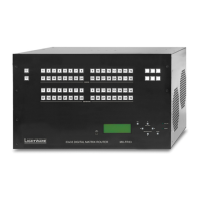
Lightware MX-FR9 - User Manual

Lightware MX-FR9
190 pages
Print Icon
To Next Page IconTo Next Page
Loading...
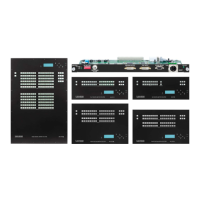
MX-FR9, MX-FR9R, MX-FR17, MX-FR17R,
MX-FR33L, MX-FR33R, MX-FR65R, MX-FR80R
with MX-CPU2 and MX I/O Boards
User’s Manual
Hybrid Modular Multimedia Matrix
v4.0 31-05-2022

Table of Contents

Questions and Answers

  • J
    Jason PittmanAug 6, 2025
    What to do if the Lightware Controller picture is not displayed or distorted?
    • P
      pbrownAug 6, 2025
      If the picture is not displayed or appears distorted, verify that the video connectors are securely fitted. Also, ensure the correct port is selected on both the source and display devices. Note that only specific ports support analog signals, even on DVI-I equipped I/O boards. Check the matrix crosspoint state to confirm the input and output ports are connected and make sure that the desired output is not muted. If problems persist, try emulating another EDID, such as Lightware's Universal EDID.
  • M
    Mark BeckAug 11, 2025
    Why am I experiencing TCP/IP connection problems with my Lightware MX-FR9 Controller?
    • T
      twigginsAug 11, 2025
      TCP/IP connection issues with your Lightware Controller can arise from several factors. Ensure you're using the correct cable: a cross-link cable for direct connections and a straight patch cable for connecting to a hub or switch. Verify that your computer is on the same network as the matrix. For direct connections, manually set the IP address. If there's a DHCP server, set a dynamic IP address to avoid conflicts. Confirm that the matrix uses the 10001 TCP port for LAN connections and check your firewall settings to ensure the port isn't blocked.
  • B
    Brian DukeAug 15, 2025
    How to fix Lightware MX-FR9 Controller if I cannot connect to the matrix or send a command via the RS- 232 port?
    • C
      Charles JacksonAug 15, 2025
      If you are unable to connect to the matrix or send commands via the RS-232 port, begin by checking the current protocol setting and ensuring the desired option is selected. Verify that a straight-through male-female serial cable is properly connected. Finally, confirm that the serial port settings in both the matrix and the connected serial device are identical.
  • D
    donnacampbellAug 19, 2025
    What to do if CPU Link LED does not blink on Lightware MX-FR9 Controller?
    • K
      Kaitlin SandovalAug 19, 2025
      If the CPU Link LED on your Lightware Controller isn't blinking, it might indicate a power issue. Try resetting the matrix using an LW2 command, or simply unplug and then reconnect the power cable.
  • A
    Amy TaylorAug 23, 2025
    What to do if the picture is not displayed or distorted on Lightware Matrix Switcher?
    • D
      duanecarterAug 25, 2025
      If the picture displayed by your Lightware Matrix Switcher is distorted or absent, several factors could be at play. First, ensure that all video connectors are securely fitted. If the issue persists, verify that the correct port is selected on both the source and display devices. For I/O boards with DVI-I ports, remember that only designated ports support analog signals. Also, confirm that the input and output ports are correctly connected within the matrix and that the port is unmuted. If problems continue, try emulating a different EDID, such as Lightware's Universal EDID. Finally, check the CATx cable connections to ensure they are not mistakenly connected to an Ethernet interface and that high-quality CAT6 or CAT7 S/FTP cables are used with correct crimping.
  • E
    Elizabeth MurphyAug 28, 2025
    How to troubleshoot connection issues with Lightware Matrix Switcher via RS-232?
    • B
      Brooke YoungAug 28, 2025
      If you're encountering issues connecting to your Lightware Matrix Switcher or sending commands via the RS-232 port, begin by verifying that the correct protocol is selected in the settings. If the problem persists, check the serial cable connection, ensuring a straight-through male-female serial cable is used. Additionally, confirm that the serial port settings in the matrix match those of the connected serial device.
  • J
    Jessica CastroSep 1, 2025
    Why CPU Link LED does not blink on Lightware Matrix Switcher?
    • K
      Kevin ColeSep 1, 2025
      If the CPU Link LED on your Lightware Matrix Switcher isn't blinking, it might be due to an issue with the power supply. Try resetting the matrix using the LW2 command. If that doesn't work, unplug the power cable, wait a few seconds, and then reconnect it to see if the LED starts blinking.

Lightware MX-FR9 Specifications

General IconGeneral
Product CategoryController
HDMI2.0
HDCP Support2.2
EDID ManagementYes
Output Ports9x HDMI
Max Resolution4K
AudioEmbedded
Control InterfaceRS-232, Ethernet
Power Supply100-240V AC
Dimensions19" rack mountable
Operating Temperature0°C - 40°C (32°F - 104°F)
Storage Temperature-20°C to +60°C
Frame Size1U

Related product manuals