2. Installation MX-FR Series Modular Matrix Frames – User's Manual 16
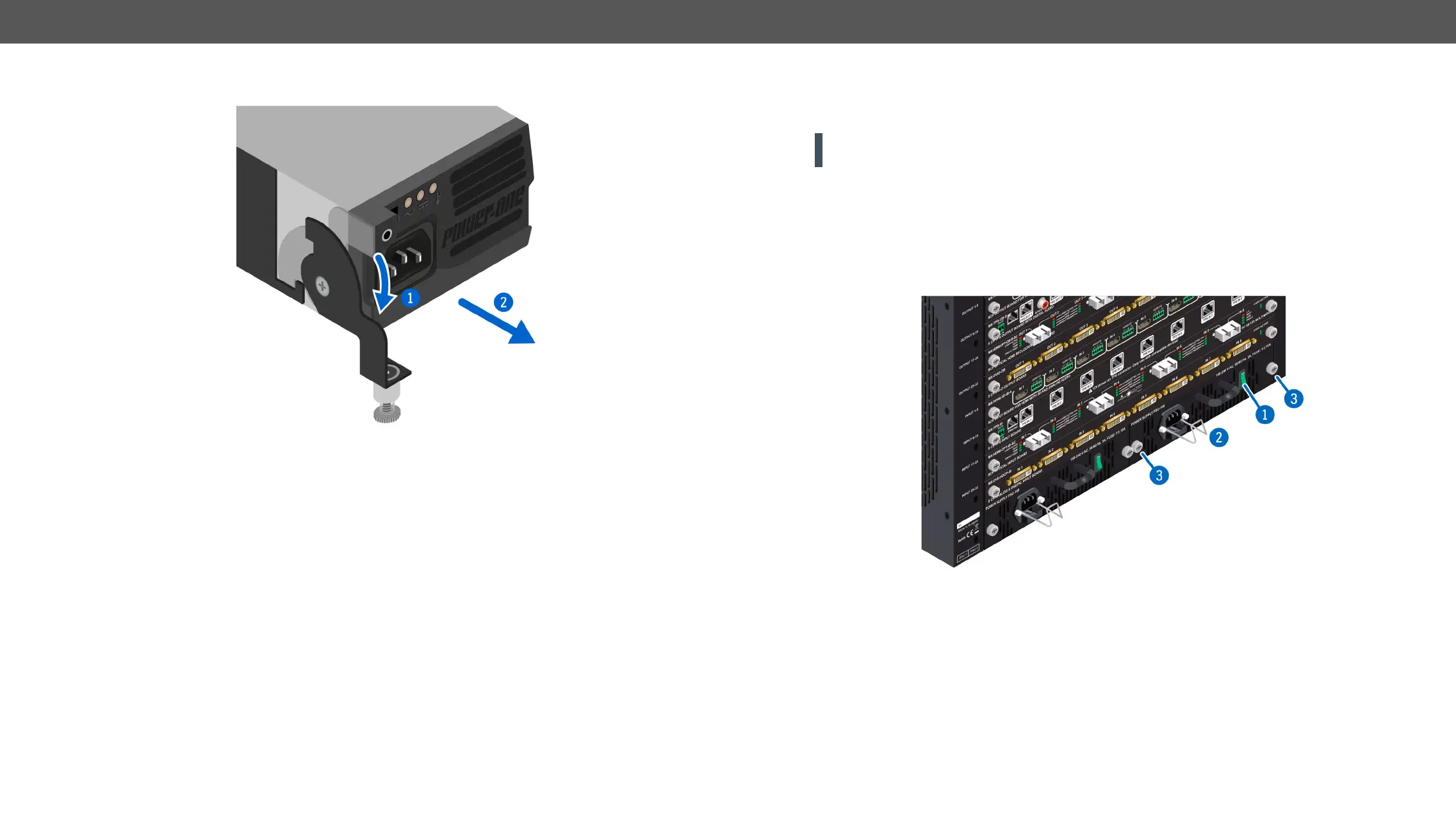
Step 3. Pull down the lever (
1
), then pull out (
2
Step 4. To install another PSU: insert the unit in the slot, and push it until it stops.
Step 5.
Step 6. Plug the power cord to the PSU, then to the AC socket.
MX-FR33R Frame
Two types of PSUs exist for MX-FR33R frames. Both can supply the frame, but the two units are not
interchangeable with each other. See more details in the Redundant Power Supplies section.
ATTENTION! The MX-PSU-350 type is hot-swappable, thus you do not have to turn off the matrix to replace
a PSU. Former type of PSUs do not support this feature.
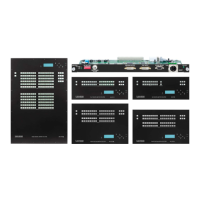
The MX-PSU-350
Step 1. Switch off the desired PSU (
1
) and unplug the power cord from the AC socket
Step 2.
2
) from the PSU and pull out the power cord.
Step 3.
3
), then pull out the PSU.
Step 4. Insert the new PSU, push it until it stops.
Step 5.


 To Next Page