EasyManua.ls Logo

Lightware UMX-TP-TX100R - Output & Control Ports

Lightware UMX-TP-TX100R
43 pages
Print Icon
To Next Page IconTo Next Page
To Previous Page IconTo Previous Page
Loading...
UMX-TP-TX100R
Programmer’s Reference Manual
Section 1. Electrical connections Page 9 / 43
1.5. Twisted Pair outputs
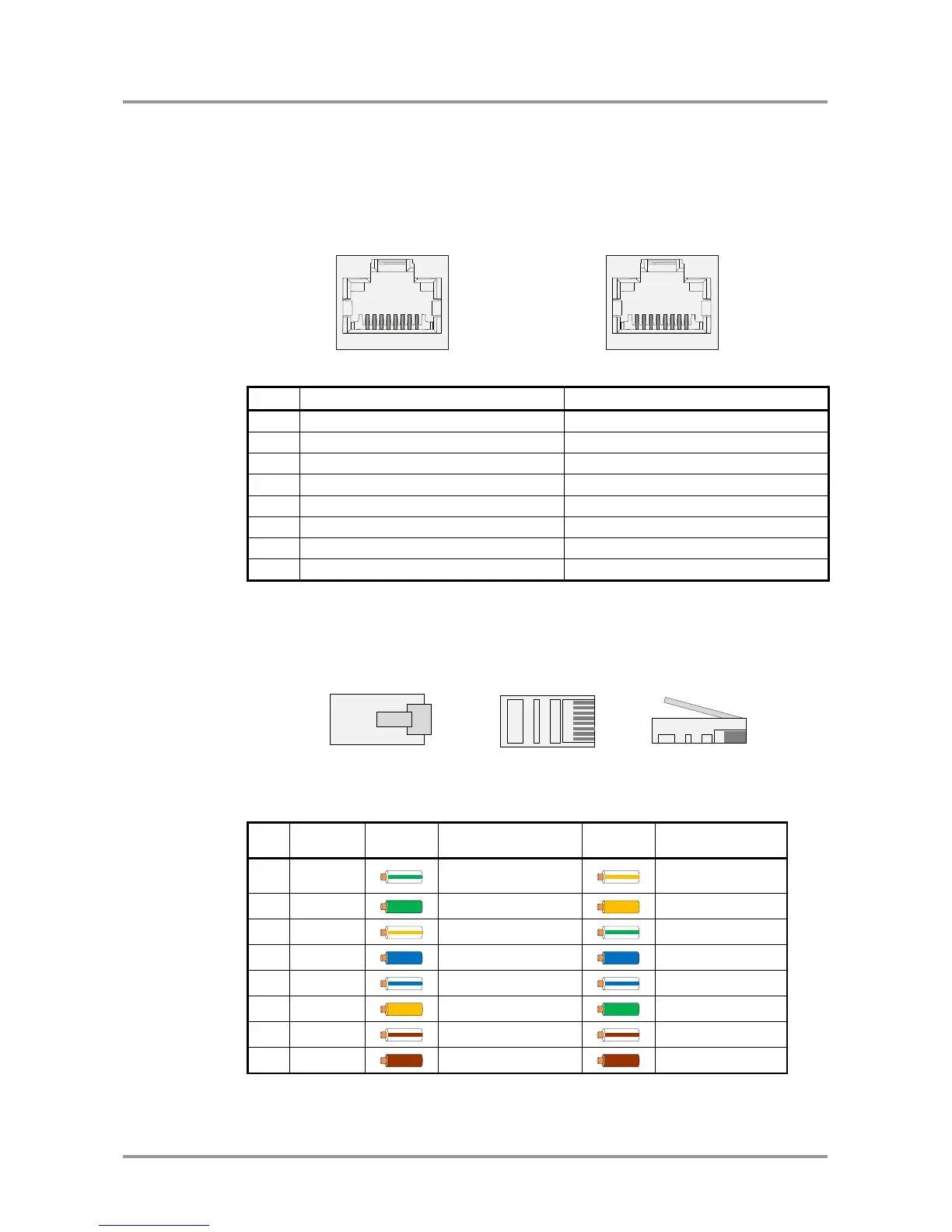
UMX-TP-TX100R provides standard RJ-45 connectors for VIDEO OUT and DDC OUT.
VIDEO DDC
RJ45 receptacle RJ45 receptacle
Pin
VIDEO OUT
DDC OUT
1
TMDS Data0+
CEC (out)
2
TMDS Data0-
Hot Plug Detect (out)
3
TMDS Clock+
RS-232 RX
4
TMDS Data1+
DDC CLK
5
TMDS Data1-
+12V (out)
6
TMDS Clock-
RS-232 TX
7
TMDS Data2+
DDC SDA
8
TMDS Data2-
GND
Table 1-5. RJ45 input and output connector pin assignment
Warning: Avoid interchanging the connection to the VIDEO and DDC lines!
Wiring of RJ45 plugs
Lightware recommends the termination of TP cables on the basis of TIA/EIA T 568 A or
TIA/EIA T 568 B standards.
Pin
Name
TIA/EIA
T568 A
color and
name
TIA/EIA
T568 B
color
and name
1
TX +
white/green stripe
white/orange
stripe
2
TX -
green solid
orange solid
3
RX +
white/orange stripe
white/green stripe
4
Not used
blue solid
blue solid
5
Not used
white/blue stripe
white/blue stripe
6
RX -
orange solid
green solid
7
Not used
white/brown stripe
white/brown stripe
8
Not used
brown solid
brown solid
Table 1-6. Recommended termination of TP cables
1
8
1
8 1
8 1

Table of Contents

Related product manuals