EasyManua.ls Logo

Lightware SW4-TPS-TX240 - User Manual

Lightware SW4-TPS-TX240
159 pages
Print Icon
To Next Page IconTo Next Page
Loading...
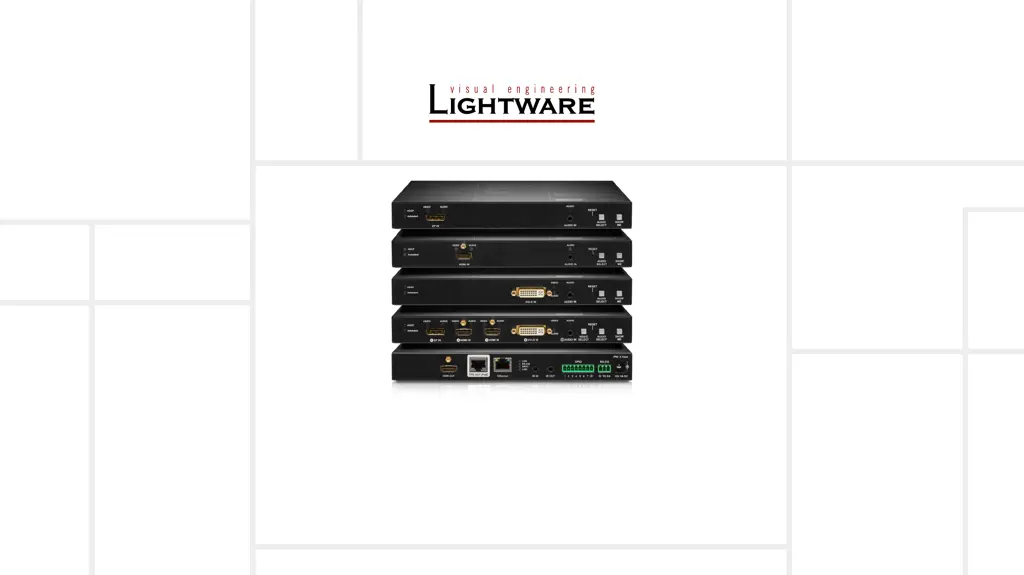
HDMI-TPS-TX210, HDMI-TPS-TX220
HDMI-TPS-TX226
DVI-HDCP-TPS-TX210, DVI-HDCP-TPS-TX220
DP-TPS-TX210, DP-TPS-TX220
SW4-TPS-TX240, SW4-TPS-TX240-Plus
User’s Manual
HDBaseT
TM
Multimedia Extender
v3.2

Table of Contents

Other manuals for Lightware SW4-TPS-TX240

Questions and Answers

  • A
    Anthony BrooksAug 19, 2025
    Why is there no picture on my Lightware Extender's video output?
    • C
      Christopher SanchezAug 19, 2025
      Several factors can cause a missing picture on the video output: * The devices might not be powered correctly. Ensure all extenders and connected devices are properly powered, and try unplugging and reconnecting them. * There may be a cable connection issue. Verify that all video and TPS cables are securely connected. * There could be a problem with the TPS mode. Check the current TPS mode and the selected modes on the extenders. * The input or output port might be muted. Verify the mute state of both input and output ports. * The display may not support the current video format. Check the emulated EDID and try selecting a different one, such as emulating the display's EDID on the input port. * HDCP might be disabled. Enable HDCP on both the input and output ports.
  • A
    Ashley HayesAug 21, 2025
    What to do if there is no audio on the Lightware SW4-TPS-TX240 output?
    • M
      Michele RangelAug 22, 2025
      If there's no audio on the output, consider these potential causes: * The source audio volume may be too low or muted. Check the audio settings of the source. * The audio input port could be muted. Check the audio input port properties. * The audio output port might be muted. Verify the output port properties.
  • K
    Kevin RiceAug 25, 2025
    What to do if the Lightware Extender displays the wrong picture?
    • S
      Sarah MilesAug 25, 2025
      If the video output displays an incorrect picture, it might be due to: * The video output being set to a static test pattern (no sync screen). Check the test pattern settings in the properties of the output ports. * The video output being set to a test pattern (no sync screen) because there is no picture on the video source. Check the video settings of the source.
  • M
    Mrs. Lori TrevinoAug 26, 2025
    Why can't I establish a LAN connection with my Lightware SW4-TPS-TX240 Extender?
    • S
      Sarah MasseyAug 26, 2025
      If you're unable to establish a LAN connection, it could be due to: * An incorrect static IP address. Try using a dynamic IP address by enabling the DHCP option. * If that doesn't work, restore the factory default settings (with a fixed IP address).
  • J
    Jeffrey GriffithAug 28, 2025
    Why does my Lightware Extender HDMI output signal have no audio?
    • P
      Phillip ThompsonAug 28, 2025
      If the HDMI output signal lacks audio, it could be because: * The HDMI mode was set to DVI. Check the output port properties and set the signal type to HDMI or Auto. * A DVI EDID is being emulated. Check the EDID settings and select an HDMI EDID to emulate.
  • D
    darrenjohnsonAug 30, 2025
    What to do if my Lightware SW4-TPS-TX240 connected serial device does not respond?
    • A
      Anita CastroAug 30, 2025
      If a connected serial device isn't responding, consider the following: * There may be a cable connection problem. Check the connectors to ensure a secure fit and verify the wiring of the plugs. * The RS-232 settings might be different. Check the port settings of the transmitter and the connected serial device(s). * The RS-232 mode might be incorrect. Check the RS-232 mode settings (control, command injection, or disconnected).
  • T
    Thomas HowardSep 1, 2025
    What to do if my Lightware Extender receives error messages continuously?
    • D
      Douglas CarrSep 2, 2025
      If you're receiving continuous error messages, it might be due to a different protocol being set. Check the port protocol settings (LW2 / LW3) and use the proper protocol commands.
  • C
    Cody LawrenceSep 3, 2025
    How to make Lightware SW4-TPS-TX240 read out the EDID again?
    • I
      Isaac GeorgeSep 3, 2025
      You need to restart your source to make it read out the EDID again.
  • T
    Terri MitchellSep 8, 2025
    What to do if there is no audio output from Lightware Transmitter?
    • G
      gharrisSep 8, 2025
      If there's no audio present on the output of your Lightware Transmitter, consider the following: * **Crosspoint Settings:** Verify the audio layer crosspoint settings to ensure the correct audio port is switched to the output. * **Source Volume:** Check the audio settings of the source device to ensure the volume is not low or muted. * **Output Port Mute:** Review the output port properties to confirm it is not muted. * **Analog Audio Volume:** If using analog audio, check the Analog audio input port settings and ensure the volume is not set too low.
  • S
    Susan RobinsonSep 10, 2025
    Why does my Lightware Transmitter HDMI output have no audio?
    • M
      Mr. Thomas CooperSep 10, 2025
      If your Lightware Transmitter's HDMI output signal contains no audio, check the following: * **HDMI Mode:** Verify the properties of the output port and ensure it is set to HDMI or Auto, not DVI. * **EDID Emulation:** Check the EDID settings and select an HDMI EDID to emulate, rather than a DVI EDID.

Lightware SW4-TPS-TX240 Specifications

General IconGeneral
Product TypeExtender
ModelSW4-TPS-TX240
ManufacturerLightware
Output Ports1
HDCP SupportYes
CategoryExtender
Input Ports4
Video ResolutionsUp to 4K
ConnectorsHDMI, RJ45
Operating Temperature0°C - +50°C
Storage Temperature-20°C - +70°C

Related product manuals