Custom Commands Function
Custom Commands Overview
The Custom Commands function allows you to create and save any arbitrary commands and then send
those commands to your vehicles ECU for a response. This advanced function can be especially useful
when troubleshooting communication issues between your ScanGauge and your vehicle’s ECU as well
as for those individuals who are familiar with the J1939 and J1708 protocols.
Accessing the Commands Feature
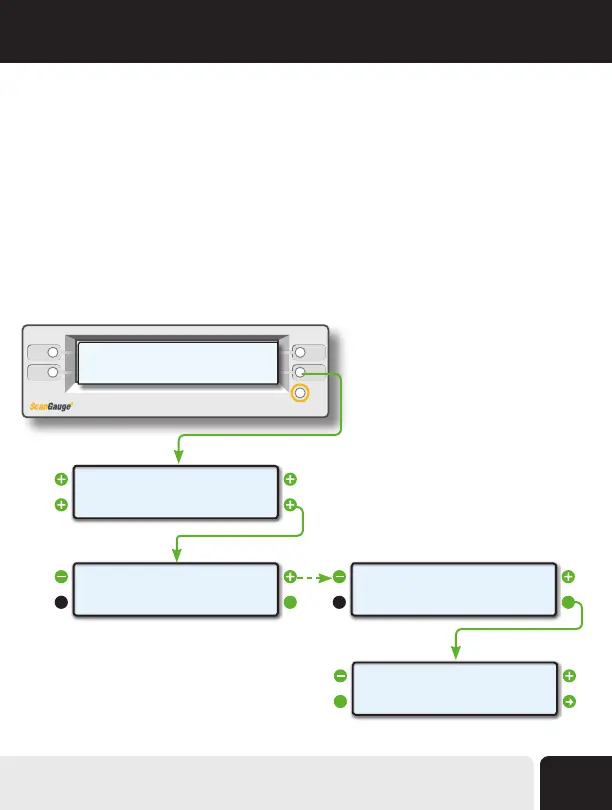
From the Home Screen, press the lower right function button twice, next to MORE. Next, use the upper
left and right function buttons to cycle through the available options until the screen titled COMMANDS
appears. Finally, press the lower right function button next to EDIT to enter Commands Menu.
<SCAN
<TRIP
GAUGE>
MORE>
<SETUP
<DISPLAY
MORE>
FILLUP>
VPW
<
CHANGE>
>MODE
<EDIT
<
SEND>
>MEMORY *0
<
EDIT>
>COMMANDS
Advanced Features
55


 To Next Page