Trip Computers
Overview
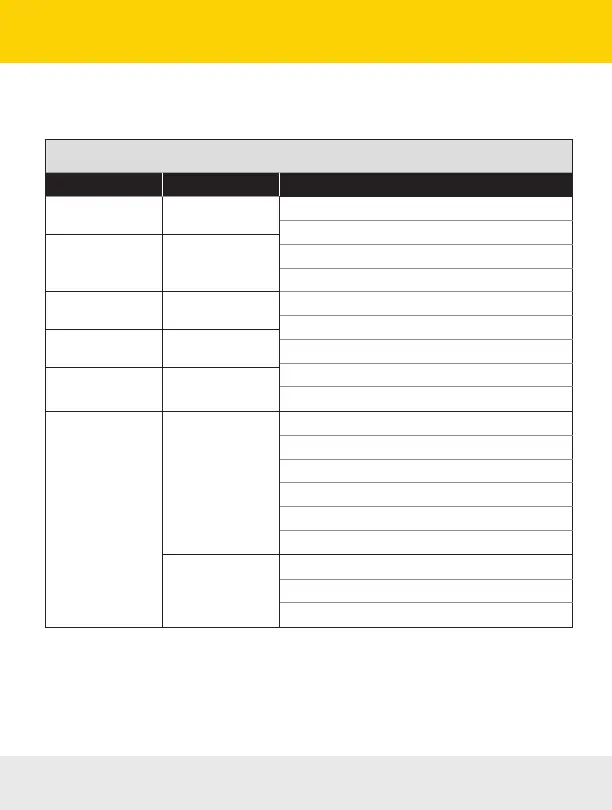
The ScanGauge features 5 built-in trip computers. The trip computers automatically store a set of useful
information about the trips you have taken in your vehicle and are updated in real time as you drive.
Built-in Trip Computers
Trip Computer Display Name Available Information
Current Trip CURRENT
Trip MPG
Trip Fuel Used
Maximum Coolant Temperature
Distance
Maximum RPM
Trip Elapsed Time
Maximum Speed
Average Speed
Trip Fuel Cost
Today’s Trips/
First Trip
TODAY
Previous Trips PREVIOUS DAY
First Trip
†
TRIP A
Second Trip
†
TRIP B
Tank Trips*
TANK
Trip MPG
Trip Fuel Used
Distance
Trip Elapsed Time
Average Speed
Trip Fuel Cost
TANK TO EMPTY
Fuel Remaining for the Current Tank
Distance Remaining Before Tank Is Empty
Time Remaining Before Tank Is Empty
† The TRIP A and TRIP B trip computers are an optional method for tracking trip data. You can activate
these trip computers through the ADV SETTINGS menu. See page 14.
* For ScanGauge to maintain accurate tank information, you must follow the Fill-up Procedure outlined
in the Filling Up Your Tank section on page 34.
28 — www.ScanGauge.com


 To Next Page