8
Ground Control® 3.0
Aftermarket Manual
lci1.com (574) 537-8900 Rev: 04.19.18
CCD-0001307
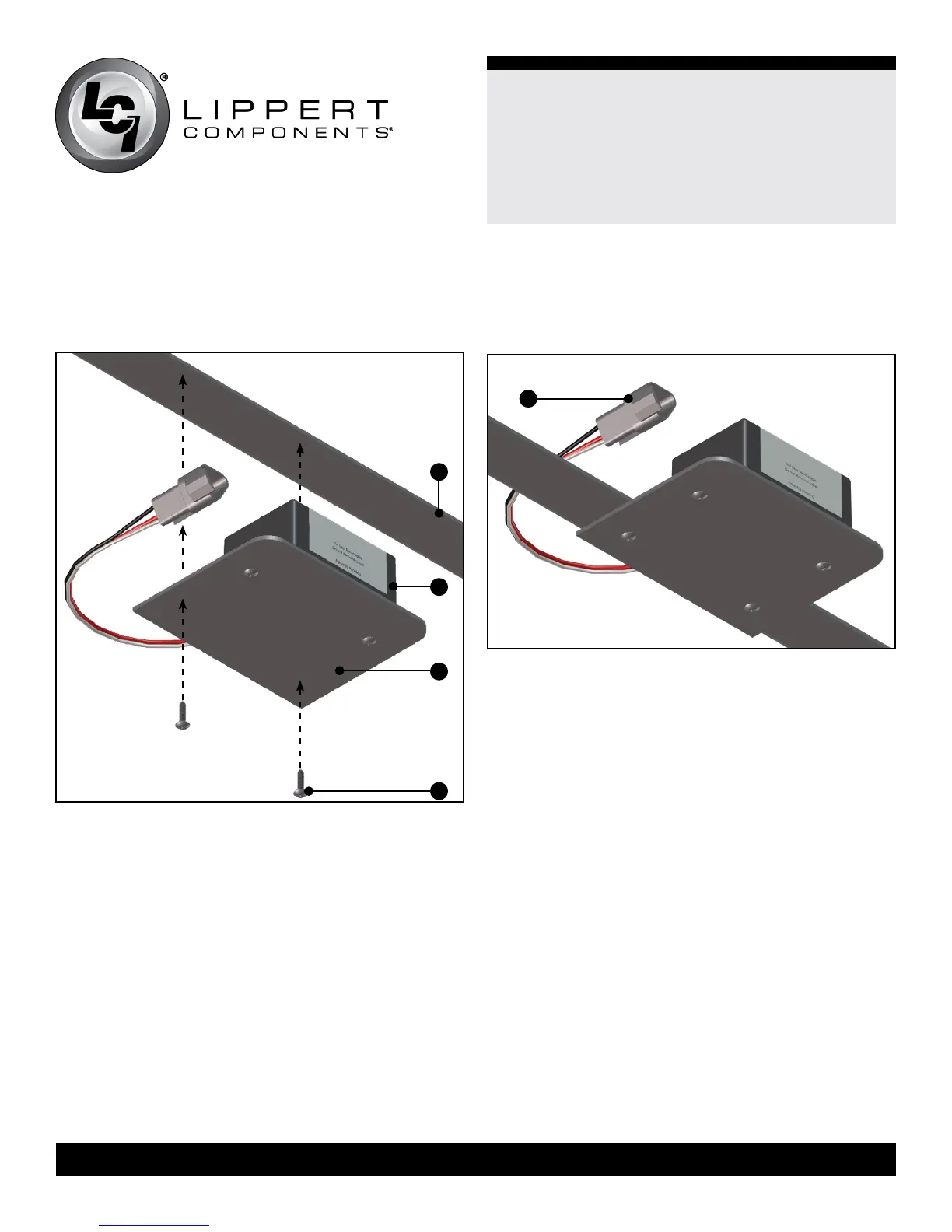
3. Attach the rear sensor (Fig. 13C) and the mounting plate (Fig.
13B) to the crossmember (Fig. 13D) using two #8 - 18 x 1”
self-drilling screws (Fig. 13A). Orientation is imperative for the
correct operation of the leveling system.
4. Connect the rear sensor harness to the connector on the rear
sensor (Fig. 14A ) and run the harness through the frame and
up to the compartment where the controller will be mounted.
A
A
B
C
Fig.13
Fig.14
D






 To Next Page