Rev: 11.13.2017 Page 8
Ground Control TT Leveling OCTP Owner's
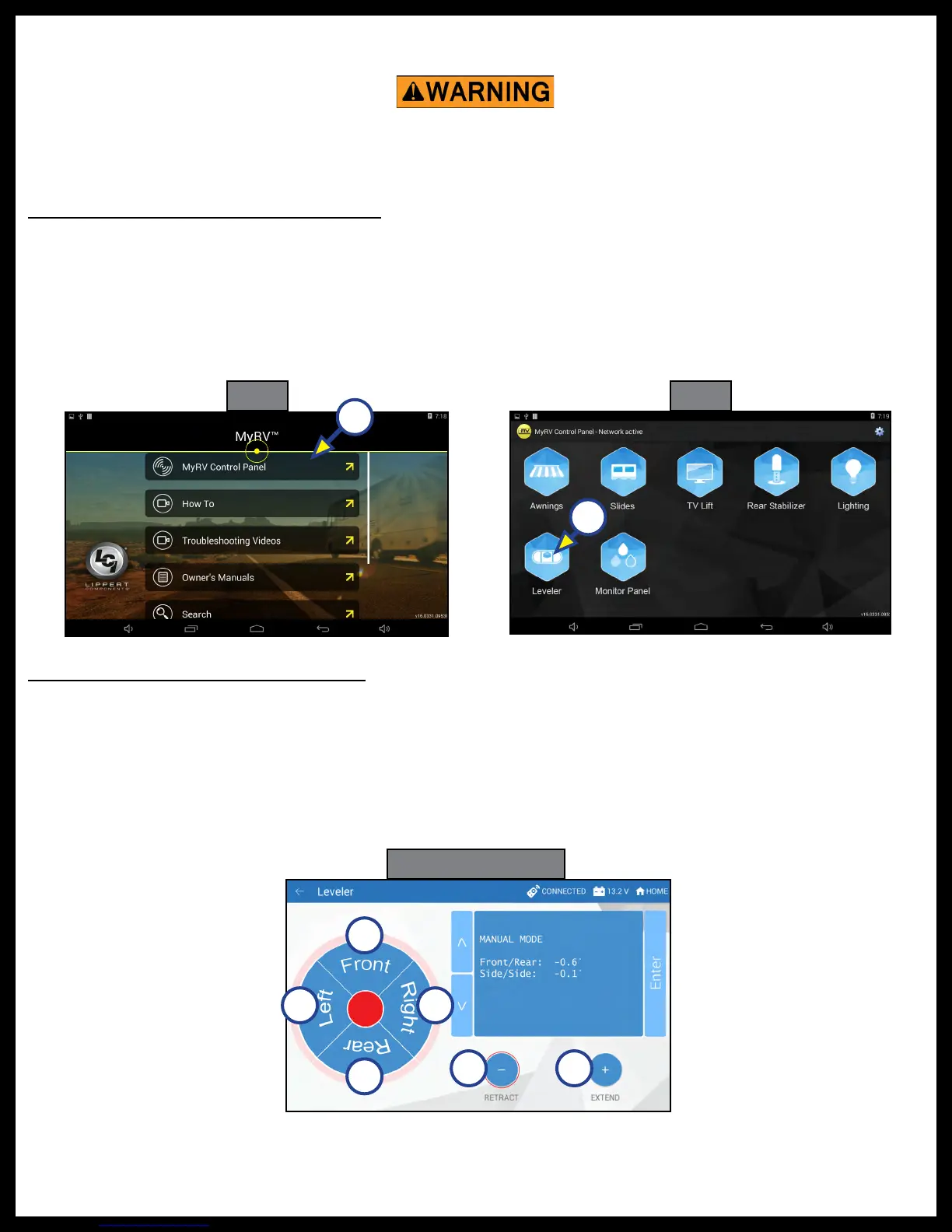
Fig. 5
A
Operation - OneControl Touch Panel
Fig. 6
Fig. 7 Manual Mode
A
A
D
C
E F
B
Basic Jack Operation In Manual Mode
To reach Manual Mode (Fig. 7) for leveling:
1. While in Standard Mode (Fig. 4), use the arrows (Fig. 4B) to scroll to Manual Mode (Fig. 4G). Hit "ENTER"
(Fig. 4H).
2. Front and rear jacks can be operated in Manual Mode. The Power Tongue Jack cannot be operated in
Manual Mode.
Be sure to park the trailer on solid and level ground. Prior to operation, clear all jack landing locations
of debris and obstructions. The locations should also be free of surface depressions and moisture. When
parking the trailer on extremely soft surfaces, utilize load distribution pads under each jack.
Basic Jack Operation In Standard Mode
To reach Standard Mode (Fig. 4) for leveling:
1. Power on the OneControl Touch Panel (Fig. 4L).
2. Press "MyRV Control Panel" on the main screen (Fig. 5A).
3. Press the "Leveler" icon (Fig. 6A).
4. The screen will show the system menu (Fig. 4) for Standard Mode. The Power Tongue Jack can be
extended/retracted in Standard Mode. Front and rear jacks cannot be operated in standard mode.



 To Next Page
 Loading...