28
DATA COMMUNICATIONS
RS-232 and RS-485 Communications
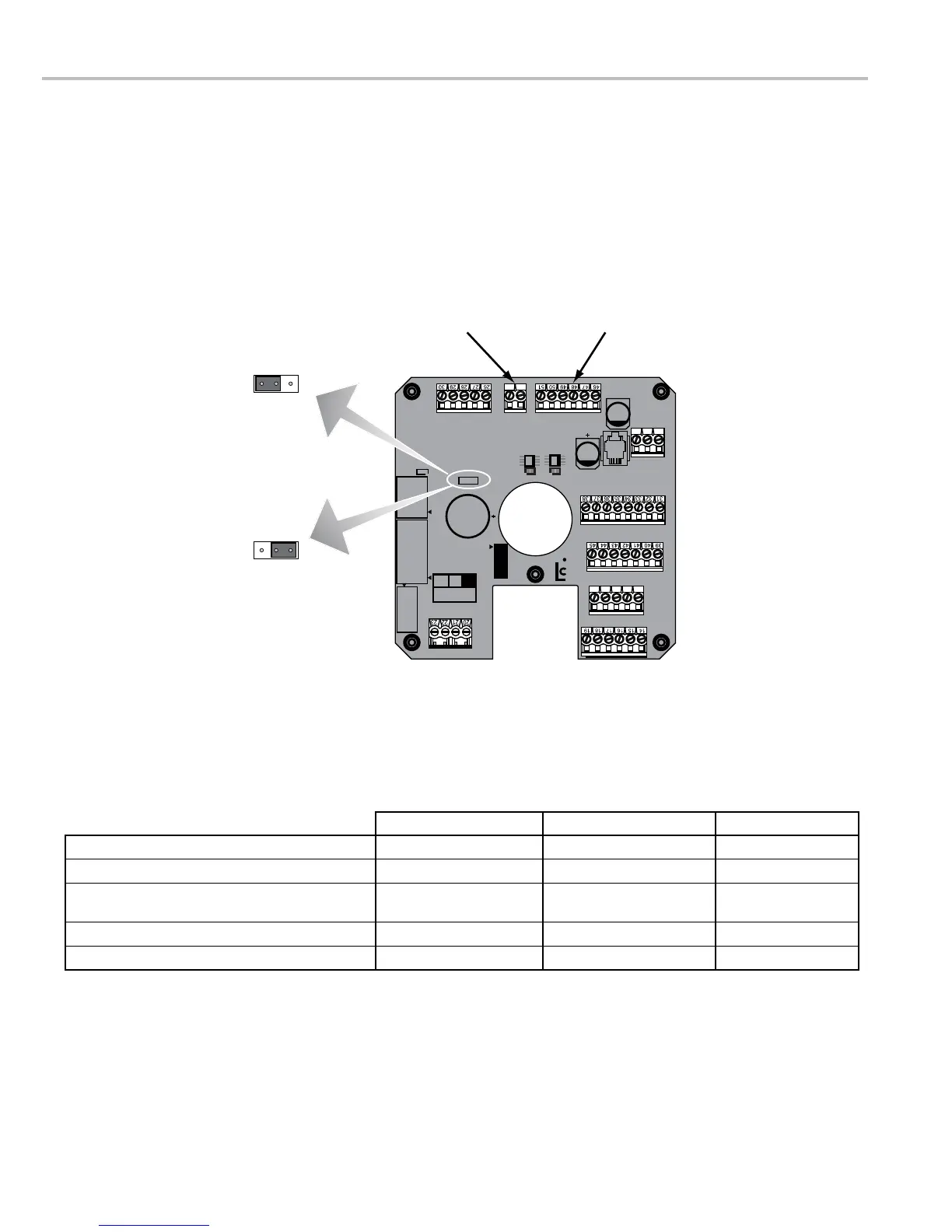
The LCR-II is capable of interfacing with RS-232 and RS-485 communication protocols. Data connections for these
+Vo input wire should be connected to J3-47.
moved to the A position. See the diagram and the table below.
52 53 54 55 56
PRINTER SERIAL 485 TERMINAL
POWER
COUNTER
MH1
CTS RXD TXD RTS GNDGND 485+A485-B CTS RXD TXD RTS +VP
EARTH
AUX OUTPUTS
PULSE INPUTS
AUX I/O
GND
GND
GND
IN 1
OUT1
OUT2
OUT3
TEMPERATURE PROBE
ASSY
84040
REV.
RTD+S
RTD-D1
RTE-S
RTD+D
OUT4
OUT5
IN 2
IN 3
IN 4
+5V OUT
+VP
+VP
PGND
OUT6
+VP
SOL
+VPPGNDOUT7
+VF
+VFIN5 OUT8GND
GND
+12-24V
MH4
C1
J20
J6
J3J2J1
J7
J12
J15
P1
TP1
J5
J14
J18
J19
J10
J17
J11
J7
C2
MH5
MH3
MH2
A
B
A
B
24
25
11 12 13
A
B
J2 Terminal Block
J3 Terminal Block
A Position
B Position
JUMPER POSITION DATA CONNECTION +Vo WIRE (Red)
Lap Pad A RS-232 J3 - 46
CPU Board Flash A or B RS-232 J3 - 47
LCP Communication
DMS, EZCommand, or compatible 3rd party application
B RS-232 or RS-485 J3 - 47
Multimeter Network B RS-485 J3 - 46
RS232 Radio B RS-232 J3 - 47

 To Next Page
 Loading...