CHAPTER 7: OPERATION 7-25
QUICK LOAD SERVO III MI
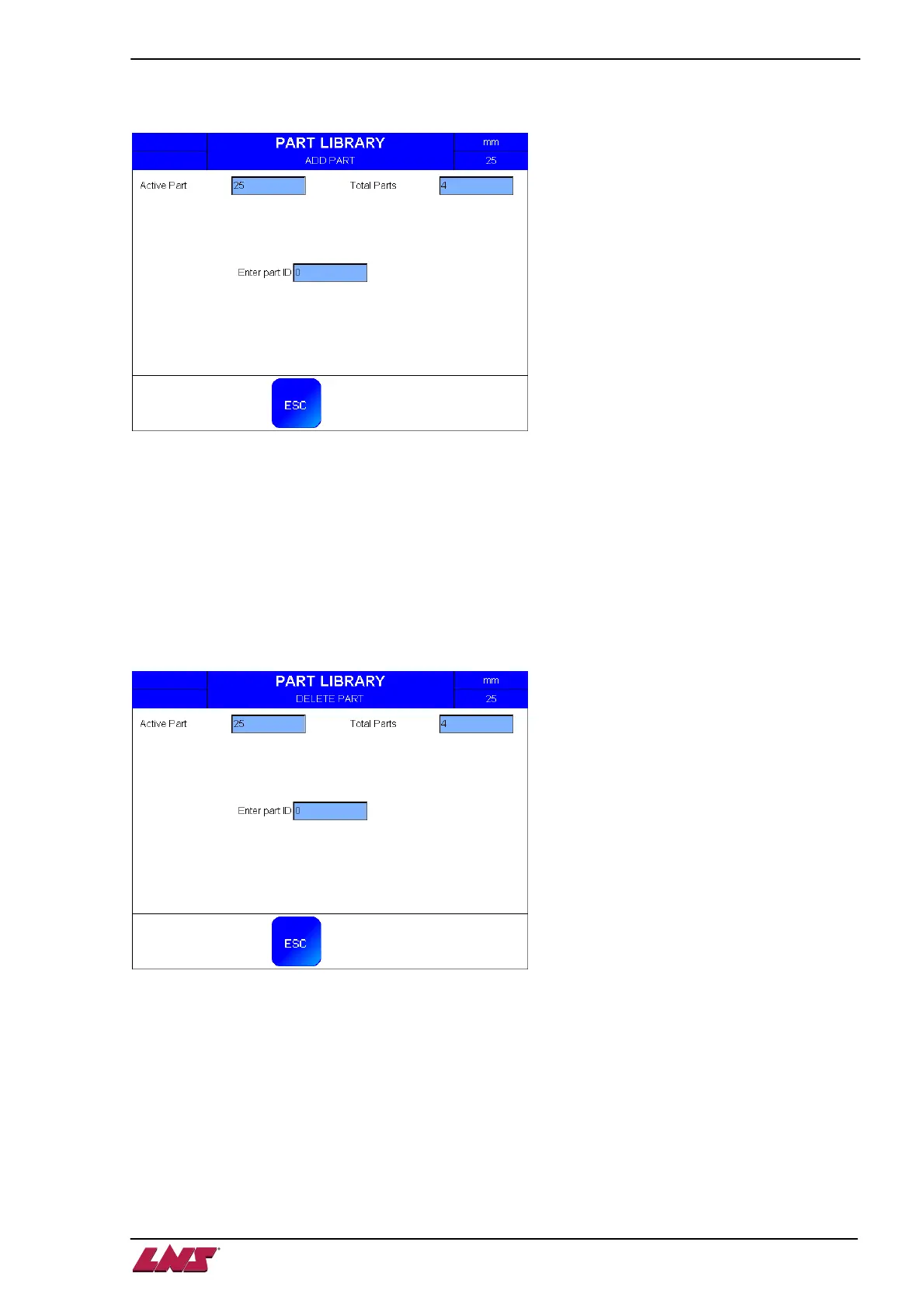
ADD PART
This screen allows adding a new part to the Parts Library by storing all the current parameters under a
new part ID.
Caution: Entering and confirming an existing ID overwrites the stored parameters with the new ones.
Once confirmed, the parameters of the old ID are permanently overwritten in the Parts Library and cannot
be recovered.
• Active part: shows the part ID currently in use.
• Total parts: shows the total number of parts stored in the library.
• Enter part ID: type a new ID to store the parameters.
DELETE PART
This screen allows deleting a part from the Parts Library by calling its part ID.
Caution: Once confirmed, the parameters of this ID are permanently erased from the Parts Library and
cannot be recovered.
• Active part: shows the part ID currently in use.
• Total parts: shows the total number of parts stored in the library.
• Enter part ID: type the ID of the part to delete.














 To Next Page