Individual 40-55 - 36 -
User guide
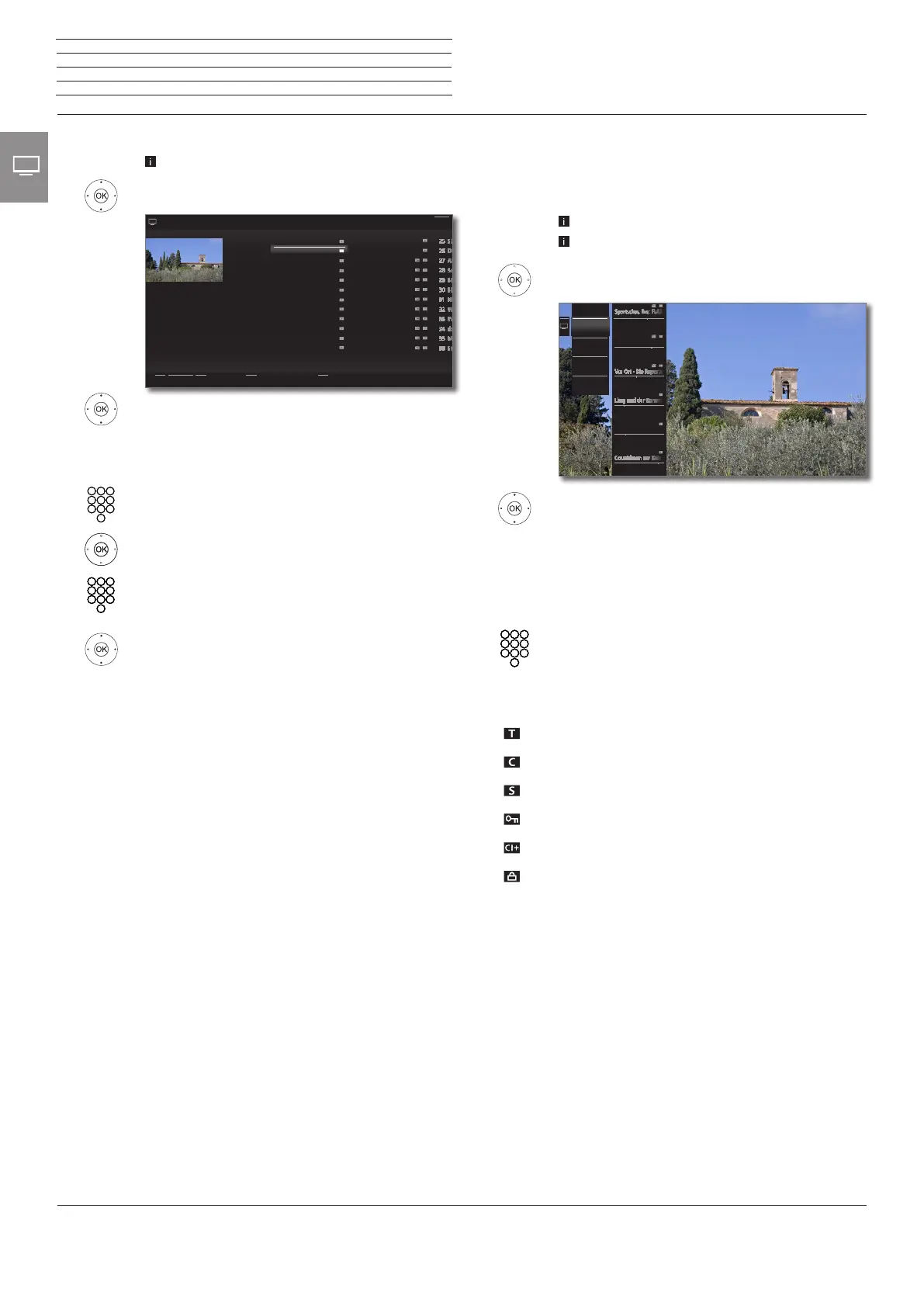
Selecting stations by means of the expanded station list
In normal TV mode, without other displays:
Press OK longer: Call expanded station list.
5634 Mark stations.
34 Scrolling in the station list is possible.
OK The marked station will be called.
Or:
For numerical sorting: Input the channel number. The
marker will switch to the selected station. The marked
station is shown as a thumbnail picture.
OK The marked station will be called.
For alphabetical sorting: Input the first letter (initial,
see also page 19). The first station for the specified
letters is marked.
5634 Mark the station.
OK The marked station will be called.
Filter and sort options of the expanded station list
Using the on-screen buttons on the bottom line of the expanded sta-
tion list you can filter and sort the station list by various combinations
of options.
0..9 Numerical sorting of the station list.
A..Z Alphabetical sorting of the station list.
Searching This allows you to do targeted searches for stations.
The station name is to be entered via the on-screen
keyboard. Entry is described under General infor-
mation on menu operation (see page 19).
Station lists Select the station list, the stations of which are to be
displayed in the extended station list (e.g., Personal
station list, DVB-C, overall station list).
All stations Here you can specify if All stations, only HD
stations, Locked stations, Scrambled stations,
Unscrambled stations, CI+ Protected stations,
New found stations or stations No more to be
found from the selected sources shall be indicated.
13 ZDF.kultur HD
14 ZDFinfokanal HD
15 SAT.1 HD
16 RTL HD
17 ProSieben HD
18 VOX HD
19 kabel eins HD
20 SUPER RTL HD
21 N24 HD
22 TELE5 HD
23 SPORT1 HD
24 NICK/CC HD
1 Das Erste HD
2 ZDF HD
3 BR Nord HD
4 SAT.1
5 RTL
6 n-tv
7 ProSieben
8 3sat HD
9 ARTE HD
10 EinsPlus
11 Eurosport
12 ZDF Neo HD
2 ZDF HD
21:00-21:45
Toskana
Expanded station list
A..Z < All stations >< All sources >Search
Back
Selecting stations by personal lists
You can save your preferred stations in up to six personal lists (e.g.,
for several users). Each personal list can contain up to 99 stations.
How to create and update a new personal list is described on page 97.
Personal list existing.
In normal TV mode, without other displays:
OK call station list.
3 Open overview of station lists.
65 Mark the desired personal list,
The station list will be changed according to the
available options. The list will be adopted auto-
matically.
4 Move to the new selected list.
5 6 Mark the station.
OK The marked station will be called. Or:
Select station directly with numerical keys.
Explanation of the icons following station names:
DVB-T station (digital terrestrial via antenna)
DVB-C station (digital via cable)
DVB-S station (digital via satellite)
Coded station
CI Plus coded station
Locked station (see Parental lock on page 101)
9 ZDF HD
20:15 - 21:45
Toskana
10 BR Nord HD
21:15 - 21:45
20:15 - 23:30
11 SAT.1
20:14 - 22:19
12 RTL Television
21:15 - 22:15
Dr. House
13 n-tv
21:10 - 22:00
14 ProSieben
Personal list 1
DVB-T
Overall
station list
AV
New
personal list
n
TV
Station














 To Next Page