Individual 40-55 - 63 -
User guide
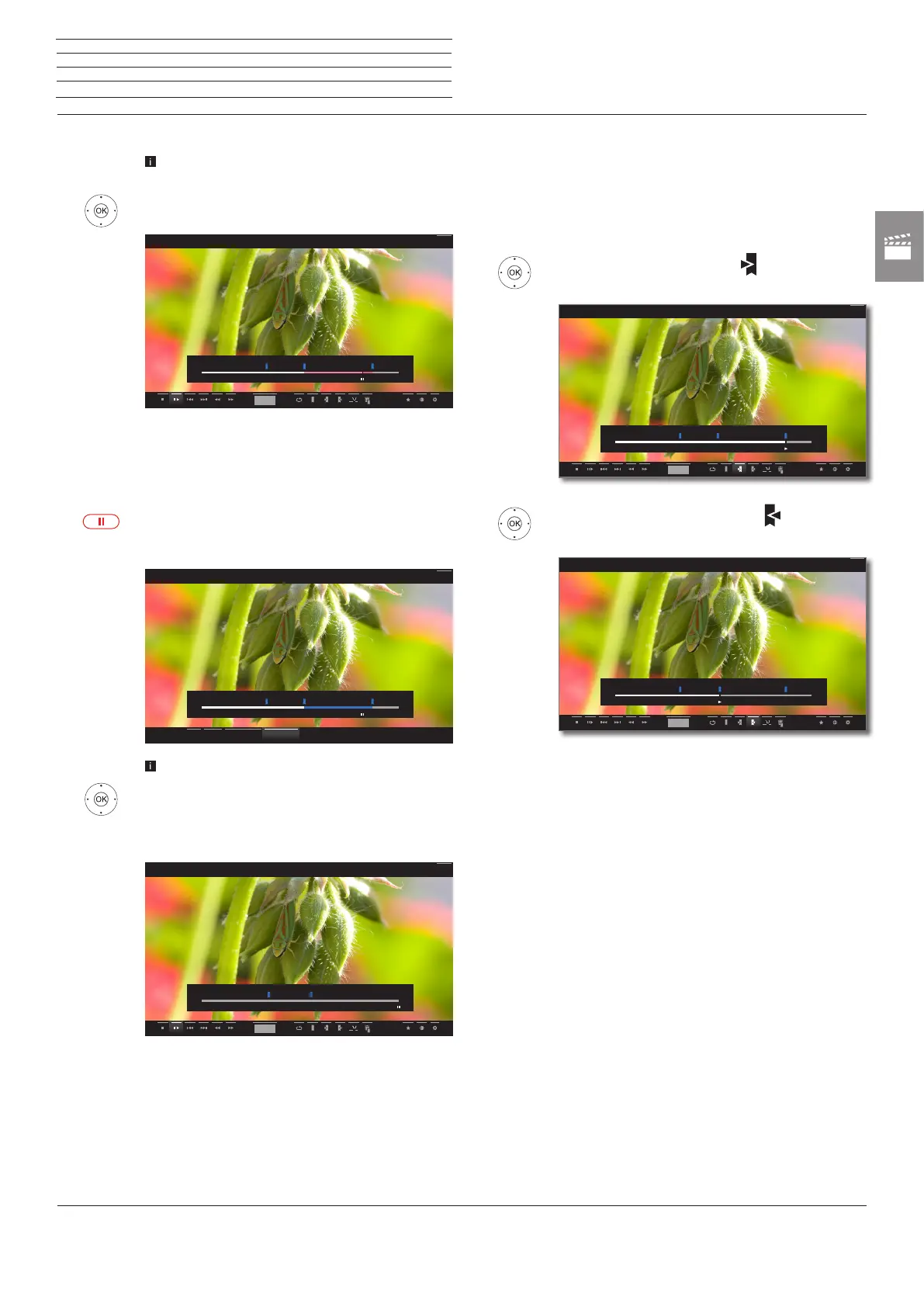
Hiding intervals
The Interval functions are activated (see page
62).
34mark Hide,
OK hide current interval.
This interval will be skipped when the archive entry is
replayed in the future.
Deleting part of the recording
Press PAUSE key at such a position from which the
recording shall be deleted up to the beginning or to
the end.
Call Interval functions (see page 62).
3 4 mark Delete to start or Delete to end,
confirm with OK.
34 mark Confirm delete
OK Delete part of recording.
hh:mm
00:00
38:42
45:00
Back
00:00
38:42
45:00
Back
Hide Delete to start Delete to endCancel
hh:mm
00:00
38:42
Back
Deleting intervals
Defined intervals will be deleted when you delete the corresponding
bookmark at the beginning or the end of the interval. For Deleting
bookmarks see page 64.
Jumping to Bookmarks
3465 mark next bookmark ,
OK Jump to next bookmark.
3465 mark previous bookmark ,
OK Jump to next bookmark.
00:00
41:23
45:00
hh:mm
Back
00:00
23:51 45:00
hh:mm
Back
n
Video














 To Next Page