20
www.longer3d.com info@longer3d.com
6.6 Open
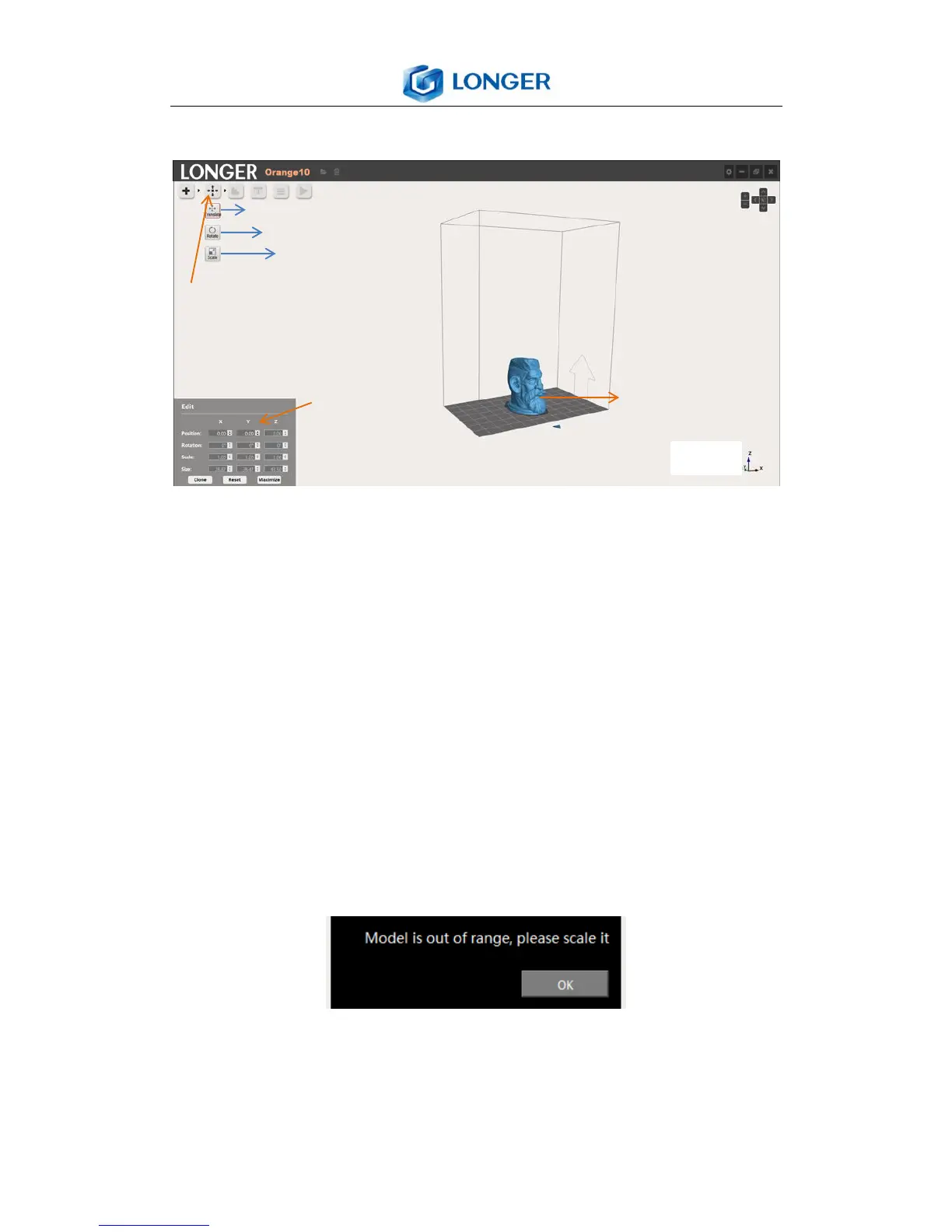
Click Open icon to load stl model. It needs to open files
separately to load different models. Select the model, three
submenus appear under the open icon, such as translate,
rotate, scale, and an edit dialog shows in the left bottom (The
model presents blue when selected, otherwise presents grey).
A popup window “model is out of range, please scale it” will
show and the color of model will change to red if the size of
the model exceeds building volume in some dimensions. It
needs to scale model when the size is out of range.
6.7 Edit
There are three edit submenus: translate, rotate, scale. The



 To Next Page