28
www.longer3d.com info@longer3d.com
thickness which cannot be edit and deleted. Click save job
button to generate a printing job file with a file suffix of lgs.
The software generates and saves the printing job file to a
folder with the same name and directory with the model. And
there is a prompt of “saving slice file” in the upper right corner
of the software when save the job.
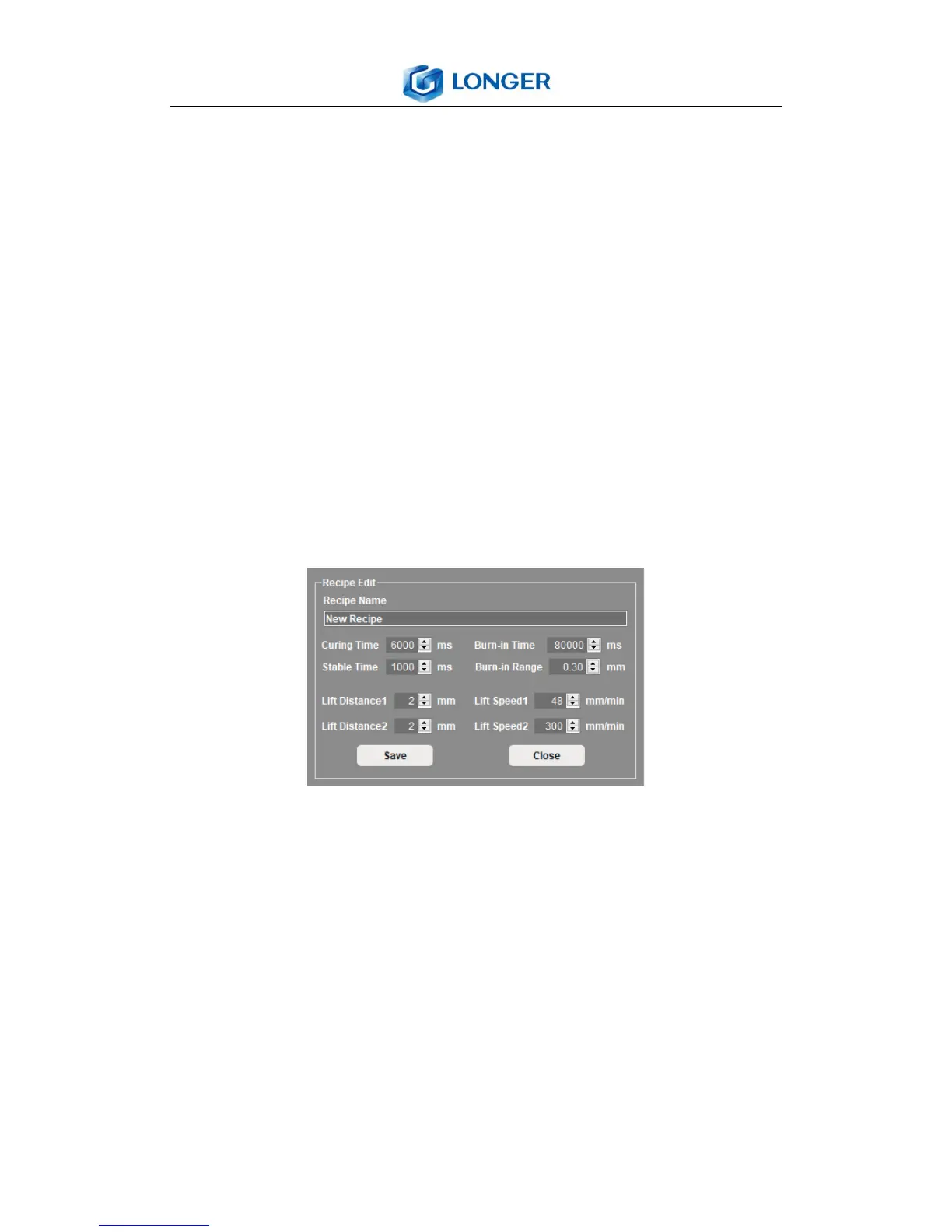
New/edit recipe: create or edit a new recipe and a recipe edit
menu appears as shown below. It can edit the parameters by
clicking the arrows or input the value in the blank directly.
Delete recipe: delete the selected recipe from the list.
Save: save the changes to the parameters of selected recipe,
then a new recipe will be added to the list.
6.12 Post-processing
After printing job finished, put on latex gloves, scrape the resin
on the building platform into resin vat with card attentionally,
hold the building platform and loose the fixed screw, take out
the platform carefully.



 To Next Page