www.longer3d.com 33 info@longer3d.com
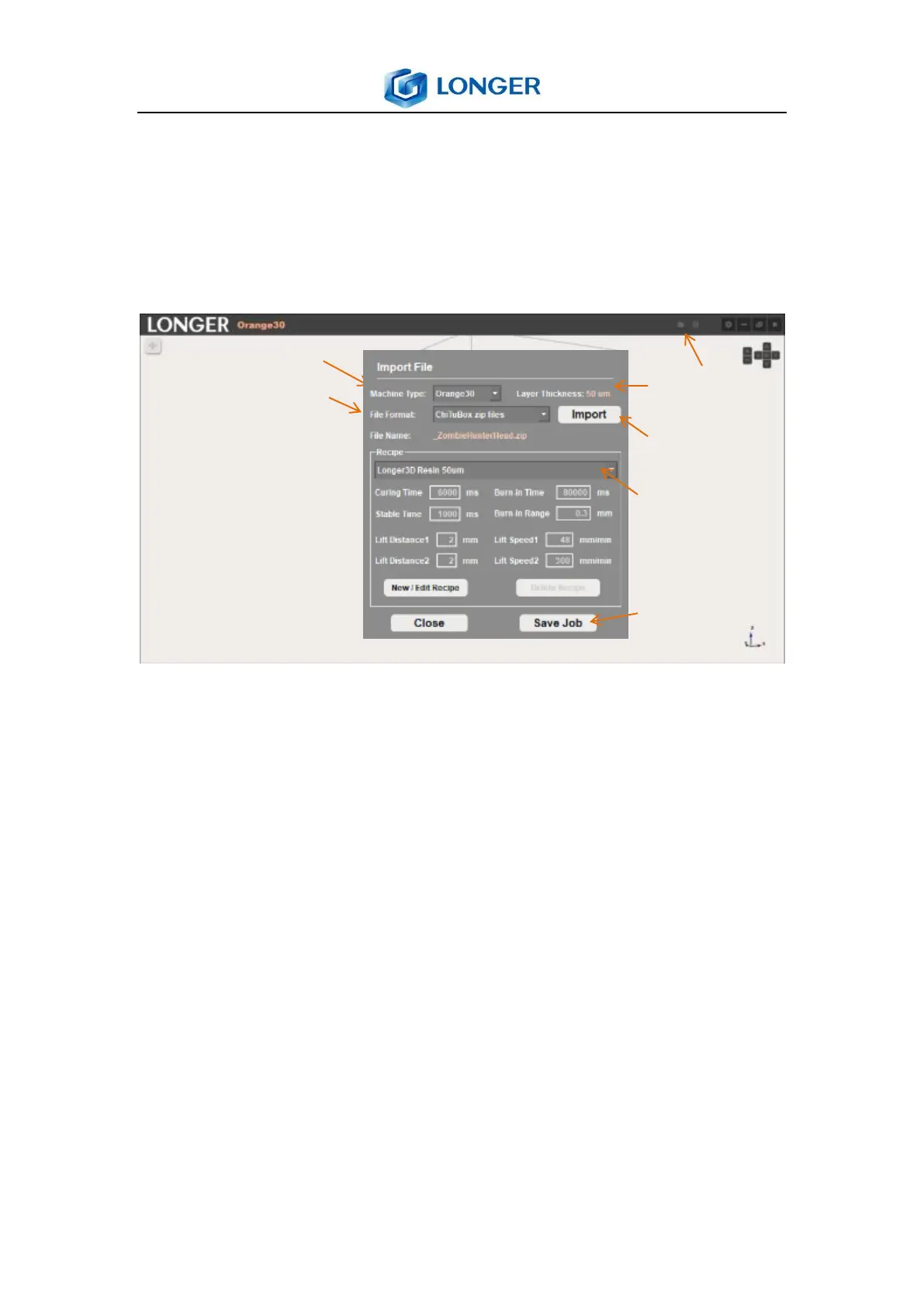
select the appropriate printing parameters from recipe list
according to the material and layer thickness; save the printing
job file to a selected directory; then upload the lgs30 file to
USB flash disk to print.
6.12 Change lgs30 file printing parameters
The printing parameters of lgs30 file can be altered, but the
layer thickness keeps constant, the operation is as follows:
Run the LONGER slicer software, click import file icon, a popup
window appears; select the corresponding machine type and
Longer3D lgs file format; click import to open the lgs file, then
the file name and layer thickness is shown automatically; click
new / edit recipe to alter the printing parameters, such as add
curing time to 8000ms if it needs more UV exposure time, or
increase the burn-in time to 90000ms for improving adhesion



 To Next Page