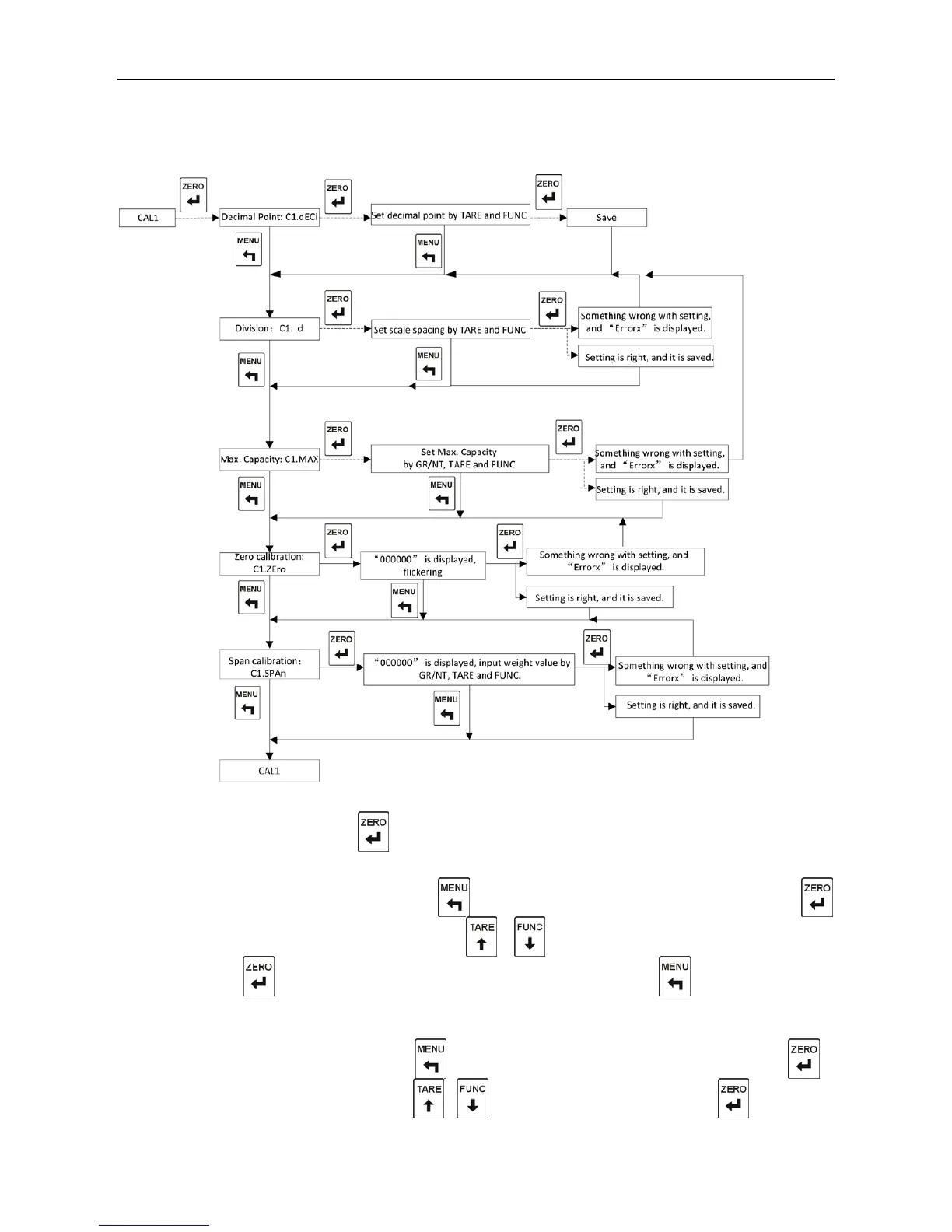
7.2.2. Calibration in Kind
Chart 7-2 Diagram of Calibration in Kind
“
CAL1” is displayed
,
and press to enter the first step.
Step 1:Decimal Point Setting
“C1.dECi” is displayed
,
and press to jump over the decimal point setting; press
enter the decimal point setting; press
、
to choose the position of decimal point;
press to save the setting and enter the second step, or press to enter the second
step directly without saving the setting.
Step 2:Scale Division Setting
“C1.d” is displayed
,
and press to jump over the scale division setting; press to
enter the division setting; press
、
to choose scale division; press to save the



 To Next Page