10. Switch In/Output
10.1. External Control Input
Optical isolation input
1)Input control :IN1,IN2,IN3, IN4, four inputs in all
2)Input method :switch without power
3)Input contact time :not less than 50 ms
4)Every external control input can be used as gross/net display, tare or the function of
clearing to zero, matching with F8, F9, F10, and F11.
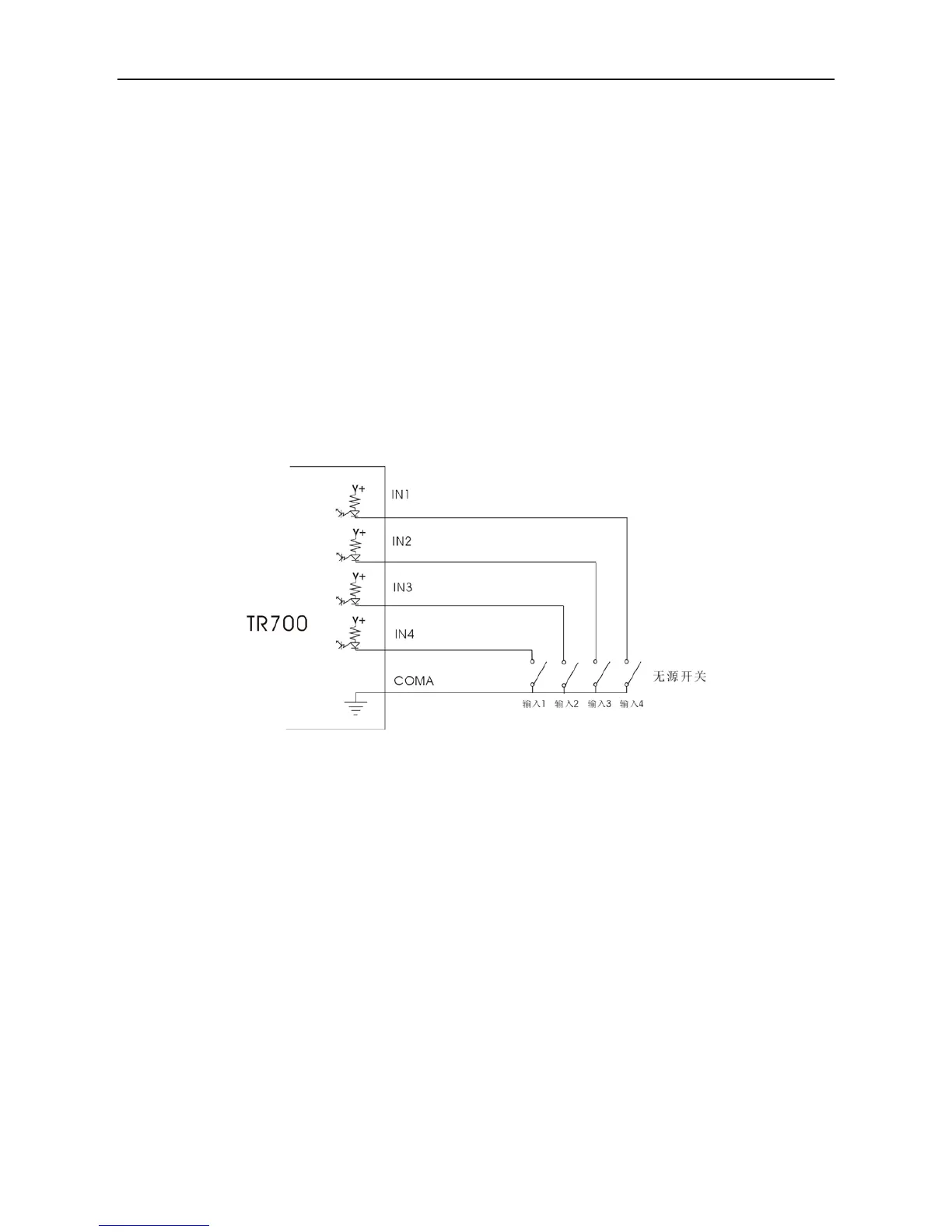
10.1.1. the Connection between Input Interface and External Switch
Chart 10-1 Connection Drawing of External Input and Switch Without Power
Note:Input contact adopts the switch without power, and the circuit can not be short for less than 50
ms.
10.1.2. Connection between Input Interface and PLC
In the charm, the DC V+ is provided by TR700 itself, and there is no need to add any power for the
output.



 To Next Page