14
3) Hold the mouse wheel and drag it to pan the display interface; or hold the
shift key on the keyboard and the left mouse button to pan the interface.
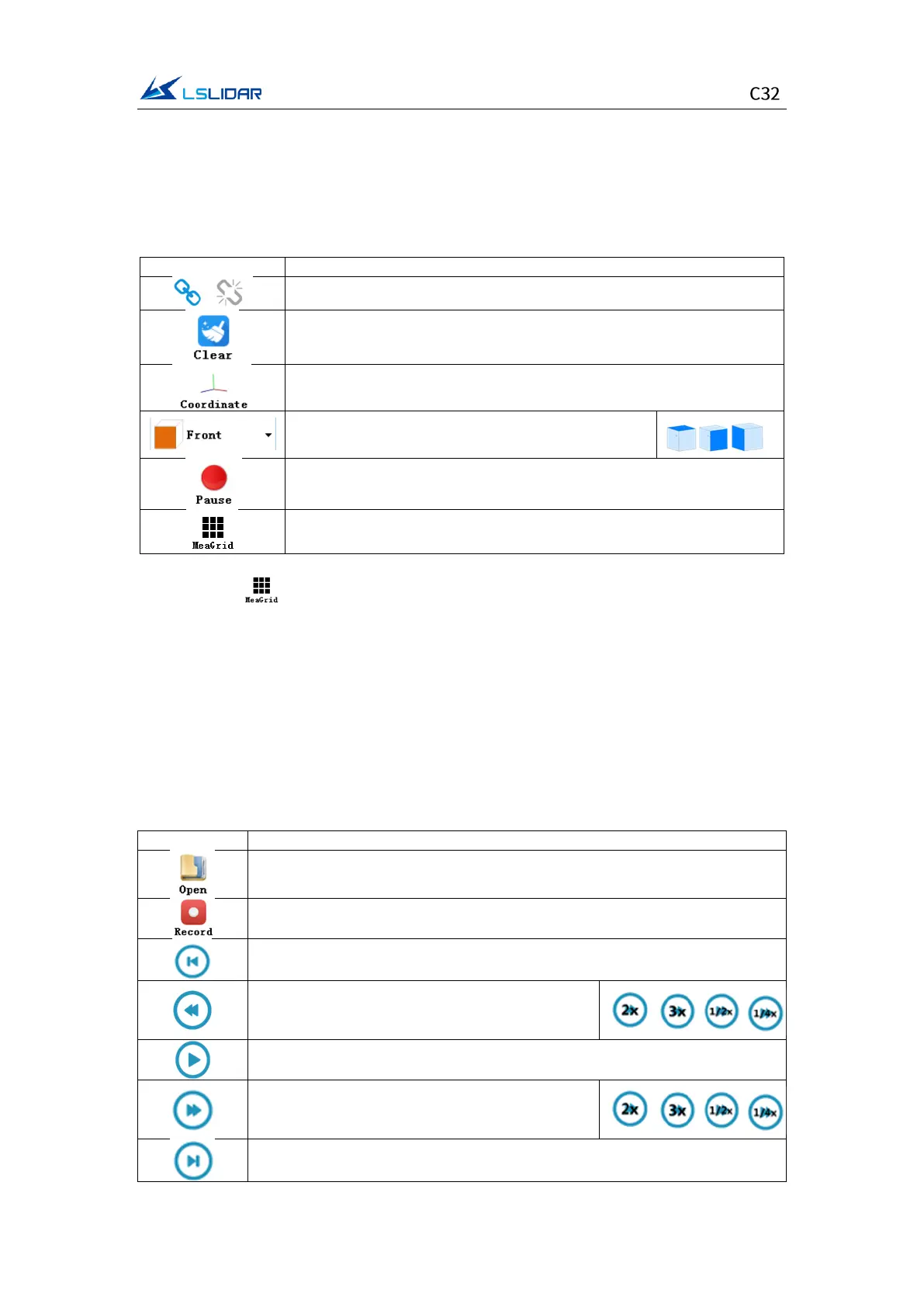
Menu button function introduction
⚫ Lidar Menu
Three-view option: set the observation angle from
top, front, and left.
Pause point cloud image and data generating
Show/hide measurement grids
Note: Click to show measurement grids if needed. There are altogether
20 circles and 40*40 grids, the radius of each two adjacent circles differs by 10
m. The difference between every two grids (horizontal or longitudinal) is 10 m.
And the radius of the outermost circle is 200 m.
The grids and circles make it easy to view the position of the point cloud. The
direction of the coordinate axis in the 3D display interface is consistent with the
direction of the X-Y axis in the point cloud reference system.
⚫ Offline Menu
Record and save data, valid only when lidar receives data in real time
When paused, view the previous frame;
When playing, rewind (click multiple times to
select 2x, 3x, 1/2x, 1/4x and 1x speed)
Click to start playing after the point cloud file is loaded
When playing, click to pause
When paused, view the next frame;
When playing, fast forward (click multiple times
to select 2x, 3x, 1/2x, 1/4x and 1x speed)


 To Next Page