28
SYSTEM STARTUP (J)
“Network System” will check your Internet connection. Click on “Ready” to start.
“Good!” means you have a suitable connection. Even if it fails, you can continue the installation.
“Lü Update” will tell you if your Lü is up to date. If it is not, run the update.
If you are installing a DÜO system, make sure both DÜO modules are connected. If your system does not
detect both DÜO modules, contact the technical support team.
02
03
01
Network
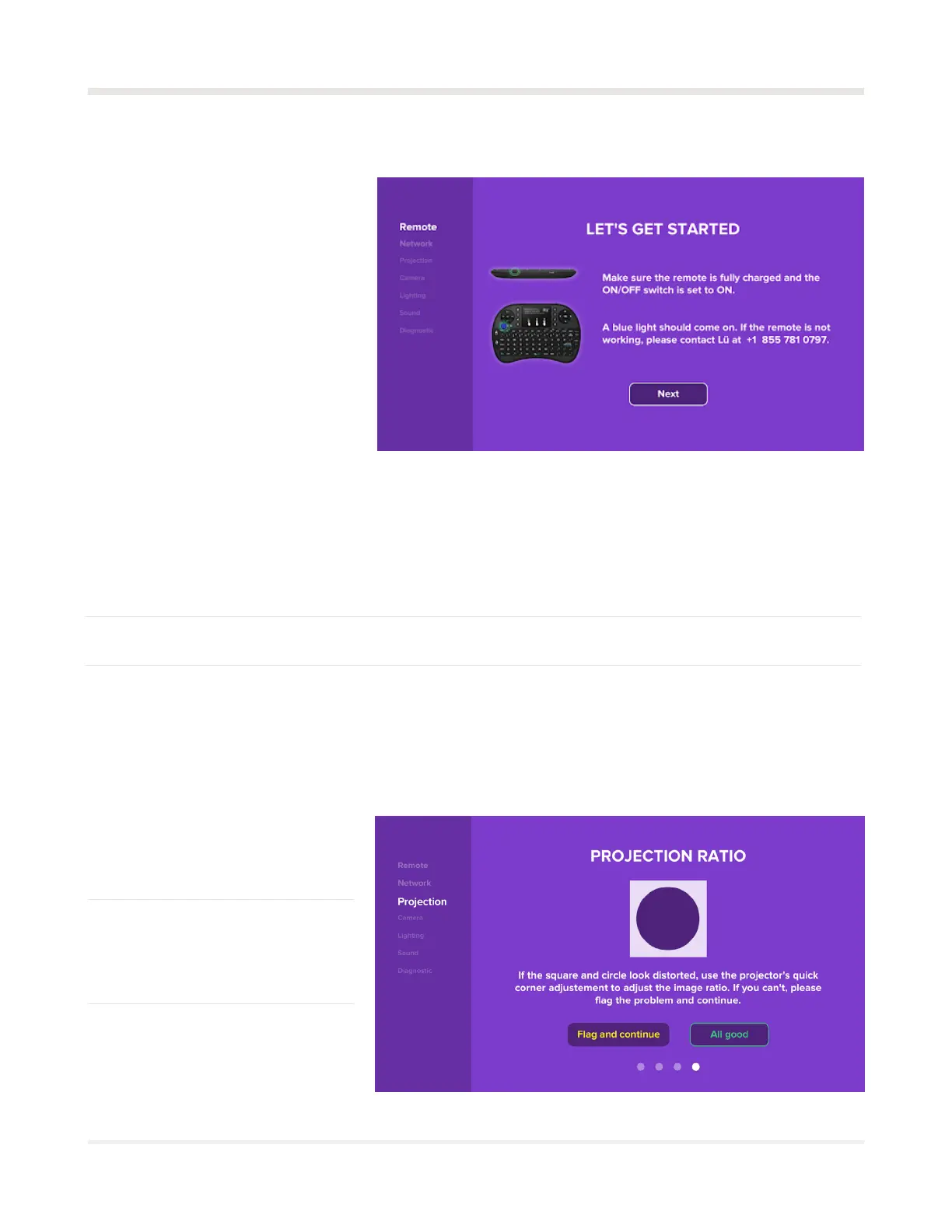
“Projection Check” will check
whether the projector is adjusted
properly. Click on “Ready” to start.
“Projection Height” will tell you
that the projection needs to be
between 4” (10 cm) and 1’ (30 cm)
above the ground.
“Projection Ratio” will check that
the screen ratio (16:9) is correct;
the square and the circle should
not be distorted.
02
03
01
Projection
System startup
At this point, all components must be
plugged in and powered according to
the wiring diagram (see pages 14 to
16). On the HDMI 1 source, the video
projector should display the “Let’s get
started!” message from the computer
screen. Align the projector before
continuing.
Now, using the remote control
keyboard, click “Next” and follow the
self-test and calibration procedure.



 To Next Page