English - 15
PAL: Countries/regions not listed above
<Note> You should unplug and reconnect the power cord, and then
restart the machine for DIP switch setting to take effect. Once C-VIDEO
is enabled, VGA OUT is not supported.
<Note> Only the live image can be displayed in C-Video output mode.
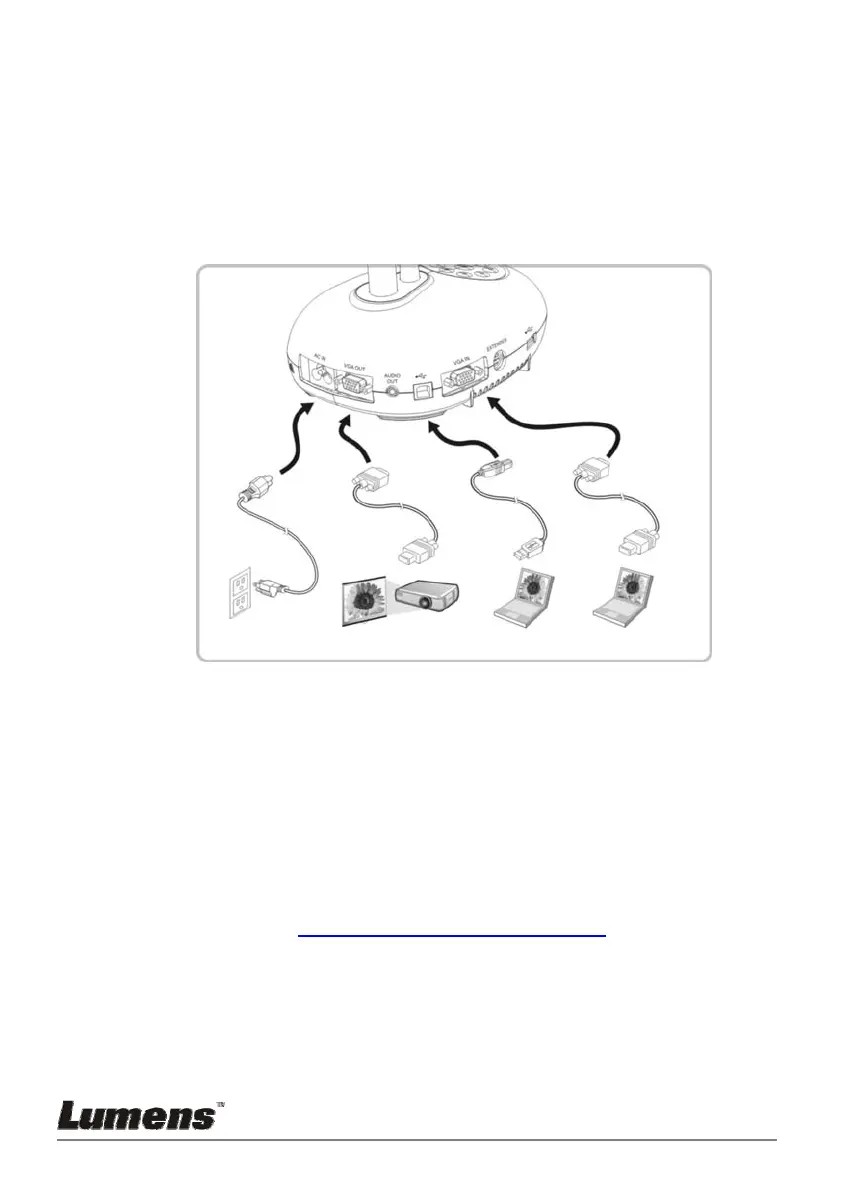
4.12 Full connectivity including USB
4.13 Installing application software
The application software installed on the computer enables you to:
Control the PC193.
Capture and record images.
Annotate the image, highlight important details and save it.
Support the full screen function.
<Note> Please refer to Ladibug™ software user manual for installation
steps and software operation.
Power cord
C outlet
Computer
VGA cable
ComputerProjector
USB cable
VGA cable



 To Next Page
 Loading...









