16
Operating the Luxor
®
ZD/ZDC
Setting up Programs
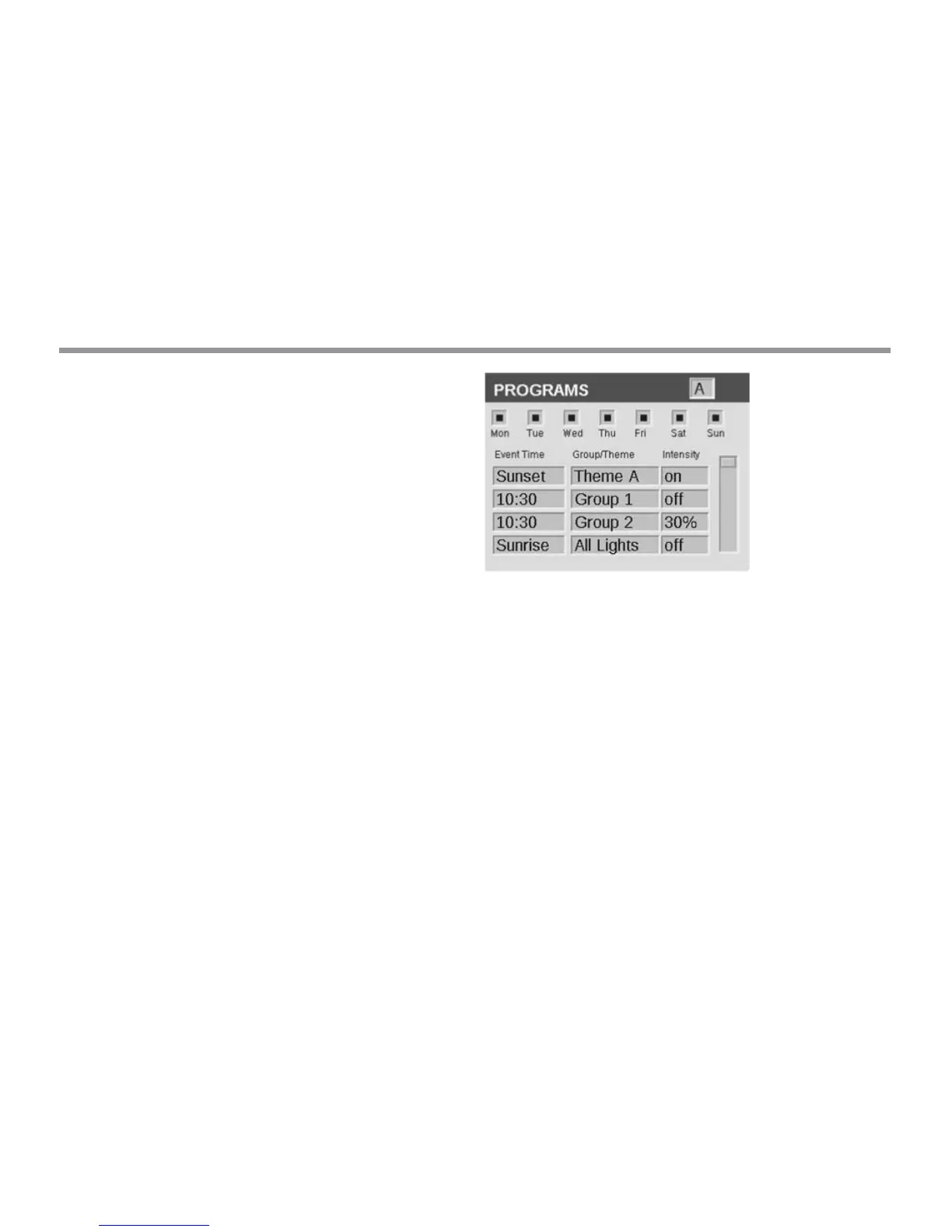
The PROGRAMS screen is where all daily running programs are set
up. Programs are set by calling up xtures that have been assigned to
groups or themes. For more about assigning xtures to groups, see
“Assigning Light Fixtures into Groups.”
• Each program is designated by a letter (“A” through “G”) at the
top right section of the screen. Select the desired letter using the
scroll wheel prior to selecting the days of the week.
• Selecting days of the week designates which days the program
will run based on the event settings. Select or remove each day by
highlighting the corresponding box over each day with the scroll
wheel and pushing to select or deselect.
• The event time species what time a specic action will occur.
Every event must have an initiation time. The xtures aected by
the event are selected by the user’s choice of a group, theme, or all
lights under the “Group/Theme” column. For ZDC systems, a color
column is available. Lastly, the intensity is required for groups and
“all lights” or on/o for themes.
• Multiple events can be created to initiate/change various
intensities, but must be designated to “o” using a separate event
in order for them to extinguish.
• In addition to a xed time setting for an event, a Sunrise or Sunset
setting is available for each event. This is based on astronomical
timing determined by the set location of the unit. The unit must
have a location setting under SETUP in order for it to accurately
adjust at the actual Sunrise or Sunset times.
NOTE ON DAY BEGINNING AND END: Days within the Luxor are
designated to start and end at noon (12:00 p.m.). This allows lights
to continue running aer midnight within a single day’s program setting.
Figure 8: Programs Screenshot
Themes
A theme is a planned set of groups at stated colors (ZDC only) and
intensities. A user can call up themes in the PROGRAM menu for quick
setting of a series of groups, or in the MANUAL menu for on-demand
control. Common uses for themes include location-based (e.g. gazebo)
and lifestyle-based (e.g. vacation, party, etc.).
• Themes are set initially by selecting the THEME function from the
HOME screen.
• Each theme is designated by a letter (“A” through “Z”) at the top right
section of the screen. Select the desired letter using the scroll wheel.
• Enter the various groups selected for the theme, with corresponding
colors (ZDC only) and intensities.


 To Next Page