31
x4
Care and Maintenance
Fuse Replacement
If the unit is powering on, but the xtures attached are not receiving
power, the fuse may need to be replaced. To replace, follow the
directions below:
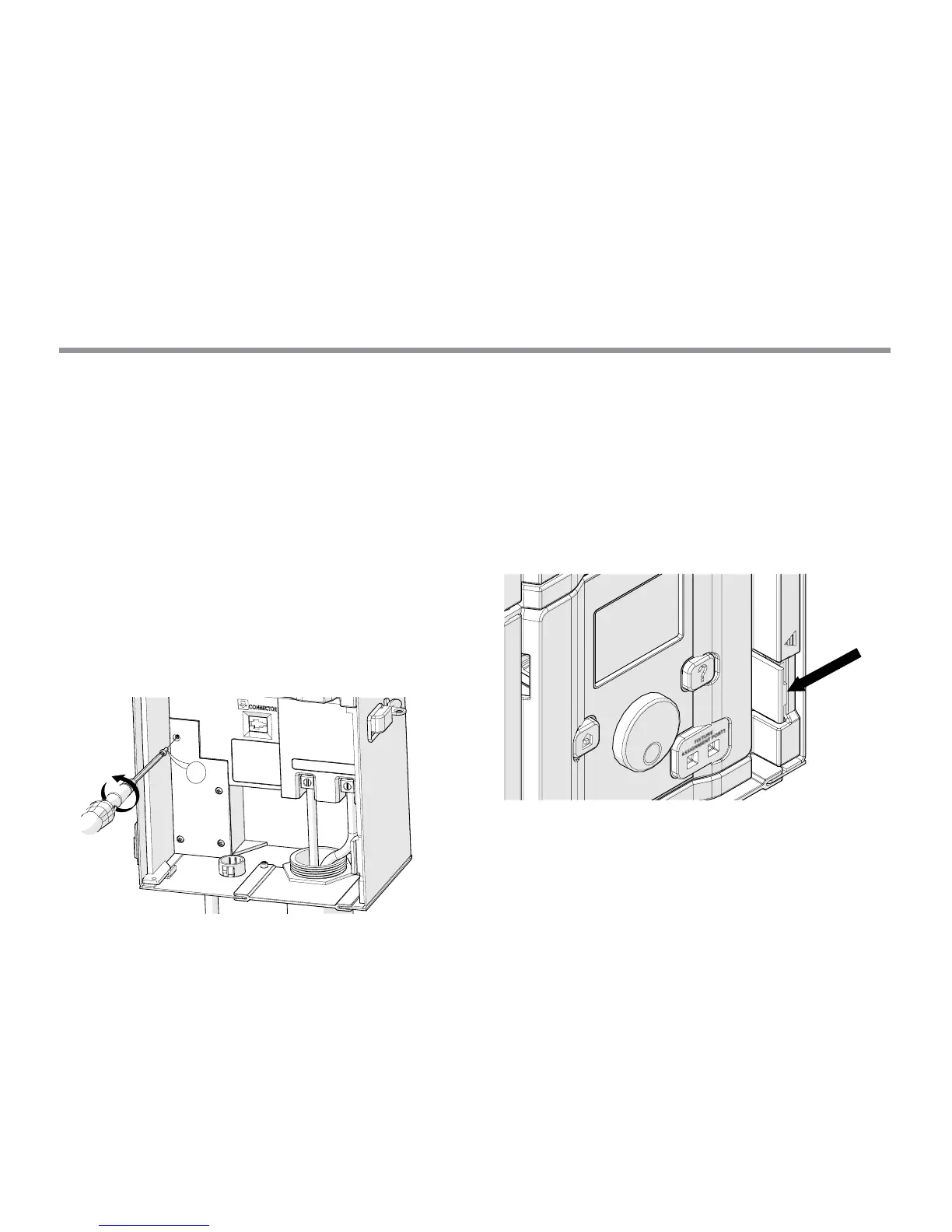
Unplug the Luxor® ZD from power.
Remove all wires from common and 14V terminals on the chassis.
Remove four screws from the fuse cover.
Remove and replace the fuse with the following specifications:
• 5 X 20 mm
• 250V
• 10 Amp
• UL Rated
Replace the cover and 4 screws, reattach fixture wires, and
restore power to the unit.
System Reset
There are two types of system resets: facepack reset and database
reset. The facepack reset simply removes power to the facepack and
restarts the rmware. A database reset deletes the entire database
to allow the user to start from scratch. All program data is lost during
a database reset, but xture assignments remain intact.
Facepack Reset
Remove the facepack from the chassis by pulling on the tab to
the right of the facepack.


 To Next Page