30
Care and Maintenance
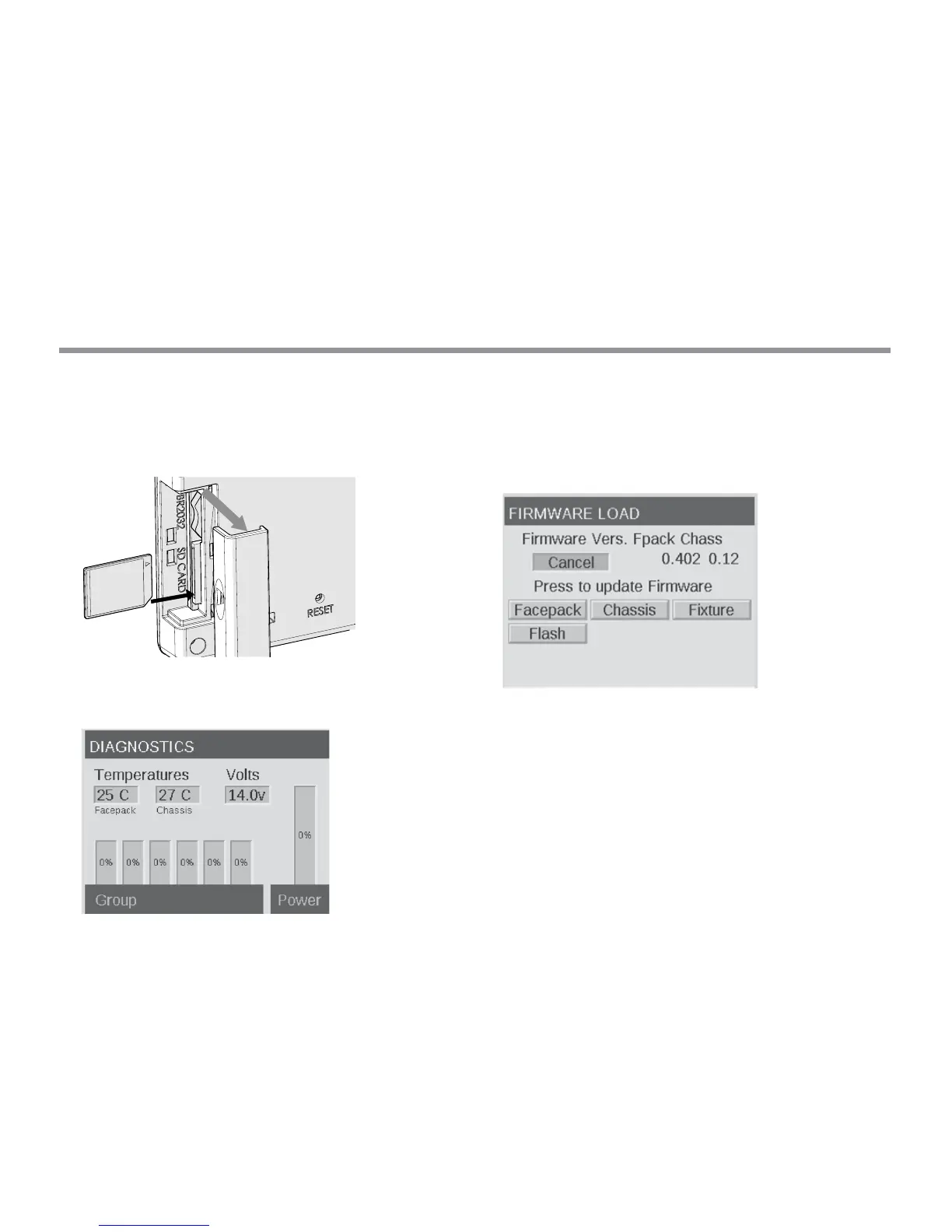
Remove the SD card slot cover by sliding cover toward the back of
the facepack.
Insert the SD card with the pins facing the front of the facepack,
pressing completely inward and then release to lock card
into place.
From the HOME screen, push both the HOME button and
the ? (“HELP”) button simultaneously to bring up the
DIAGNOSTICS screen.
Wait two seconds and press the center scroll wheel to enter the
rmware load screen.
Navigate to the desired update type and press the scroll wheel
to select. The facepack and ash update processes usually take
between 5 and 15 seconds, chassis updates typically take a couple
of minutes, and xture updates can take up to 15 minutes.
Figure 17: Firmware Load Screenshot


 To Next Page