17
Operating the Luxor
®
ZD/ZDC
• Select the TEST THEME checkbox to temporarily turn on all
groups that have been set in a theme. While the “test theme”
function is active, the user can make adjustments to the theme
and see the changes in real time. Test theme function will end
when a key has not been pressed for 5 minutes, the home key is
pressed, or another theme is selected.
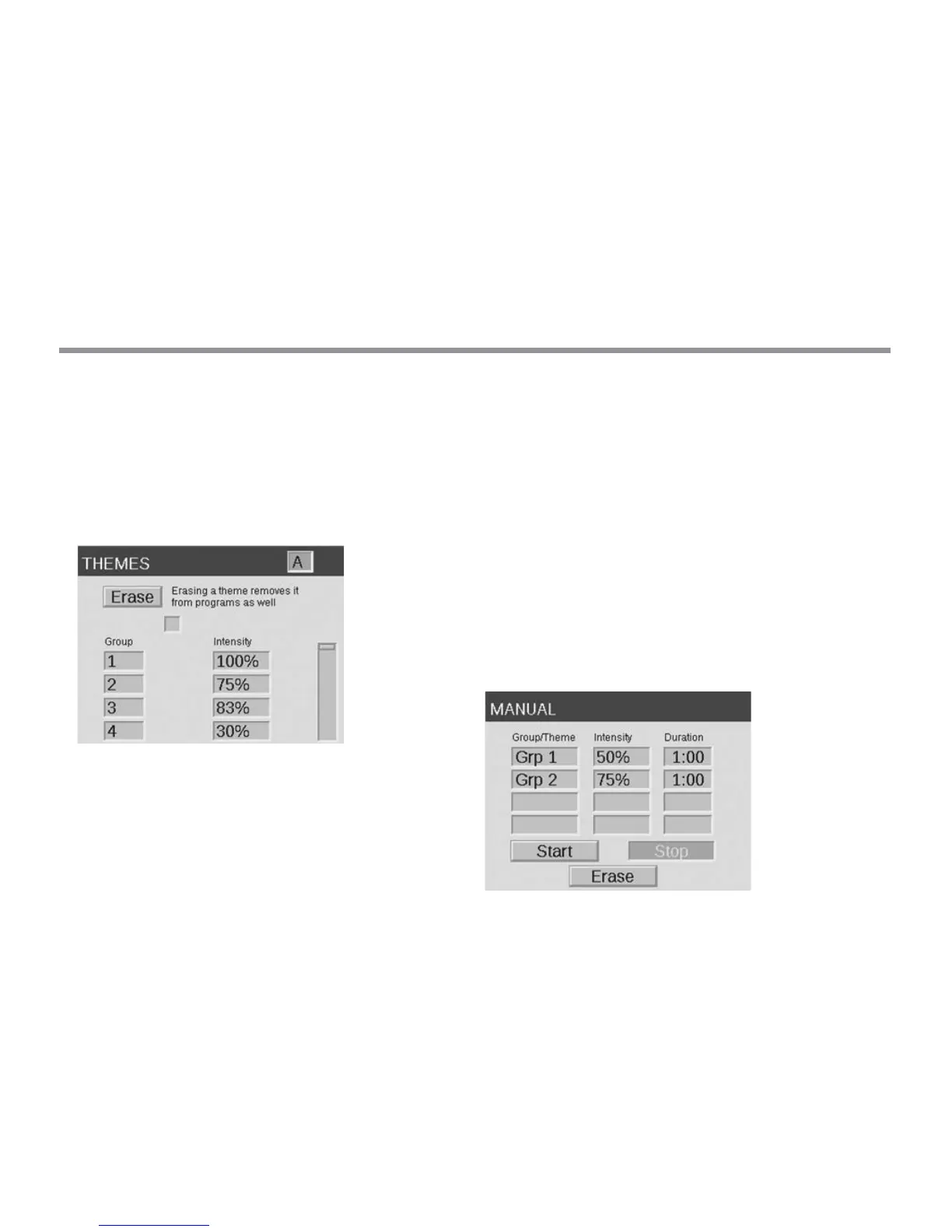
• To completely clear the theme, select the ERASE button. The
erase function not only clears all elds in the theme, but it also
removes the erased theme from any existing programs.
Figure 9: Themes Screenshot
Manual Mode
The manual mode is used to turn on and adjust lights outside of the
set programs. Manual settings will always take precedence over any
currently running programs.
From the HOME screen, navigate to the MANUAL screen using
the scroll wheel.
Designate a group number and then the intensity at which the
given group should be illuminated. For ZDC, a color number from
the color library is required as well.
Set the duration, or the amount of time that the group will run.
Navigate to and select the START button with the scroll-wheel.
To stop the countdown, the STOP button should be activated.
This will only pause to allow for adjustments and should not
delete any settings above.
If the group is currently running within a program, the Manual setting
will take precedence.
When the manual settings are nished, the regularly scheduled
program will immediately continue its operation at the next event
time, even if it was interrupted.
Aer manual settings have been started, the intensity and time
can be adjusted while it is still running.
Figure 10: Manual Screenshot


 To Next Page