19
Operating the Luxor
®
ZD/ZDC
• The test group column allows the user to view the created color
of a specic group. The color will remain active until the color
palette screen is exited or the test group is set to o. Scroll to
the test group box and select a group to activate a color label
onto that group.
• Changes to colors in real time are made when the color is active
through a test group, a theme, a program, or a manual program.
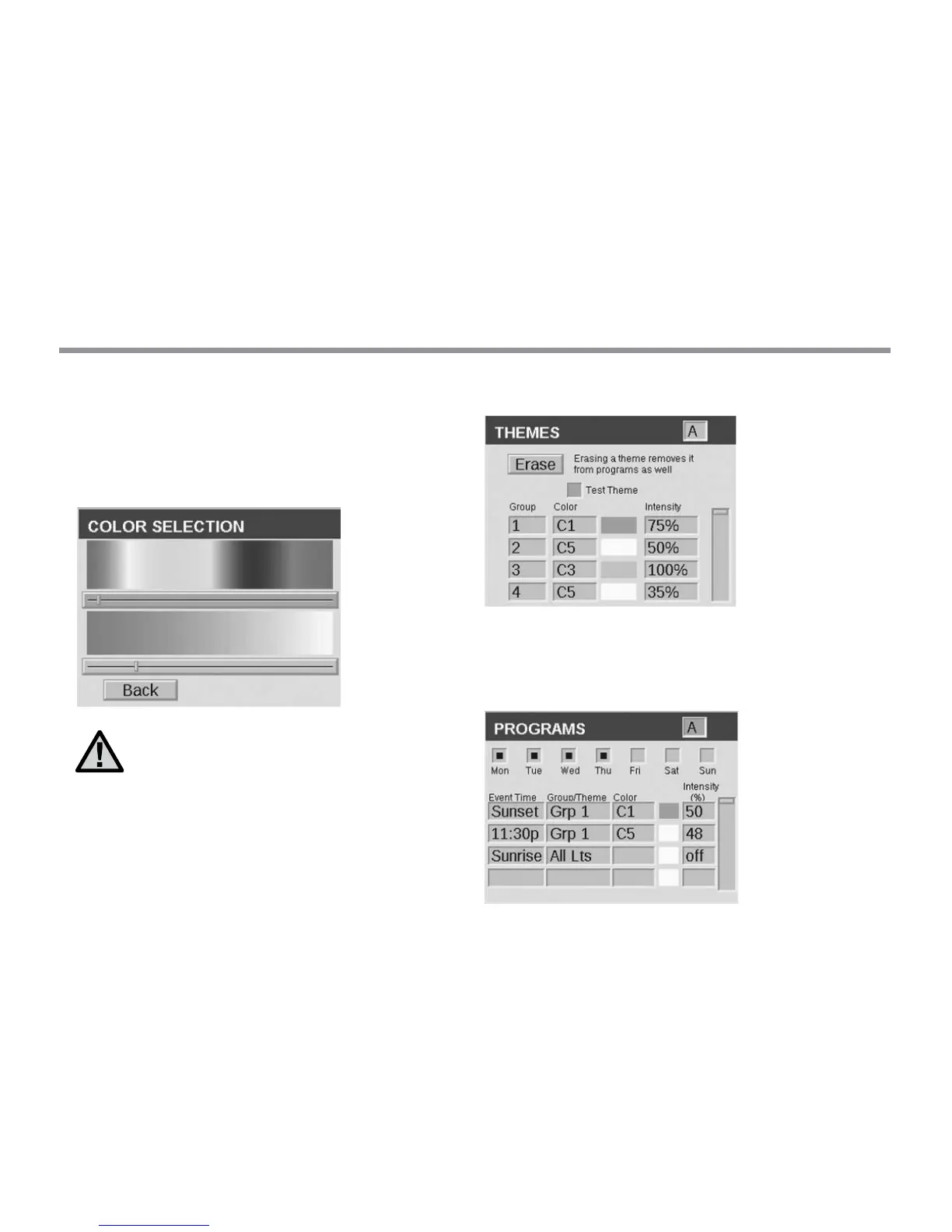
Figure 12: Color Selection Screenshot
Incorporating Color into Luxor
With color, the basic principles of Luxor remain the same:
xtures are assigned to groups, groups are built into themes, and
programs incorporate a variety of themes and groups as events
throughout the evening. Color is just one more added variable.
Themes now require an assigned color along with the intensity.
The color swatch is always displayed next to the color label for an
easy reference. Refer to the Themes section in this guide for more
information regarding themes.
Figure 13: Color Palette Screenshot
For programs, each event time requires a xture category (e.g. group,
theme, or all lights), a color, and an intensity. Refer to the Programs
section in this guide for more information regarding programs.
Figure 14: Programs Screenshot on ZDC Luxor


 To Next Page