29
Care and Maintenance
Firmware Updates
Firmware updates are occasionally released to add features or
enhance the Luxor® functionality. To update the facepack, chassis,
or ash rmware on the Luxor, an SD card is required to transfer the
data from a computer to the facepack.
Go to the FX Luminaire website (fxl.com) and navigate to the
Luxor product page. The rmware update les are located under
the RESOURCES tab.
Save the desired firmware onto an SD card.
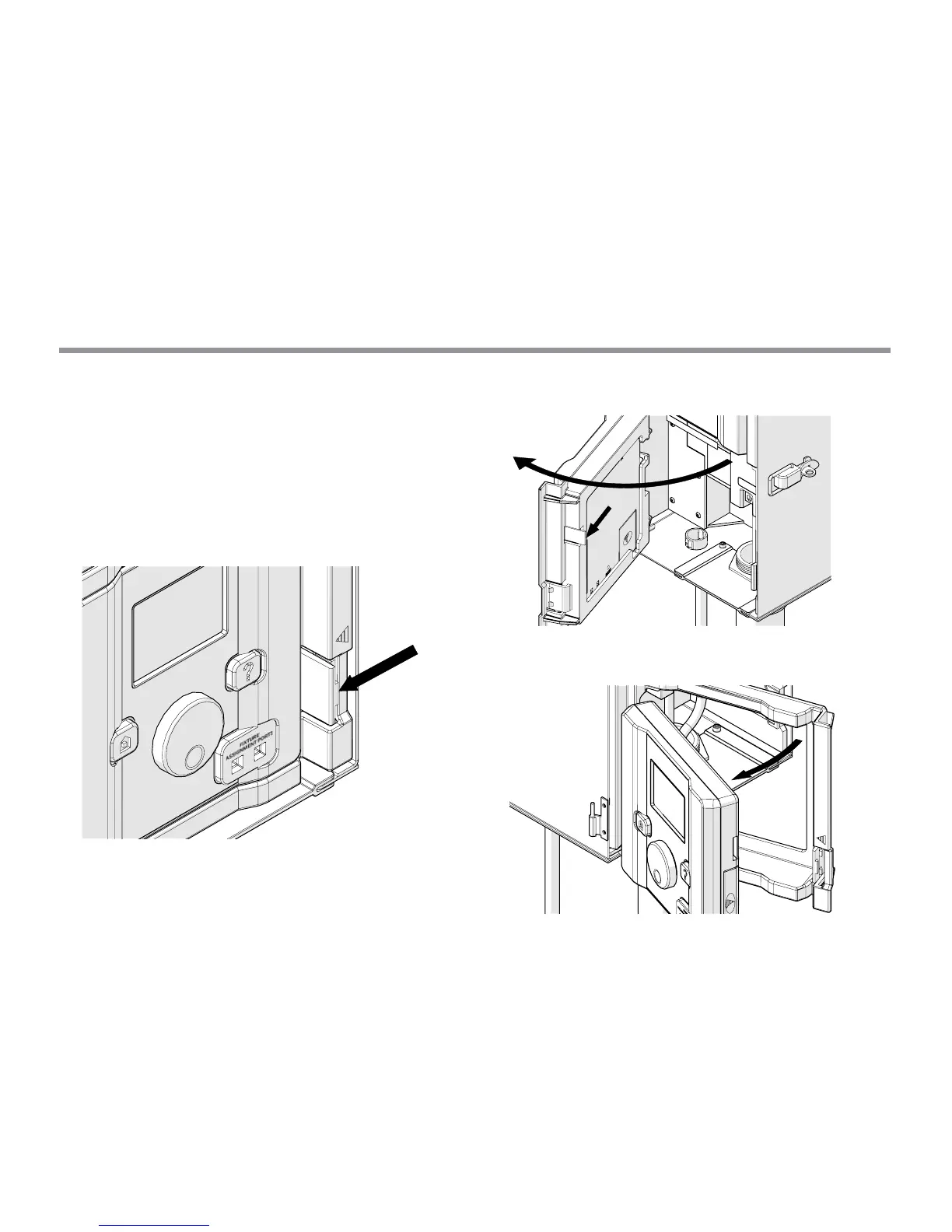
Remove the facepack from the chassis by pulling on the tab to
the right of the facepack and swinging the facepack door open.
Pull the black tab outward, while simultaneously pushing the
facepack through the door carriage.


 To Next Page