20
Operating the Luxor
®
ZD/ZDC
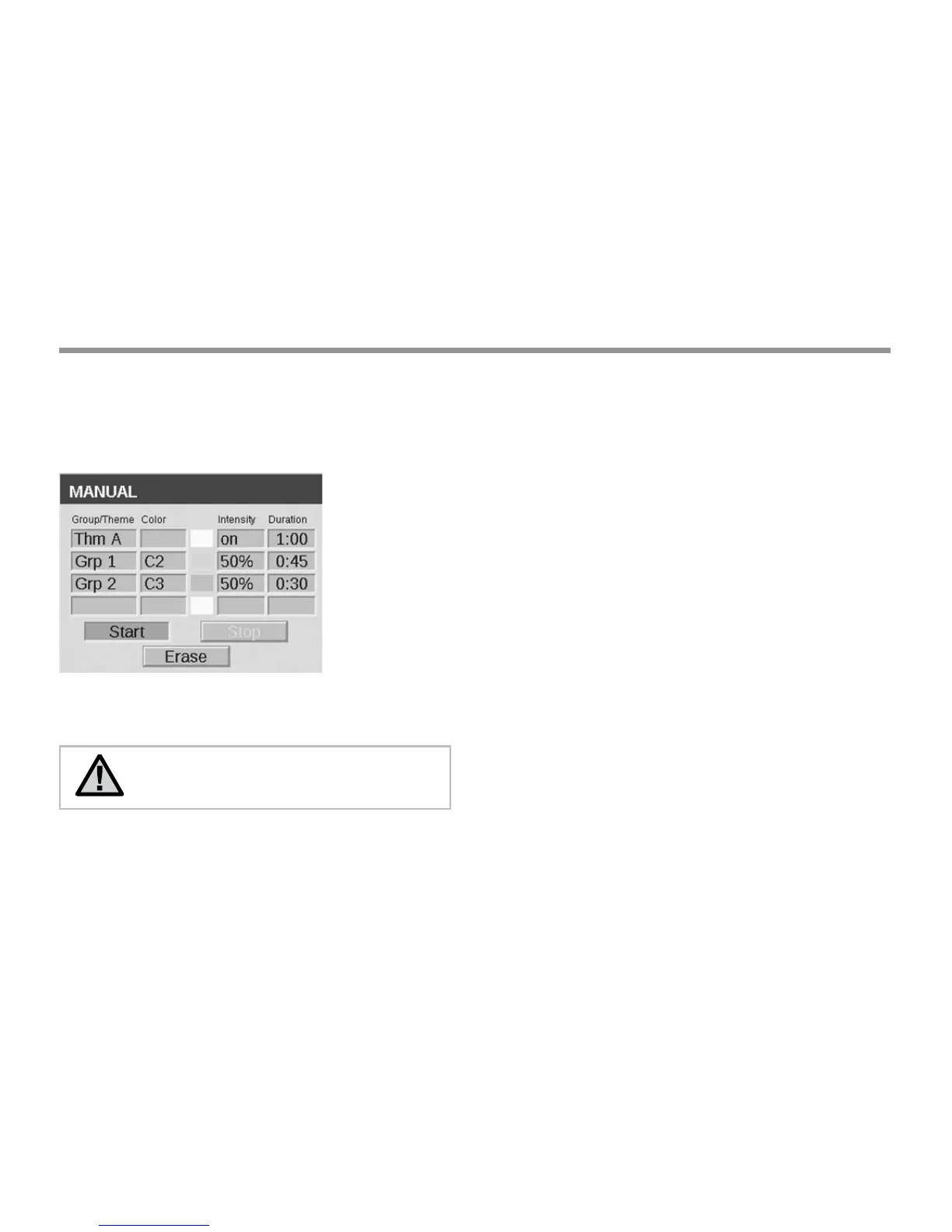
Lastly, the manual mode is used as an override to existing programs.
Groups and “all lights” are assigned a color, intensity, and duration,
but themes are not, because each theme is built with user-dened
colors already. Refer to the manual section in this guide for more
information regarding manual mode.
Figure 15: Programs Screenshot on ZDC Luxor
NOTE: Color and non-color LED boards must be
assigned to dierent groups.
Color Wheel
The color wheel feature scans through all 300 hues constantly at
intervals determined by the user. The scan is applied at the group
level, allowing various groups to cycle at dierent colors and rates.
Access the color wheel menu by selecting the COLOR WHEEL
function from the HOME screen.
Choose a label for your wheel (e.g. CW2)
Select a starting color. This is a user-dened color from the COLOR
Palette menu.
Select the number of seconds in which the Luxor will scan through
all 300 hues, beginning rst at the "Starting Color". For rapid color
changes, choose a lower number of seconds.
Apply the color wheel into programs, themes, and manual modes
using the same principles described in the "Incorporating Color into
the Luxor" section on page 18. Rather than applying a single color
to each group (e.g. C1), scroll the reverse direction to apply a color
wheel (e.g. CW1).


 To Next Page