Version 2.06 February 2017
Page 17 of 44
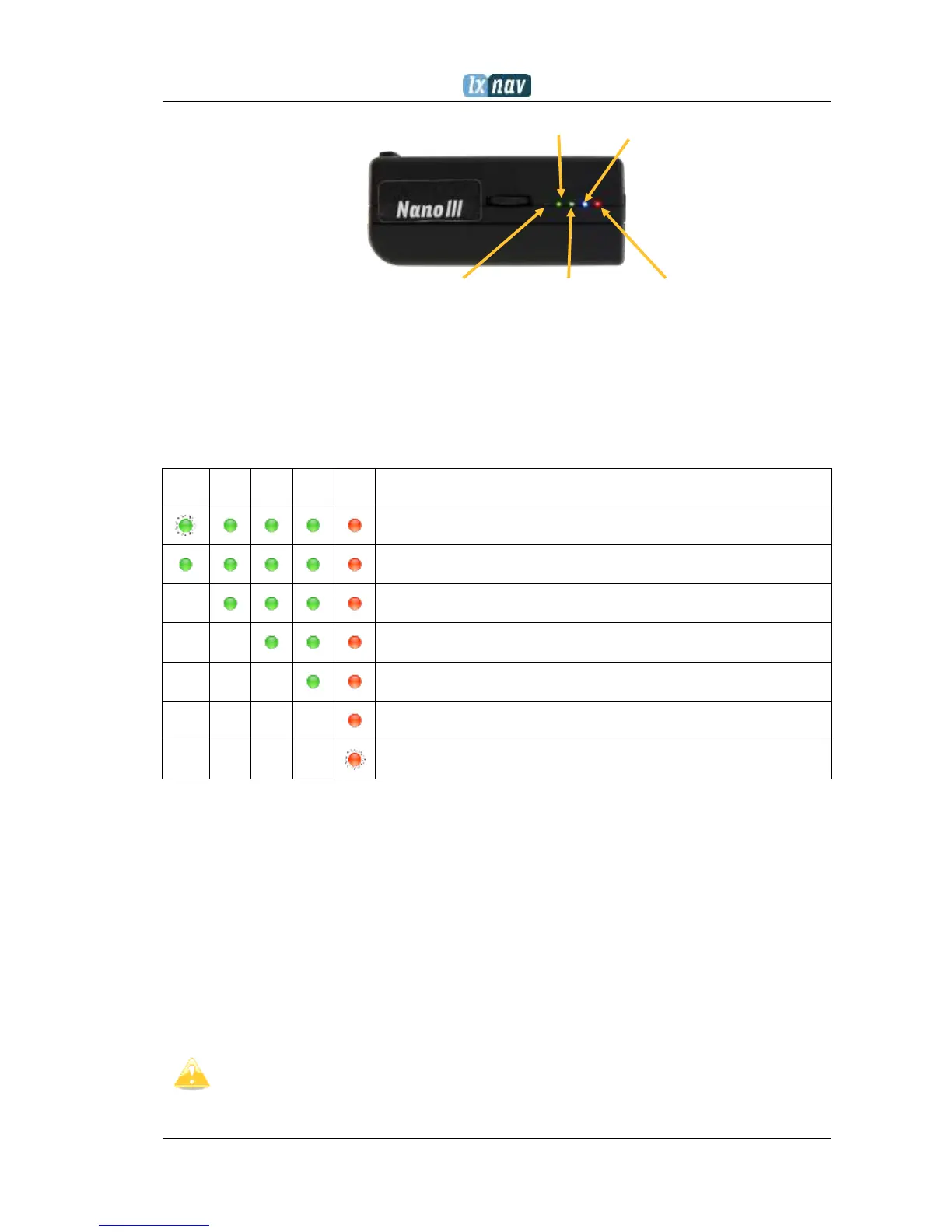
GPS OK Bluetooth OK
Power ON Logger Started Error
The fifth LED is red and indicates an error. See chapter 8 for more details.
4.4 Battery status
The battery status is indicated with LEDs only in fast charge mode. Ch.4.7 If all the LEDs are
on, it means that the battery is fully charged. During operation, as each LED goes out it
means 20% less battery capacity remains. A Detailed explanation of the LEDs is given in the
table below.
100% full, approximately 28hours of operation
95% full, 27hours remaining
From version 2.0 NANO
3
is able to measure battery level more accurately. This means it can
calculate the remaining time of working based on the current consumption rate.
It is possible in some circumstances for the accuracy of this calculation to drift so there is a
built in ability to re calibrate the battery.
4.4.1 Calibration of battery
Battery can be calibrated in the following way.
1. NANO
3
must be fully charged
2. NANO
3
is fully charged, when charge current drops below 5mA
3. Disconnect the supply cable and leave the NANO
3
running until it shuts down due to
an empty battery
To be sure, that the NANO
3
is really in discharge mode, the bottom row of the
INFO page text will show “DIP”, which means Discharge In Progress.


 To Next Page