Version 2.06 February 2017
Page 25 of 44
5.7 Setup Menu
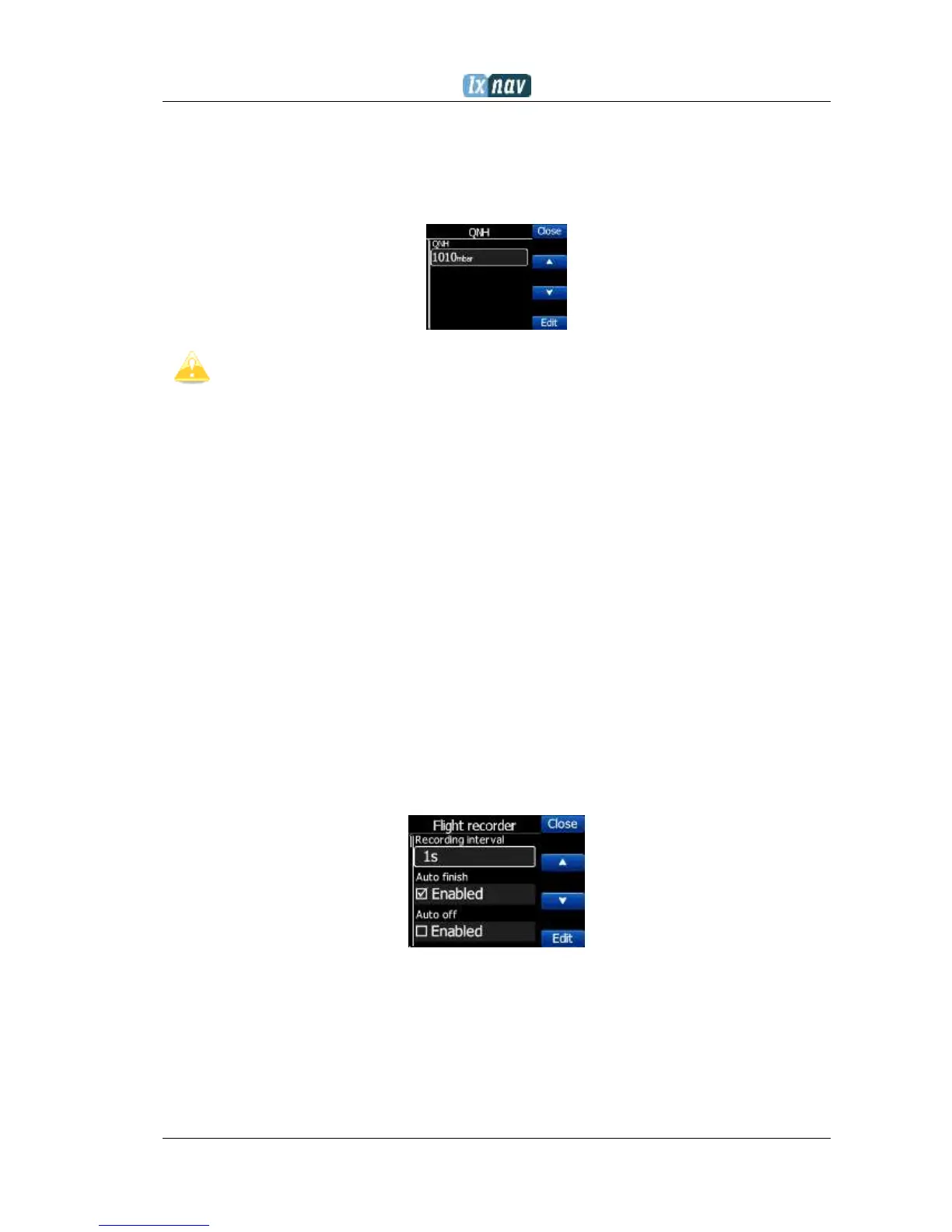
5.7.1 QNH
Under this page, the pilot can change the QNH setting. If QNH setting is correct, Nano
3
will
show correct altitude.
Wrong QNH setting will have effect only on wrong altitude warnings. QNH setting
has no influence over the recorded altitude in the IGC file
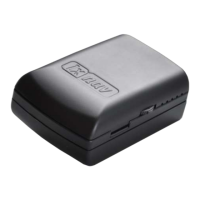
5.7.2 Flight recorder
Under this page; flight recorder, pilot information and glider data are configured.
Recording interval sets the interval when the GPS position will be stored in flight
Auto Finish will allow the automatic finish of the flight, under certain conditions.
Uncheck this item for wave flying. (ground speed is used to indicate the end of a
flight and in wave it is possible to be stationary or even fly backwards in relation to
the ground)
Auto Off will power off the NANO
3
30 minutes after the flight is finished
Logger always on will force the logging/write position to an IGC file immediately
after power on. Normally the NANO
3
logger is triggered by ground speed exceeded
40km/h or vario over 1m/s. This function is recommended to be enabled only for
hang gliders.
Pilot name must be entered here
Co-Pilot name must be entered here, if glider is doubleseater.
Competition sign of glider
Registration of glider
Glider type
Glider class


 To Next Page