Version 2.06 February 2017
Page 37 of 44
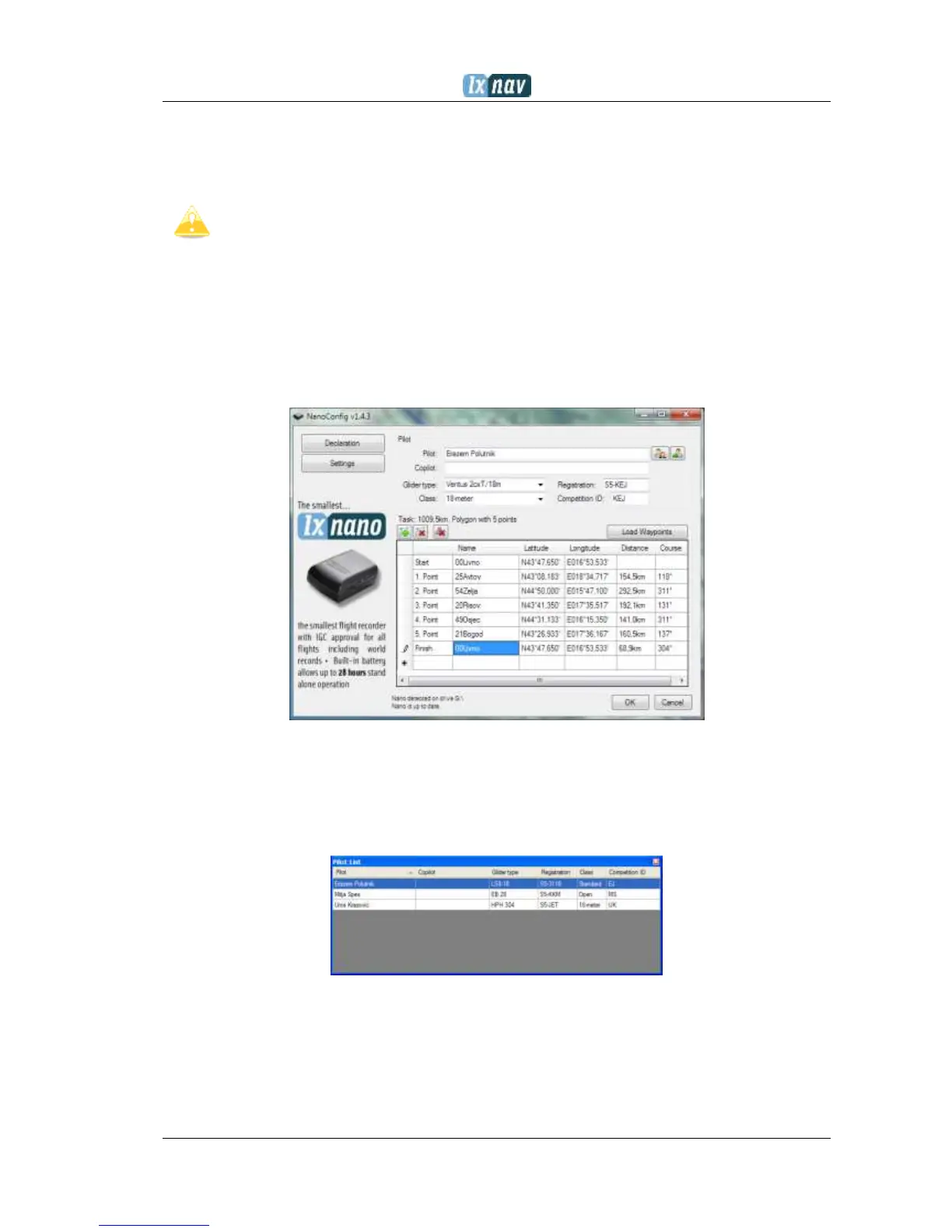
The version of the program is written in the lower left corner of the NanoConfig window.
When requesting support from LXNAV or reporting a bug, please always include the version
of the program in your email.
All NANO
3
configuration variables are stored in the SYSTEM folder of the NANO
3
in
a file named “system.ini”. It is strongly recommended that you do not modify this
file yourself. If you need more information about the “system.ini” file please
contact us.
7.2.1 Using the Nanoconfig program
Run the NanoConfig program and go to the declaration screen. The declaration screen is
split into two groups. Pilot and glider related information is in the top group and the task
declaration is shown in the bottom group.
7.2.1.1 Pilot information
Enter pilot and glider information in the pilot section. In the top right you will find two icons.
The first icon will show a list of stored pilot information and the second will add the current
pilot information to the list.
7.2.1.2 Task declaration
Before creating a task you have to load the waypoints from which the task will be created.
Press the Load Waypoints button to load waypoints. Waypoints can be loaded from a CUP
formatted file. Once waypoints are loaded you can create a task by typing the names of the
waypoints. Use the icons in the upper left corner of the task declaration group to add or



 To Next Page