INSTALLATION INSTRUCTIONS
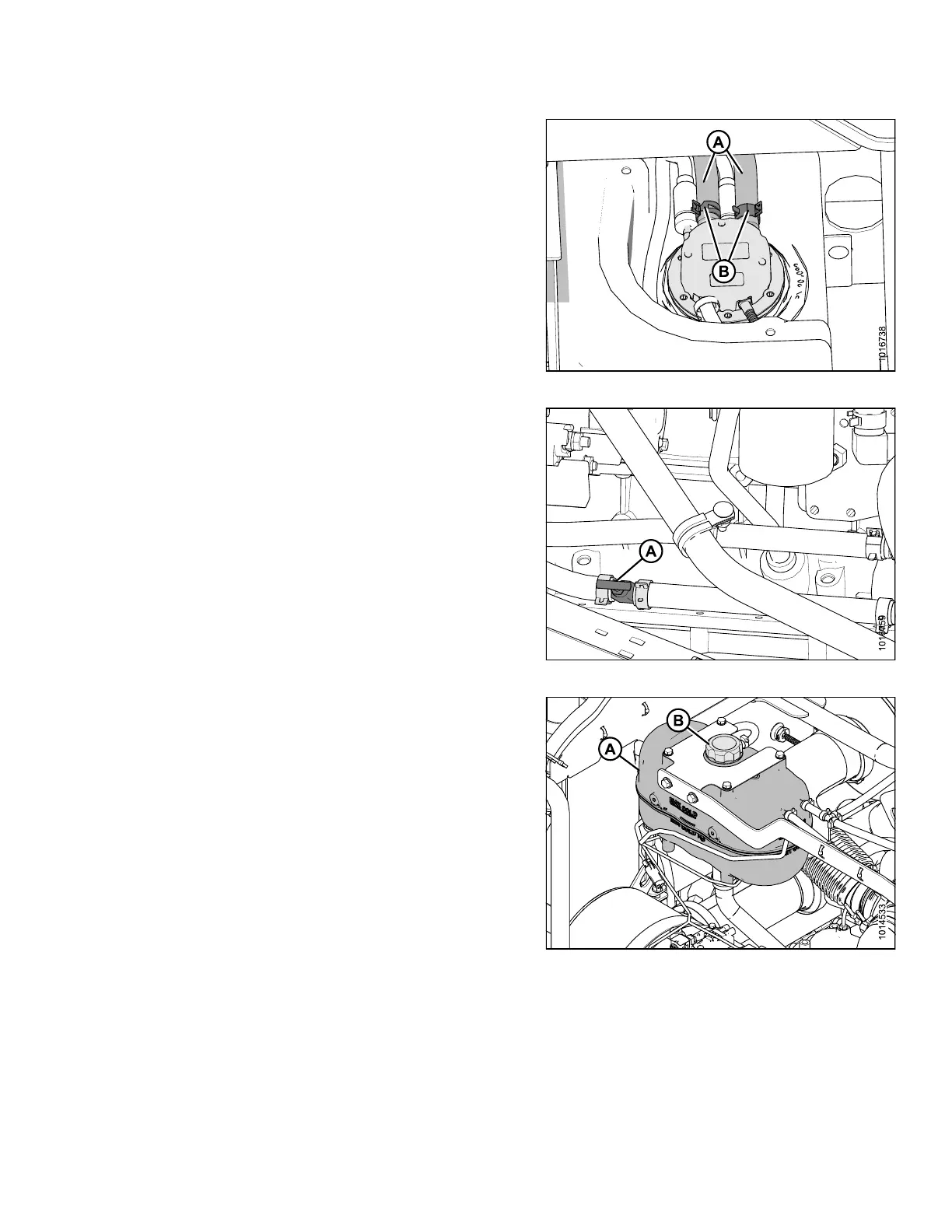
29. Reinstall the red and black coolant lines (A) into
their previous positions, and secure with the constant
tension cla m p s (B).
30. Remove the clamps used to pinch the coolant
lines (A) shut.
Figure 3.40: DEF Head
31. Re-open the manual coolant shutoff valve (A) to the full
open position.
Figure 3.41: Coolant Shutoff Valve
32. Remove the cap (B) from coolant recovery tank (A).
NOTE:
For coolant specifications, refer to the windrower
technical manual.
33. Add the same volume of coolant that was drained in
Step 23, page 23.
34. Close the hood.
35. Start engine and check cab display module (CDM) for
active engine error codes. For instructions on error
codes display, refer to the windrower technical manual.
If no error codes, the procedure to replace the DEF
head was completed successfully.
36. Turn OFF engine and remove key from ignition.
Figure 3.42: Coolant Tank
167730 25 Revision B



 To Next Page