ID Card Printer – User Manual
- 15 -
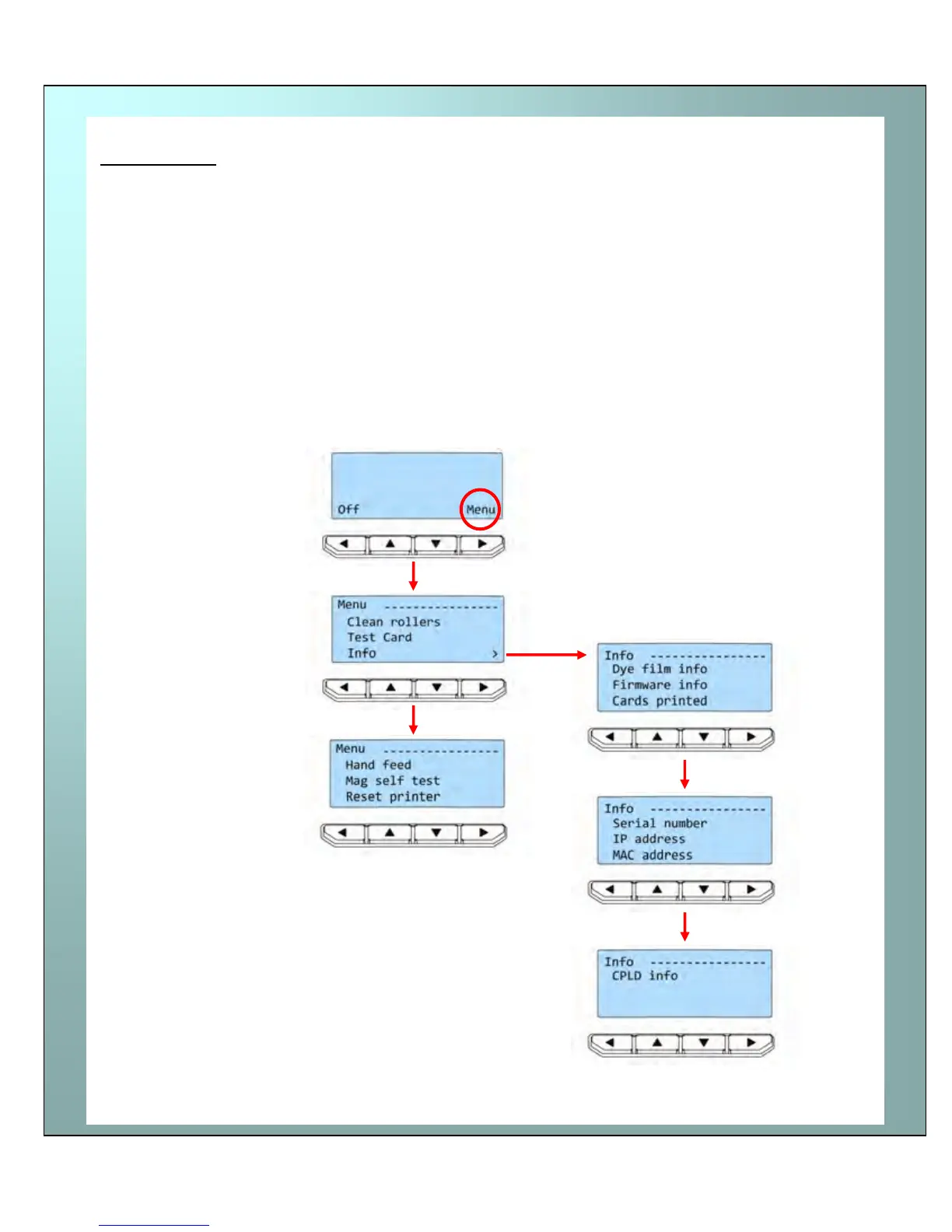
Press the “Menu” button…
The first menu option will be
displayed.
Press the “>” button (where indicated)
to step through each option in the
menu…
The following menu options will be displayed:
1 of 6 – Clean rollers
2 of 6 – Test card
3 of 6 – Info
4 of 6 – Hand feed
5 of 6 – Mag self test
6 of 6 – Reset printer
Options 1 to 6 are explained on page 16.
Menu options















 To Next Page