ID Card Printer – User Manual
- 26 -
We recommend that you clean the print head each time you replace the dye-film.
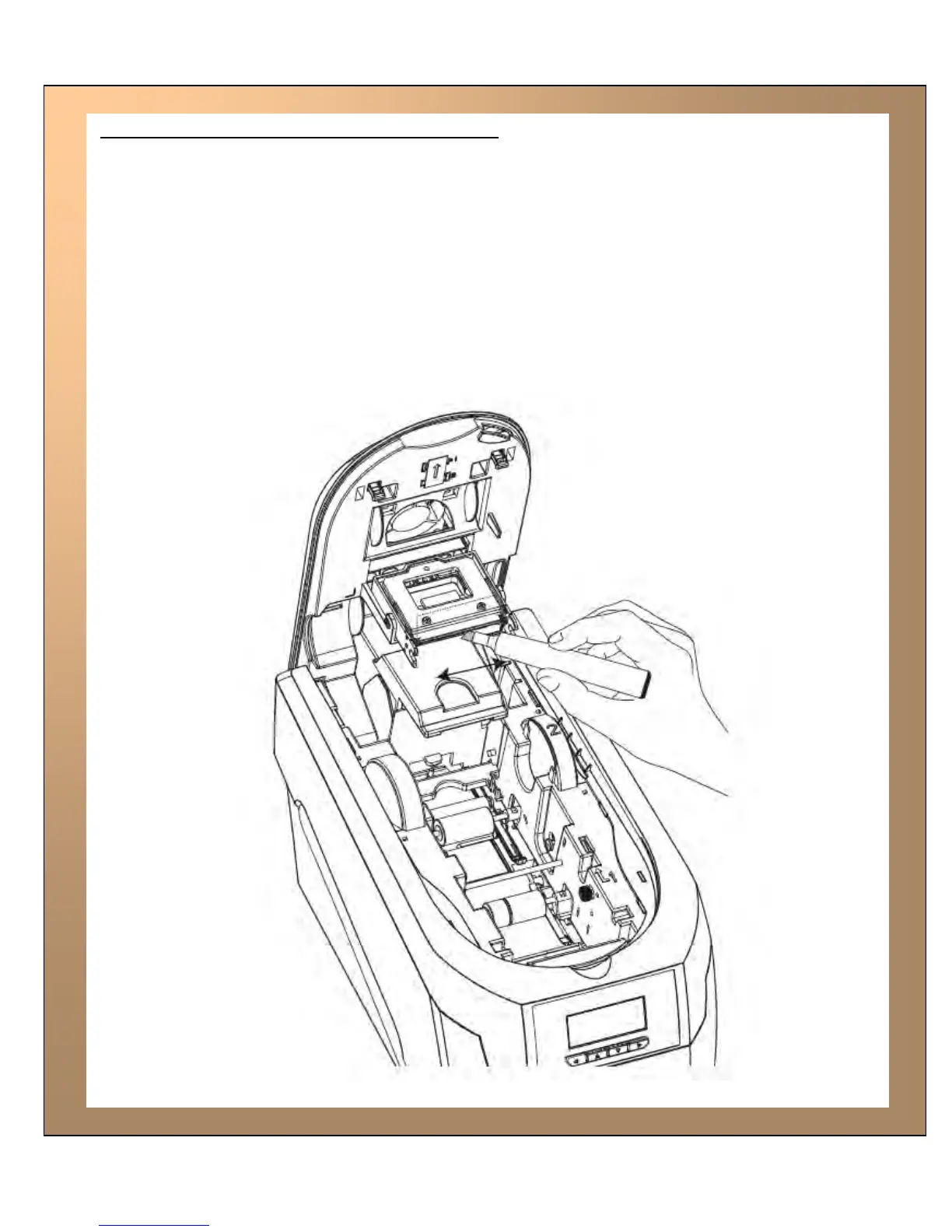
Take the cleaning pen from your Cleaning Kit.
Open the printer and carefully rub the Pen several times, along the complete length of the print
head.
The tip of the Cleaning Pen can itself be cleaned using a old “used” Cleaning Card. The Pen
can then be reused until the Cleaning Kit has expired.
Cleaning the printhead using the Cleaning Pen















 To Next Page