ID Card Printer – User Manual
- 25 -
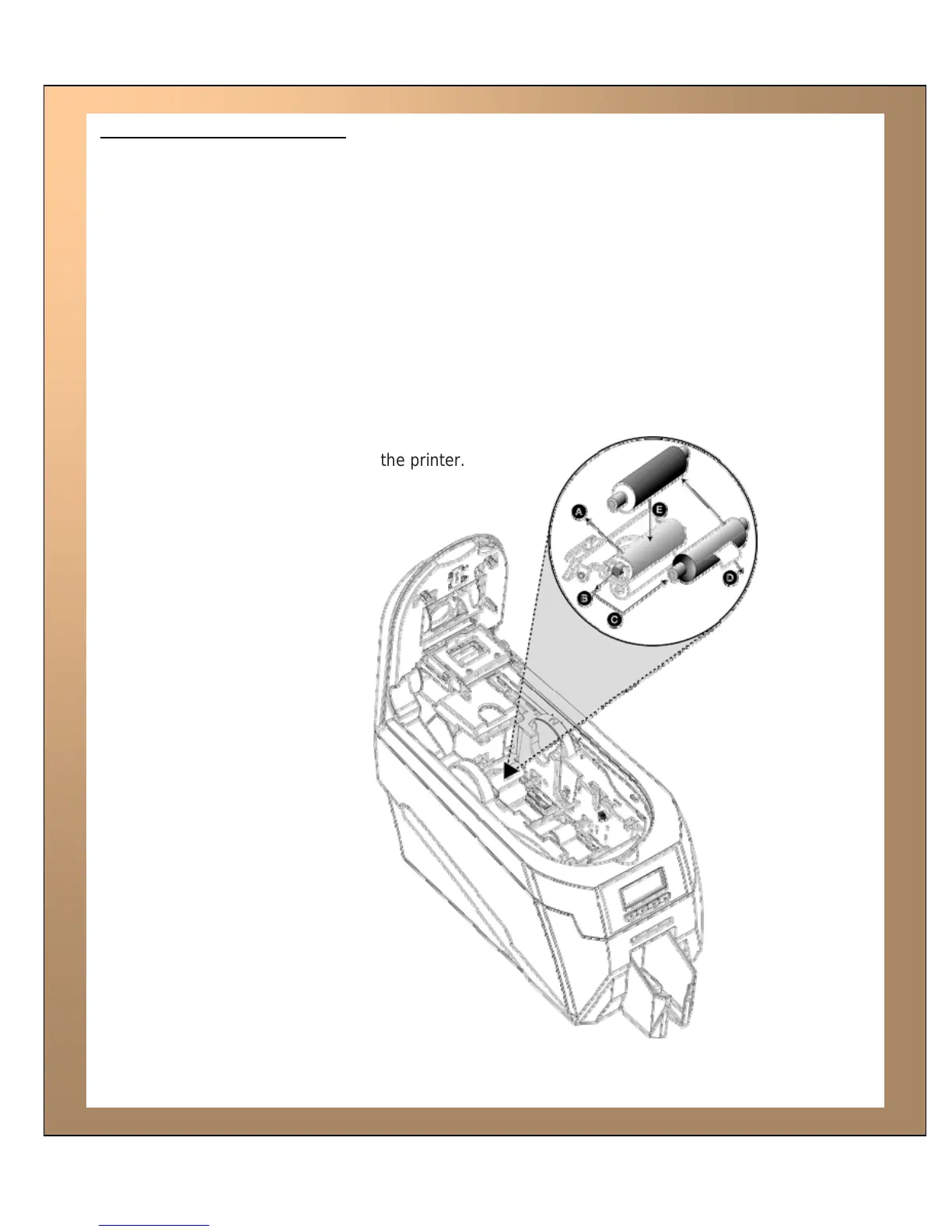
Replacing the cleaning roller
A new cleaning roller is supplied with every new dye film roll.
–
Open the printer and remove the used dye film
,
then:-
A. Pull out the used cleaning roller.
(This is the blue roller positioned behind and below the rear dye-film spool).
B. Remove the metal bar from the centre of this cleaning roller.
C. Slide the metal bar into the new cleaning roller.
D. Peel off the white protective layer carefully to reveal tacky
surface.
E. Place the new cleaning roller into the printer.















 To Next Page