ID Card Printer – User Manual
- 16 -
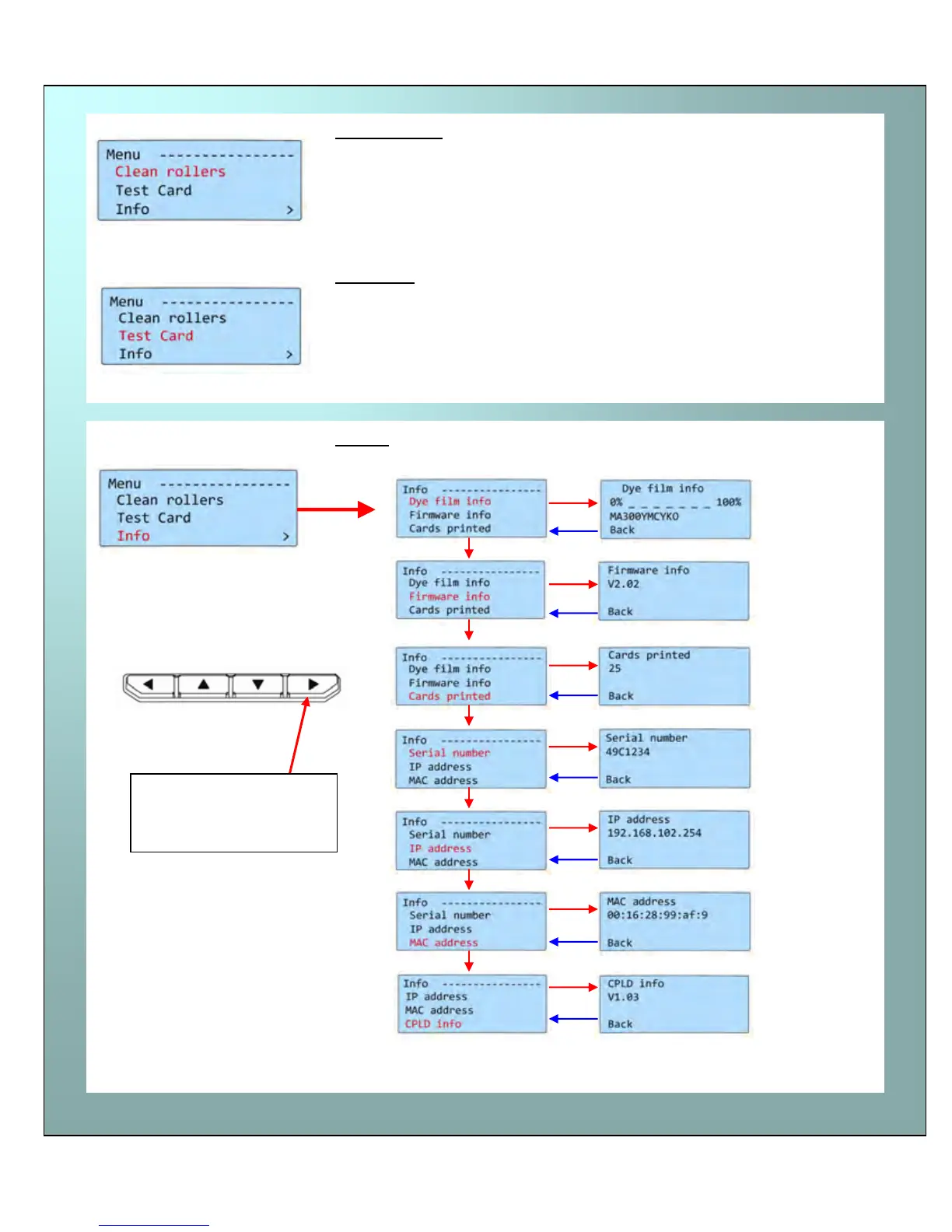
Clean rollers -
IMPORTANT: To prevent the cards slipping on the rollers during
printing, we recommend that you clean your printer using a cleaning
card each time you replace the dye-film.
For detailed instructions on how to clean your printer please turn to
pages 21 to 24.
Test card -
Having selected this option, you will be asked to confirm that you wish
to print a test card.
If you select “Yes”, the printer will feed a card from the hopper and
print an internally generated test image on it.
Info… - this option provides you with information about the printer:-
Select [OK].
Use the “Back” button to return to a previous menu
Cleaning the rollers
Test card
Info
Step through each
option using the right-
most “arrow” button.















 To Next Page