ID Card Printer – User Manual
- 6 -
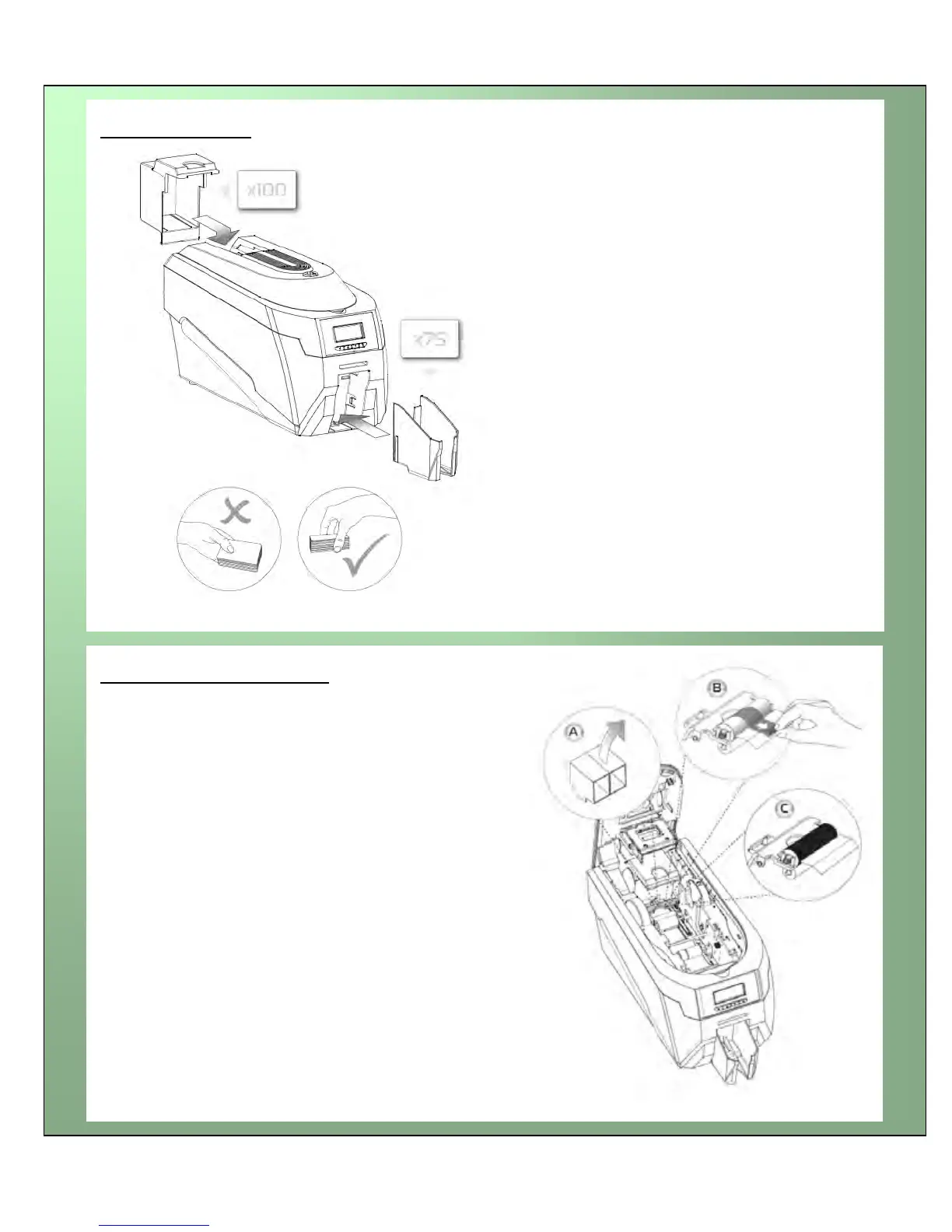
Open printer, then:
A. Pull out the unused cleaning roller.
B. Peel off white protective layer carefully to
reveal tacky surface.
C. Place cleaning roller back into printer.
Hopper & Stacker
Prepare the cleaning roller
HOPPER: Insert the hopper into the
aperture at the back of the printer and click
into place.
Always fan the cards to ensure the cards
are not sticking together before inserting
into the hopper, and handle the cards
carefully to keep the surfaces clean, as
finger marks can affect the print quality
STACKER: Insert the stacker into the
aperture in the front panel and click into
place. The stacker can hold up to 75, 20mil
to 40mil (0.51mm to 1.02mm) thick cards.
The printer can be operated without the
stacker.















 To Next Page