Electronic Fluxmeter EF 14
3.2 Keypad
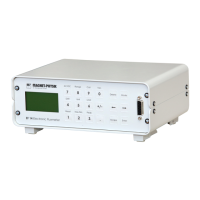
There is a numerical keypad for the input of numbers. It consists of the digit keys 0 to 9, the
(+/-) key and the decimal point. Numerical inputs are rounded to 7 significant figures.
You can change the most important instrument settings directly using the keys. The functions
are indicated above the keys.
Only a brief description of the key functions will be given here. You can find detailed
descriptions in Chapter 4.
Reset Sets the display back to zero in DC mode and clears all captured Max., Min.
and Peak values.
Max./Min. Captures the highest and if applicable lowest measured value.
Peak Switches the measurement of fast pulses on and off.
Drift Starts the automatic drift correction of the EF 14 (only in DC mode).
Unit This key is pressed to show the selectable units. The selection available
depends on the connected measuring coil.
Limit The values for the limit function (comparator) and the switching thresholds
for the limit relays are input here.
Range The measuring range can be selected in this menu.
Coil Coil type and coil parameters can be input here if coils without an own data
memory are connected to the EF 14.
Var. The test value can be multiplied or divided by a constant numerical value
when this function is selected.
Mode This key switches between the measuring display and a selection for further
menus and functions.
The arrow keys and the keys Enter and Delete have different functions, whether the measuring
display or a menu is active.
In the measuring display:
Enter Save the actual measured value to the data memory. The saved value is shown
in the upper left corner of the display.
← → The arrow key are used for navigation in the data memory.
Delete Deletes the value shown in the upper left corner from the data memory.
In a menu:
Enter The inputs shown on the display are accepted.
← → The arrow keys are used to move the selection cursor. The selection is shown
inverted.
Delete This key is used to delete a numerical value. The cursor indicates the number
to be deleted.


 To Next Page