Electronic Fluxmeter EF 14
During the manual drift correction the Reset key can be pressed any time to set the reading
back to zero. The reading must not be brought to zero using the arrow key. The arrow keys are
only used to stop the change of reading, which means to minimize the drift. If the reading is
sufficiently stable, the manual drift correction is stopped by Enter.
Both, the automatic or the manual correction, can be aborted by Escape. Then the new
correction value is dropped and the value that was valid before the function was started is
applied again.
4.5 Unit
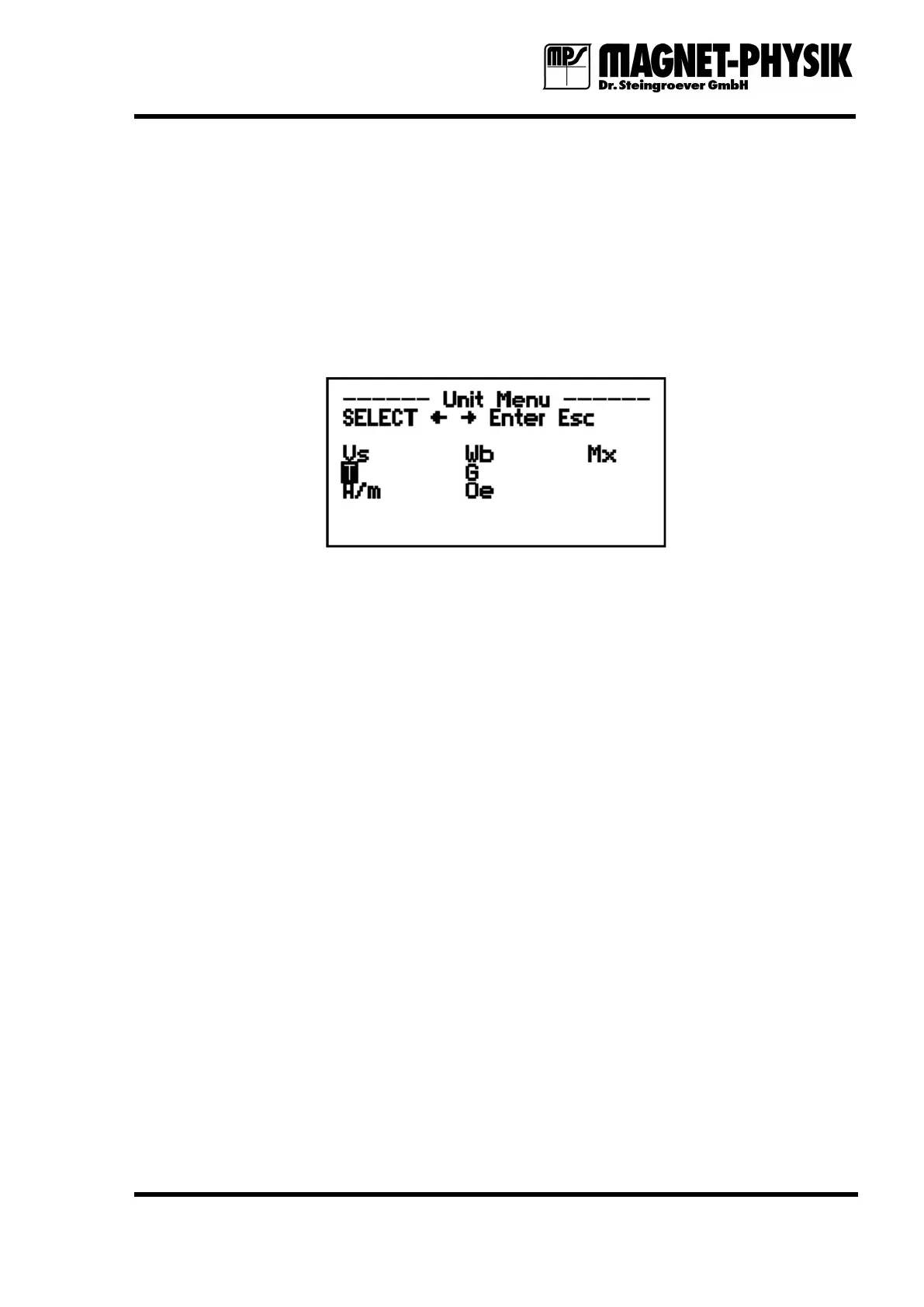
Fig. 4.5.1: Unit menu
The Unit menu is used to select the unit in which the measured values will be displayed. If the
respective function is switched on, also Max., Min., Peak or stored values are shown in the
same unit. If the unit is changed, stored values are not lost. They are converted into the new
unit.
Depending on the coil type different units can be selected. In all cases the units for the magnetic
flux, Volt Seconds (short name for the product of Volt and seconds, Vs), Weber (Wb) and
Maxwell (Mx) are available. The following table gives an overview of the units that are,
depending on the coil type, additionally selectable.
Field Coil: T magnetic flux density in Tesla
G magnetic flux density in Gauss
A/m magnetic field strength in Ampere per meter
Oe magnetic field strength in Oersted
Moment Coil: Vs · cm magnetic dipole moment
Vsm magnetic dipole moment
Am² magnetic moment
Potential Coil: A magnetic potential in Ampere
Gb magnetic potential in Gilbert
Surrounding Coil: Vs/n magnetic flux per turn
Wb/n magnetic flux per turn
Mx/n magnetic flux per turn


 To Next Page