4 Keypad Operation
MAGNETEK HPV1000 AC Elevator Drive Technical Manual 11
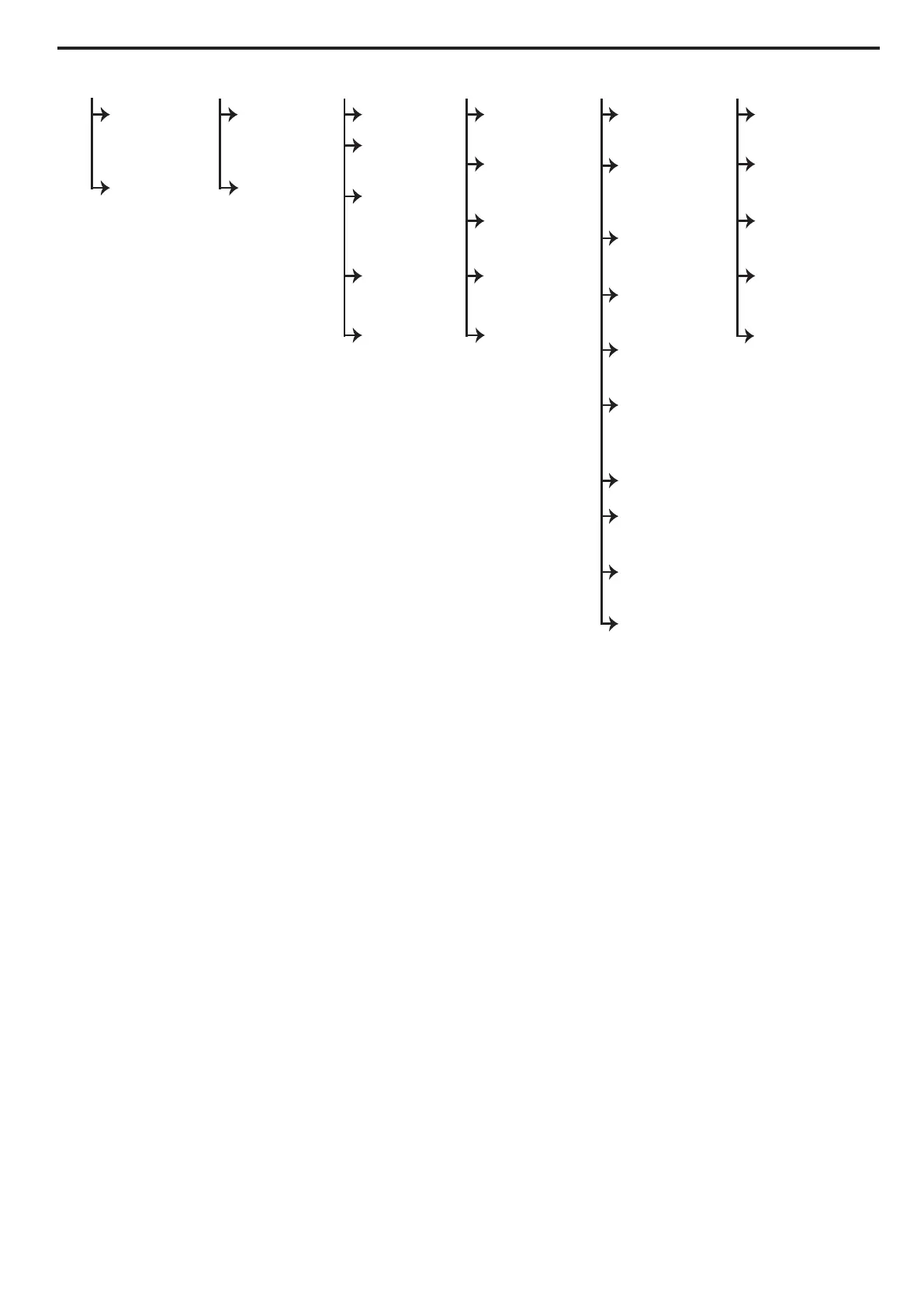
Menu Navigation at the Menu Level
The menu level (such as the D0, A0, C0, U0, and F0) is the top level display that allows the user to navigate between
sub-menus within a menu level. For example, the user will be able to navigate the A1 - A5 sub-menus if the A0 menu
level is being viewed.
At the menu level, the up and down arrow keys cause the display to show the sub-menus of the menu level the user is in.
Using the left or right key will cause the display to move to a different menu level. At the end of either the menu level list
or the sub-menu level list (either left, right, up, or down), pressing the same key will cause a wrap-around.
Each menu will remember the last accessed sub-menu. The left and right arrow keys will navigate between these last
active sub-menus shown in Figure 7.
Note: This remembrance of the last active sub-menu is volatile and will be lost at power down.
Navigation at the Sub-Menu Level
To access the sub-menu from the menu level, press the “ENTER” key when the display is showing you the sub-menu you
would like to go into. While in the sub-menu level, the text “SUB” will be shown in between the arrows on the screen as
shown in Figure 7. At the sub-menu level, the positioning keys work slightly different than they did at the menu level.
The up and down arrow keys now select separate parameters in the sub-menu.
At any time while in the sub-menu, pressing the “ESC” key will return the display to the menu level. Upon exiting a
sub-menu via the “ESC” key, the last viewed parameter is “remembered”. The next time that same sub-menu is entered,
it is entered at the “remembered” parameter.
This feature can be used to obtain quick access to two monitor values. Two menus, one labeled Display 1 D0 and one
labeled Display 2 D0, have the same display items. One item can be selected under the Display 1 menu and another under
the Display 2 menu. The left and right arrow keys can then be used to move back and forth between these two display
parameters.
Note: This remembrance of sub-menus and sub-menu items is volatile and is lost at power down.
D1
ELEVATOR
DATA
D2 POWER
DATA
D1
ELEVATOR
DATA
D2 POWER
DATA
A1 DRIVE
A2 S-
CURVES
A3
MULTISTEP
REF
A4 POWER
CONVERT
A5 MOTOR
C1 USER
SWITCHES
C2 LOGIC
INPUTS
C3 LOGIC
OUTPUTS
C4 ANALOG
OUTPUTS
C5 ANALOG
INPUT
U1
PASSWORD
U3 UNITS
SELECTION
U5 RESTORE
DEFAULTS
U6 DRIVE
INFO
U7
LANGUAGE
SELECT
U8 BASICS
U9
AUTOTUNE
F1 ACTIVE
FAULT
D0 DISPLAY 1 D0 DISPLAY 2 A0 ADJUST C0 CONFIGURE U0 UTILITY F0 FAULTS
F2 PRE
FAULT INFO
F3 FAULT
HISTORY
F4 CLR FLT
HISTORY
U2
MODIFIED
CONST
U10 ALTERNATE
NAV
U13 PARAM
BACKUP
F5 RESET
FAULTS



 To Next Page